
Text Snippet Saver
Save and copy text snippets easily
As of May 2026, Text Snippet Saver has 151 users in the Workflow & Planning category.
Usersdown 2.6 percent−2.6%
151
151
Ratingno change0%
—
— reviews
Reviewsno change0%
—
Version
1.0
Manifest V3
History
1 snapshotsTracking since Apr 24, 2026.
View as table
| Date | Users | Rating | Reviews | Version |
|---|---|---|---|---|
| Apr 24, 2026 | 155 | — | — | 1.0 |
| Now | 151 | — | — | 1.0 |
Permissions & access
- Permissions
- storage
- Host access
- None declared
Screenshots

About
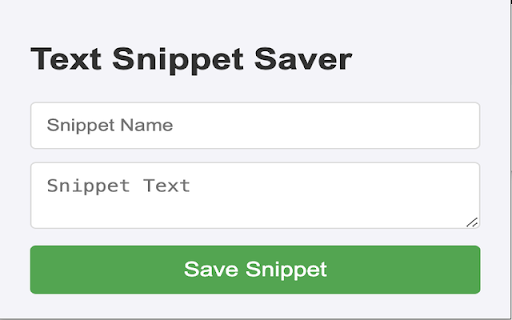
Text Snippet Saver is a simple yet powerful Chrome extension designed to help you manage your most-used text snippets efficiently. Whether it’s a cover letter, email template, or any other text you frequently use, Text Snippet Saver lets you save, edit, and copy these snippets with a single click.

Features:

	•	Easy Saving: Quickly save any text snippet with a name for easy identification.
	•	One-Click Copying: Copy your saved snippets to the clipboard with a single click.
	•	Edit and Update: Modify your existing snippets easily.
	•	Delete Unneeded Snippets: Remove snippets you no longer need with a simple click.
	•	User-Friendly Interface: Clean and intuitive design for a seamless experience.
	•	Dark Notification: Get a subtle “Copied!” notification to confirm your action.

How to Use:

	1.	Add a Snippet: Enter a name and the text you want to save, then click “Save Snippet”.
	2.	Copy a Snippet: Click the “Copy” button next to any snippet to instantly copy it to your clipboard.
	3.	Edit a Snippet: Click the “Edit” button to load the snippet into the input fields, make your changes, and save.
	4.	Delete a Snippet: Click the “Delete” button to remove a snippet you no longer need.

Perfect For:

	•	Professionals who use standard templates for emails and documents.
	•	Students who need to reuse text for assignments and projects.
	•	Anyone looking to save time by managing frequently used text snippets efficiently.

Get Started:

Add Text Snippet Saver to Chrome today and simplify your workflow!
Technical
- Version
- 1.0
- Manifest
- V3
- Size
- 7.57KiB
- Min Chrome
- 88
- Languages
- 1
- Featured
- No
Metadata
- ID
- oddfgdihpkbohhijiiaikiiddfpellld
- Developer ID
- u8606c3823d2222b905baab363f2f4e87
- Developer Email
- [email protected]
- Created
- May 26, 2024
- Last Updated (Store)
- May 26, 2024
- Last Scraped
- May 21, 2026
- Website
- —
- Support URL
- —
- Privacy Policy
- —
Similar extensions
Alternatives to Text Snippet Saver, ranked by description similarity.

Text Snippet Manager
Save and manage your favorite text snippets locally. Copy with one click. Organize with custom categories.
77
★ 4.7

Keep it Quick
A context menu extension for quick access to stored text snippets
158
★ 3.0

SnipDeck
SnipDeck: Save text snippets, prompts, code, and symbols. Organize them into decks and copy with one click.
55
★ 5.0

Reply Keeper
Save & instantly paste your frequently used text templates. Perfect for customer support, social media, email productivity, & more.
246
★ 4.9

Layla's Snips
Suggests user-defined scripts as you type.
51
★ 5.0

Pure Copy
Smart clipboard manager: Save text snippets, copy without formatting, track history. Perfect for productivity.
21

QuickClip-NotepadClipboard
A simple clipboard/notepad tool for saving and managing text snippets
24
★ 5.0

Sniply
Sniply: A simple Chrome extension for storing clipboard content locally, like a digital post-it note.
10
Data sourced from the Chrome Web Store · last verified May 21, 2026.