
Web Content Copier
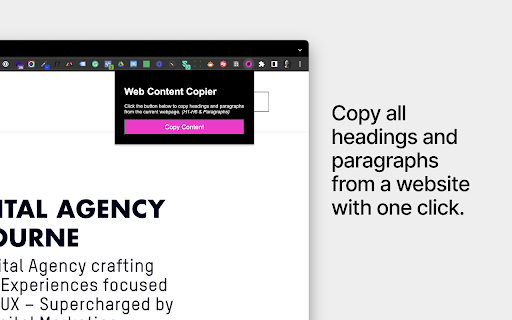
Copy headings and paragraphs from the current webpage.
As of May 2026, Web Content Copier has 6,000 users and a 4.50/5 rating from 8 reviews in the Workflow & Planning category.
Usersno change0%
6.0K
6,000
Ratingno change0%
4.50
8 reviews
Reviewsno change0%
8
Version
1.1
Manifest V3
History
1 snapshotsTracking since Apr 25, 2026.
View as table
| Date | Users | Rating | Reviews | Version |
|---|---|---|---|---|
| Apr 25, 2026 | 6.0K | 4.50 | 8 | 1.1 |
| Now | 6.0K | 4.50 | 8 | 1.1 |
Permissions & access
- Permissions
- activeTabscripting
- Host access
- None declared
Screenshots

About
Introducing the 'Web Content Copier' Chrome Extension

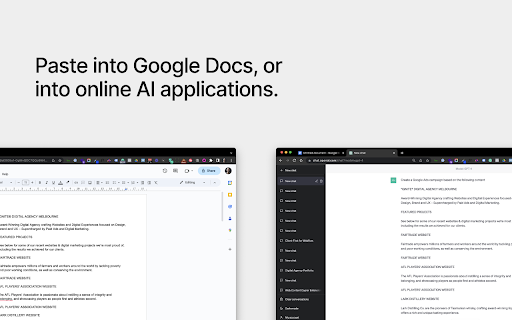
This Chrome extension simplifies the task of copying website content. With just one click, you can extract relevant text from any website (including ChatGPT) without manually selecting and copying each element. Here's what it offers:


FEATURES:

– One-Click Content Copying: Easily extract all necessary text, including all headings (H1-H6) and paragraphs (P), from any website with a single click.

– Intelligent Text Selection: The extension excludes content in the navigation and footer of the website, ensuring you only get the content that matters.

– ChatGPT Conversation History Extraction: Perfect for frequent ChatGPT users, it allows you to copy and extract your entire conversation history in one go.

BENEFITS:

– Ideal for Students, Researchers, and Professionals: It simplifies the process of collecting information from various websites quickly and efficiently.

– Saves Time and Effort: Avoid manually selecting each element and navigating through a cluttered web page.

– Prevents Accidental Copying: Eliminate the risk of accidentally copying unnecessary content, saving precious time.

– Effective for Note-Taking and Analysis: It's especially useful for those who wish to save their ChatGPT conversation history for further analysis or note-taking.


In essence, the 'Web Content Copier' is an essential Chrome extension for anyone who values speed, efficiency, and accuracy in online research and information gathering. Download now for a hassle-free content copying experience!
Technical
- Version
- 1.1
- Manifest
- V3
- Size
- 9.83KiB
- Min Chrome
- 88
- Languages
- 1
- Featured
- Yes
Metadata
- ID
- kclanalaafbcibcojcadccipafbdmoin
- Developer ID
- u1aa9f756f93059f90e4d7e59d3f0b6f8
- Developer Email
- [email protected]
- Created
- Apr 1, 2023
- Last Updated (Store)
- May 30, 2023
- Last Scraped
- May 22, 2026
- Website
- —
- Support URL
- —
- Privacy Policy
- —
Similar extensions
Alternatives to Web Content Copier, ranked by description similarity.

ChatGPT Remove Background Color on Copy
A simple Chrome extension to remove the background color from copied text.
762
★ 3.4

TapToCopee - Copy Text Button for ChatGPT
Adds a copy button for your chatGPT session to copy its response in a click
28

ChatGPT CopyIt
ChatGPT CopyIt adds a copy to clipboard button end of each answer. Also it shows word and character counter.
579
★ 5.0

Chat GPT Text Background Remover
Removes background color from copied text but retains other formatting.
8.0K
★ 3.2

CleanClip – Copy as Plain Text
Automatically strips formatting from copied text for seamless plain text pasting
9

Copy Button for ChatGPT
Adds a native looking copy button for ChatGPT messages.
622
★ 3.0

Copy for AI
Copies web text as clean markdown, stripped of HTML garbage.
3
★ 5.0

Chatpgt Copy Export Clipboard
🪄 Enhance CHATGPT with copy button, export chat in any extension and clipboard manager 📋. Compatible with AIPRM ✅
420
★ 4.3
Data sourced from the Chrome Web Store · last verified May 22, 2026.