OutlierClips
A free and private clipping tool for podcasters needing to capture text content to prepare their podcast episodes.
As of May 2026, OutlierClips has 45 users and a 2.00/5 rating from 1 reviews in the Workflow & Planning category.
Usersdown 4.3 percent−4.3%
45
45
Ratingno change0%
2.00
1 reviews
Reviewsno change0%
1
Version
0.71
Manifest V3
History
2 snapshotsTracking since Apr 26, 2026.
View as table
| Date | Users | Rating | Reviews | Version |
|---|---|---|---|---|
| Apr 26, 2026 | 47 | 2.00 | 1 | 0.71 |
| May 23, 2026 | 43 | 2.00 | 1 | 0.71 |
| Now | 45 | 2.00 | 1 | 0.71 |
Permissions & access
- Permissions
- tabsclipboardWritecontextMenus
- Host access
- https://*/*, http://*/*
Screenshots

About
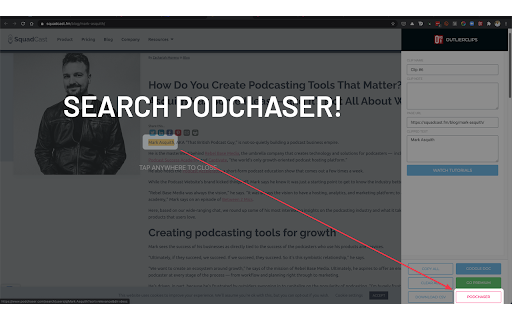
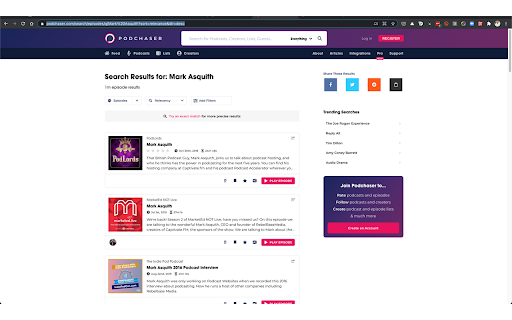
Clip and capture research to prepare for podcast episodes, blog posts, job interviews, sales meetings, or any other upcoming event. Search Podchaser.com for the person you're preparing to speak or meet with. Use whatever notes app you want to store your research.

---

Do you research your upcoming guests and/or topics to prepare your podcast?
Do you research people before meetings or sales calls?

If you're an outlier, you do.

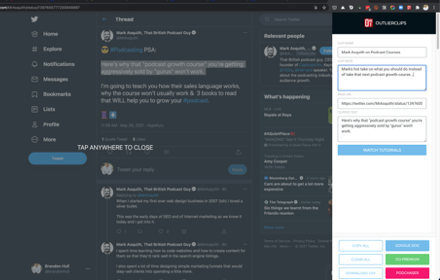
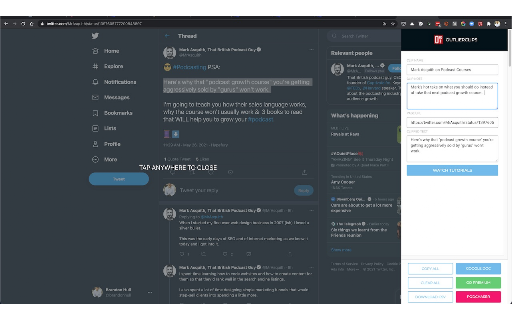
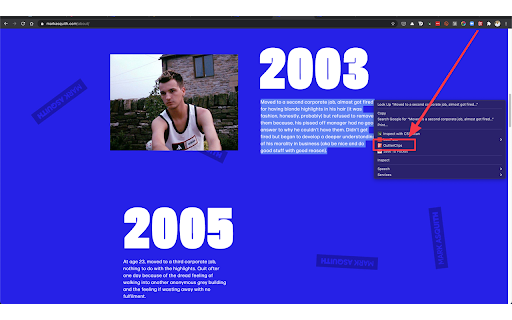
As you search the Web for the person you're preparing to interview or meet with, you highlight a piece of content you want to save, activate the OutlierClips extension: clip full articles, bios, facts, notes, quotes, or any other text you come across online.

OutlierClips captures several bits of data with each clip: the text you highlighted, the page link where you clipped the content, the name you've given the clip, and any custom notes you've added about the clipped content. With complete privacy — no account needed.

Just keep clipping as you research. Spend 10 minutes, or an hour, or whatever amount of time researching your person or topic. OutlierClips adds each clip to your virtual clipboard (privately, securely), creating a clean, running log of organized, text-based content.

You can even highlight a person's first and last name, activate the extension, and perform a quick search on Podchaser.com to see if the person has said anything profound on recent podcast episodes. (Coming soon, you'll be able to quickly search LinkedIn as well.)

---

After your last clip, when your research session is done and you're ready to start reviewing all of your clips, you click the "Copy All" button in the OutlierClips sidebar, then paste all of your clips into the app of your choice — anywhere you store your notes and outlines for episodes.

No matter how many clips you captured. One or 1,000.

If you're using Google Sheets or Airtable or some other database to paste your content in a more structured way, OutlierClips can take things one step further: You can tap the "Download CSV" button at the bottom of the overlay after clipping your last item of research and the .csv file will download to your computer. You can then import all of your clips at once.

Faster research, encouraging you to prepare better for interviews, calls, meetings, or any upcoming event.
Technical
- Version
- 0.71
- Manifest
- V3
- Size
- 36.03KiB
- Min Chrome
- 88
- Languages
- 1
- Featured
- No
Metadata
- ID
- nedaclhgmnpefbdepagkknapbgdalcej
- Developer ID
- ua9dc6767e666658dab0f0f0d6913273b
- Developer Email
- [email protected]
- Created
- Jun 10, 2021
- Last Updated (Store)
- Dec 14, 2024
- Last Scraped
- May 23, 2026
- Website
- —
- Support URL
- http://outlierhq.com/outlier-clips
- Privacy Policy
- —
Similar extensions
Alternatives to OutlierClips, ranked by description similarity.
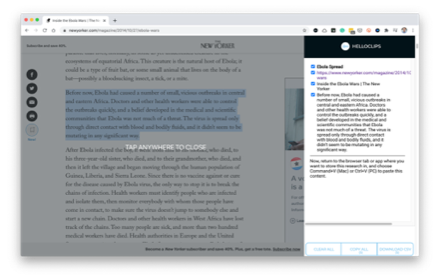
HelloClips
A free and private clipping tool for writers, podcasters, sales professionals — anyone compiling text research for any purpose.
104
★ 3.7

Research Notebook Clipper
Clip research text or images with source, DOI, and topic. Export to Markdown, JSON, RSS, or LaTeX.
2
★ 5.0

Duster Clips
Capture text and URLs from any website into your Duster Clips projects
7
★ 5.0

ClipKeep - Web Clipper
ClipKeep is a web clipper that allows users to effortlessly capture, organize, and revisit key insights from the web.
137
★ 4.6

Clipsidian — AI Web Clipper for Obsidian
AI web clipper for Obsidian. Save pages with AI summaries, smart tags, and vault intelligence. BYOK.
8

Clipper
Easy click to copy & pase text clips from extension, dedicated 'Email' button. Create notes, bookmarks, email templates, etc.
5.0K
★ 4.2
Notejoy Web Clipper
Save and share anything you see on the web directly to Notejoy.
969
★ 4.4

Robin.fm Clipper
Clip web content as topics to Robin.fm
—
Data sourced from the Chrome Web Store · last verified May 23, 2026.