
Research Notebook Clipper
Clip research text or images with source, DOI, and topic. Export to Markdown, JSON, RSS, or LaTeX.
As of June 2026, Research Notebook Clipper has 2 users and a 5.00/5 rating from 2 reviews in the Workflow & Planning category.
Usersdown 33.3 percent−33.3%
2
2
Ratingno change0%
5.00
2 reviews
Reviewsup 100.0 percent+100.0%
2
Version
1.0.3
Manifest V3
History
4 snapshotsTracking since Apr 18, 2026.
View as table
| Date | Users | Rating | Reviews | Version |
|---|---|---|---|---|
| Apr 18, 2026 | 3 | 5.00 | 1 | 1.0.3 |
| Apr 28, 2026 | 2 | 5.00 | 2 | 1.0.3 |
| May 8, 2026 | 4 | 5.00 | 2 | 1.0.3 |
| May 15, 2026 | 3 | 5.00 | 2 | 1.0.3 |
| Now | 2 | 5.00 | 2 | 1.0.3 |
Permissions & access
- Permissions
- storagecontextMenusactiveTabscriptingdownloadsclipboardRead
- Host access
- <all_urls>
Screenshots


About
Research Notebook Clipper is a specialized research-capture tool designed for students, academics, analysts, and knowledge workers. It enables you to instantly clip any research text or image from the web and automatically capture the source URL, DOI (if detected), title, metadata, and your assigned topic.
Your collected notes can be exported in multiple scholarly formats including Markdown, JSON, RSS Feed, and LaTeX, making it easy to integrate with reference managers, static-site generators, digital gardens, or personal research notebooks.

Key Features

One-click Clipping
Select any research text or image and save it instantly with metadata.

Automatic DOI Detection
The extension scans the selected content and the page for DOI strings and attaches them to the clip.

Smart Source Capture
Every clip stores the page URL, timestamp, and optional article title.

Topic Tagging
Assign a topic/tag to each clip for organized long-term research.

Multi-Format Export
Export your collected notes into:
• Markdown (.md)
• JSON (.json)
• RSS Feed (.xml)
• LaTeX (.tex)

Clean UI for Researchers
A focused interface designed for high-volume academic workflows.

Secure by Design
No data is sent to external servers. All clips remain stored locally unless you export them.

Ideal For

-Researchers, PhD scholars, faculty
-Students writing assignments, thesis, or literature reviews
-Analysts doing competitor or market research
-Journalists and writers collecting references
-Anyone who wants organized, source-aware notes

Why This Extension?

Most note-clipping tools ignore scholarly formats and metadata. Research Notebook Clipper solves this by capturing academic-grade context (DOIs, citations, topics) and exporting in formats compatible with research tools.
Technical
- Version
- 1.0.3
- Manifest
- V3
- Size
- 12.99KiB
- Min Chrome
- 88
- Languages
- 1
- Featured
- No
Metadata
- ID
- ikedjjedgakbkfjfmanijmlcmkhddfcf
- Developer ID
- uebdb6ea49d22193d795925e0ce0ffa11
- Developer Email
- [email protected]
- Created
- Dec 3, 2025
- Last Updated (Store)
- Dec 3, 2025
- Last Scraped
- Jun 3, 2026
- Website
- argston.blogspot.com
- Support URL
- —
- Privacy Policy
- —
Similar extensions
Alternatives to Research Notebook Clipper, ranked by description similarity.

Web Research Clipper
Save, organise and cite web content with ease
17
★ 4.8

NoteSkrib Clipper
Capture web content, videos, and images to your NoteSkrib account
6

Tab Researcher
Export your Chrome tabs to markdown format for research and note-taking
7
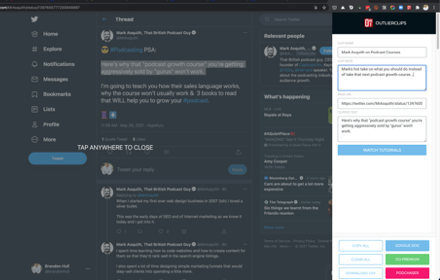
OutlierClips
A free and private clipping tool for podcasters needing to capture text content to prepare their podcast episodes.
45
★ 2.0

Standard Notes Clipper
Web clipper for Standard Notes
1.0K
★ 3.4

Save To Note
Capture every web wonder, turn them into personal notes.Let your favorite things orbit around you like digital constellations.
2
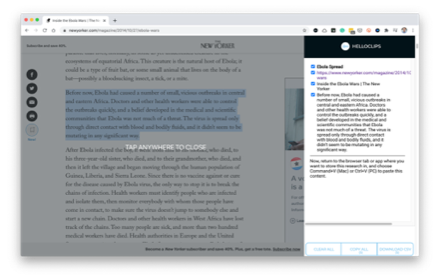
HelloClips
A free and private clipping tool for writers, podcasters, sales professionals — anyone compiling text research for any purpose.
104
★ 3.7

Notion Quick Save
Text snippets, screenshots, URLs straight to any Notion page. Set once, save endlessly. Built for research.
—
Data sourced from the Chrome Web Store · last verified Jun 3, 2026.