
Robin.fm Clipper
Clip web content as topics to Robin.fm
As of June 2026, Robin.fm Clipper has — users in the Workflow & Planning category.
Usersno change0%
—
—
Ratingno change0%
—
— reviews
Reviewsno change0%
—
Version
1.0.0
Manifest V3
History
5 snapshotsTracking since Apr 18, 2026.
View as table
| Date | Users | Rating | Reviews | Version |
|---|---|---|---|---|
| Apr 18, 2026 | 1 | — | — | 1.0.0 |
| Apr 28, 2026 | — | — | — | 1.0.0 |
| May 15, 2026 | 1 | — | — | 1.0.0 |
| May 24, 2026 | — | — | — | 1.0.0 |
| Jun 3, 2026 | 1 | — | — | 1.0.0 |
| Now | — | — | — | 1.0.0 |
Permissions & access
- Permissions
- storageactiveTabscripting
- Host access
- https://app.robin.fm/*, https://robinfm.lvh.me/*
Screenshots

About
Robin.fm Clipper is the official browser extension for Robin.fm users. It lets you save any webpage as a topic directly to your show's research library.

When you find an article, video, or discussion worth covering on your show, click the extension or press Cmd+Shift+E (Mac) or Ctrl+Shift+E (Windows/Linux). The clipper captures the page title and URL automatically. Add your notes, tag it for later, and assign it to any of your shows. The topic appears in Robin.fm immediately, ready for your next episode.

You can highlight text on any page and add it to your topic description with one click. Need a visual? Capture a screenshot of the current page or upload images from your computer. The clipper hides itself during screenshots so you get a clean capture.

If you manage multiple shows, a dropdown lets you pick which show gets the topic. The extension remembers your last selection, so clipping to the same show takes just a few clicks.

Tags help you organize topics for later. Start typing and the autocomplete suggests tags you've used before. Your future self will thank you when searching through dozens of saved topics.

The floating panel stays out of your way. Drag it anywhere on the screen while you read, then clip when you're ready. Close it and keep browsing.

Robin.fm Clipper requires a Robin.fm account. Log in once with your email and password and stay authenticated across sessions. Your credentials are stored securely in Chrome and never shared.

This extension only communicates with Robin.fm servers. It doesn't track your browsing, show ads, or collect data beyond what you explicitly clip.

If you use Robin.fm for show prep, research, or content planning, this extension saves you the hassle of copying URLs, switching tabs, and manually entering topics. Install it once and clip content from anywhere on the web.
Technical
- Version
- 1.0.0
- Manifest
- V3
- Size
- 262KiB
- Min Chrome
- 88
- Languages
- 1
- Featured
- No
Metadata
- ID
- iipnocgchmdcfceclimamhigkmejicea
- Developer ID
- ud7d4d4e0d73bab3eb007bc9240662b4c
- Developer Email
- [email protected]
- Created
- Dec 15, 2025
- Last Updated (Store)
- Dec 15, 2025
- Last Scraped
- Jun 3, 2026
- Website
- robin.fm
- Support URL
- https://app.robin.fm
- Privacy Policy
- https://app.robin.fm/privacy
Similar extensions
Alternatives to Robin.fm Clipper, ranked by description similarity.

Web Research Clipper
Save, organise and cite web content with ease
17
★ 4.8
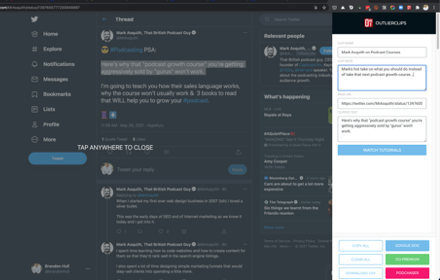
OutlierClips
A free and private clipping tool for podcasters needing to capture text content to prepare their podcast episodes.
45
★ 2.0

Obsidian clipper
Easy to clip web content and paste into your obsidian vault
663
★ 3.7
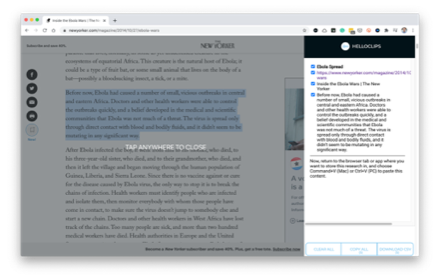
HelloClips
A free and private clipping tool for writers, podcasters, sales professionals — anyone compiling text research for any purpose.
104
★ 3.7

Research Notebook Clipper
Clip research text or images with source, DOI, and topic. Export to Markdown, JSON, RSS, or LaTeX.
2
★ 5.0

Clipper
Easy click to copy & pase text clips from extension, dedicated 'Email' button. Create notes, bookmarks, email templates, etc.
5.0K
★ 4.2

Craft Web Clipper
Easily save web pages to Craft
10.0K
★ 4.9

NoteSkrib Clipper
Capture web content, videos, and images to your NoteSkrib account
6
Data sourced from the Chrome Web Store · last verified Jun 3, 2026.