
Tab Suspender & Manager
Save memory by suspending inactive tabs, organize by groups, and save sessions. Boost browser performance with smart tab management.
As of June 2026, Tab Suspender & Manager has 19 users in the Productivity category.
Usersup 46.2 percent+46.2%
19
19
Ratingno change0%
—
— reviews
Reviewsno change0%
—
Version
1.0.0
Manifest V3
History
6 snapshotsTracking since Apr 1, 2026.
View as table
| Date | Users | Rating | Reviews | Version |
|---|---|---|---|---|
| Apr 1, 2026 | 13 | — | — | 1.0.0 |
| Apr 26, 2026 | 15 | — | — | 1.0.0 |
| May 11, 2026 | 17 | — | — | 1.0.0 |
| May 20, 2026 | 18 | — | — | 1.0.0 |
| May 30, 2026 | 23 | — | — | 1.0.0 |
| Jun 7, 2026 | 20 | — | — | 1.0.0 |
| Now | 19 | — | — | 1.0.0 |
Permissions & access
- Permissions
- tabstabGroupsstoragealarmsnotifications
- Host access
- None declared
Screenshots


About
# Chrome Web Store Listing - Tab Suspender & Manager

Save memory by suspending inactive tabs, organize by groups, and save sessions. Boost browser performance with smart tab management.

**🚀 Save Memory & Boost Performance**

Is your browser slow because of too many open tabs? Tab Suspender & Manager helps you reclaim memory and speed up your browser by automatically suspending inactive tabs.

**📊 Key Features**

✅ **Auto-Suspend Tabs**
- Automatically suspends tabs after a set time period
- Configurable intervals from 30 seconds to 1 hour
- Whitelist domains you never want to suspend
- Reduces memory usage by up to 80%

✅ **Tab Organization**
- Group tabs by domain with one click
- Find and remove duplicate tabs instantly
- View tab statistics and memory usage estimates
- Sort and organize tabs efficiently

✅ **Session Management**
- Save unlimited sessions of your open tabs
- Quickly restore previous browsing sessions
- Auto-save sessions before closing browser
- Name and organize your sessions

✅ **Customization**
- Beautiful dark mode theme
- Compact view option
- Custom keyboard shortcuts
- Configurable notifications
- Advanced statistics and analytics

**⌨️ Keyboard Shortcuts**
- `Ctrl/Cmd + Shift + S` - Suspend all tabs
- `Ctrl/Cmd + Shift + D` - Find duplicate tabs
- `Ctrl/Cmd + Shift + T` - Toggle dark mode

**🔒 Privacy First**
- All data stored locally on your device
- No tracking, no analytics, no servers
- No account required
- Works completely offline

**🎯 Who Is This For?**
- Researchers with dozens of articles open
- Developers managing multiple documentation tabs
- Shopping enthusiasts comparing products
- Students working on multiple projects
- Anyone who wants a faster, more organized browser

**⚡ How It Works**

1. **Install** the extension from Chrome Web Store
2. **Open** the popup to see all your tabs
3. **Click** "Suspend All" to free up memory instantly
4. **Save** sessions to restore tabs later
5. **Customize** settings in the settings panel

**🛠️ Technical Details**

- **Tab Suspension**: Uses Chrome's native tab discarding for maximum efficiency
- **Memory Savings**: Suspended tabs use ~95% less memory
- **No Data Loss**: Suspended tabs can be restored with a single click
- **Smart Whitelist**: Protect important websites from auto-suspension

**📌 What Makes Us Different?**

Unlike other tab managers:
- ✅ Completely free - no hidden costs or premium features
- ✅ Lightweight - minimal impact on browser performance
- ✅ Privacy-focused - your data never leaves your device
- ✅ Regular updates - continuously improving the extension
- ✅ Open to feedback - we listen to our users

**🎨 Features At A Glance**

| Feature | Status |
|---------|--------|
| Auto-suspend tabs | ✅ Included |
| Session management | ✅ Unlimited |
| Tab grouping | ✅ Included |
| Duplicate detection | ✅ Included |
| Dark mode | ✅ Included |
| Statistics | ✅ Included |
| Custom shortcuts | ✅ Included |
| Notifications | ✅ Included |
| Whitelist domains | ✅ Included |

**💡 Pro Tips**

1. Set up auto-suspension for 5 minutes to automatically free memory
2. Use sessions to organize projects (work, personal, research)
3. Add important sites to your whitelist (email, docs, etc.)
4. Check for duplicates weekly to keep tabs organized

**🐛 Bug Reports & Feature Requests**

We actively maintain and improve this extension. If you find a bug or have a feature request, please leave a review on the Chrome Web Store.

---

**Version**: 1.0.0
**Last Updated**: December 2025
**Permissions**: tabs, tabGroups, storage, alarms, notifications

**Why These Permissions?**
- *tabs*: Access and manage browser tabs
- *tabGroups*: Organize tabs into groups
- *storage*: Save settings and sessions locally
- *alarms*: Schedule auto-suspension
- *notifications*: Alert when tabs are suspended
Technical
- Version
- 1.0.0
- Manifest
- V3
- Size
- 29.89KiB
- Min Chrome
- 88
- Languages
- 1
- Featured
- No
Metadata
- ID
- mbmjjklhepkoodnppohgdpcglfdkmljj
- Developer ID
- u5156d923d0addfff4942551c0d5d9a16
- Developer Email
- [email protected]
- Created
- Dec 24, 2025
- Last Updated (Store)
- Jan 27, 2026
- Last Scraped
- Jun 7, 2026
- Website
- —
- Support URL
- https://iwan.ro
Similar extensions
Alternatives to Tab Suspender & Manager, ranked by description similarity.

Tab Suspender - Free Up Memory & Boost Performance (Open Source)
Suspend tabs to save memory and CPU by replacing them with lightweight pages
79

Tab Session Manager
Save tabs and restore browser sessions with one click. Organize tabs, free up memory, search saved sessions instantly.
100
★ 4.0

Flow Tabs Pro
Advanced tab management with session saving, duplicate detection, and intelligent organization
13
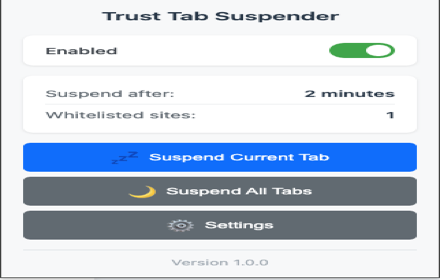
Trust Tab Suspender
Automatically suspend inactive tabs to save memory and improve performance. Premium features available!
5

Auto Pause Inactive Tabs
Automatically suspends inactive tabs to reduce CPU usage and save resources
99
★ 5.0

Tab Snoozer – Save Memory & Battery by Pausing Inactive Tabs
Reduce memory usage and extend battery life by automatically snoozing unused tabs after inactivity.
487
★ 5.0

SmartTab Manager
Intelligently manage, organize, and optimize your browser tabs with AI-powered features.
6
★ 5.0

Tab Manager Pro
Organize, search, and manage browser tabs across windows. Group by domain, find duplicates, boost productivity.
3
Data sourced from the Chrome Web Store · last verified Jun 7, 2026.