
Flow Tabs Pro
Advanced tab management with session saving, duplicate detection, and intelligent organization
As of June 2026, Flow Tabs Pro has 13 users in the Productivity category.
Usersno change0%
13
13
Ratingno change0%
—
— reviews
Reviewsno change0%
—
Version
2.1.1
Manifest V3
History
8 snapshotsTracking since Apr 4, 2026.
View as table
| Date | Users | Rating | Reviews | Version |
|---|---|---|---|---|
| Apr 4, 2026 | — | — | — | 2.1.1 |
| Apr 18, 2026 | 11 | — | — | 2.1.1 |
| Apr 25, 2026 | 13 | — | — | 2.1.1 |
| May 6, 2026 | 11 | — | — | 2.1.1 |
| May 12, 2026 | 13 | — | — | 2.1.1 |
| May 21, 2026 | 11 | — | — | 2.1.1 |
| May 31, 2026 | 14 | — | — | 2.1.1 |
| Jun 8, 2026 | 11 | — | — | 2.1.1 |
| Now | 13 | — | — | 2.1.1 |
Permissions & access
- Permissions
- tabsstorageunlimitedStorageactiveTabbookmarksidentityidentity.emailalarms
- Host access
- <all_urls>, https://jrcshnlrvkfneqdwkvly.supabase.co/*
Screenshots


About
The Problem: Chrome tabs consume enormous amounts of memory. Having 20+ tabs open can slow your entire computer to a crawl.

The Solution: Flow Tabs Pro suspends inactive tabs, freeing up memory instantly while keeping everything accessible. When you need a suspended tab, it resumes in under a few seconds.

Boost browser speed with smart tab suspension. Save up to 70% memory in your browser, create sessions, and maintain perfect focus while browsing.

Cut your browser's memory usage in half while staying perfectly organized.

Flow Tabs Pro transforms heavy browsers into lightning-fast productivity machines. By intelligently suspending inactive tabs, you'll reclaim up to 50% of your system's memory while maintaining instant access to everything you need.

🚀 Memory & Performance

Up to 50% memory savings through advanced tab suspension

Automatic suspension for tabs you're not actively using by timeout periods.

Bulk suspension/resume - manage all tabs or single tabs with one click

Super Focus Mode - automatically suspends everything except your current tab, following you as you work

Protection of tabs from suspension either individually or by domain patterns.

💼 Session Management

Create sessions - separate tab groups for work, personal, clients, or projects

Instant session switching - swap entire browsing contexts in seconds

Flexible session opening - new window, existing window, or complete replacement

Bulk bookmark entire sessions for permanent reference

Automatic session backups

🔍 Navigation & Search

Universal tab search - find any open tab across all windows instantly

One-click tab access - jump to any tab regardless of which window it's in

Smart tab management across multiple browser windows

💾 Backup & Sharing

Automatic local backups - sessions and current windows saved to your drive

Complete data export/import - backup all settings, sessions, and data to files

Session sharing - send tab collections to colleagues via email or Chrome extension links

Automatic periodic saves of both current windows and saved sessions protect against accidental loss

🎨 Experience

Light and dark themes to match your workflow preference

Seamless suspension/resume - tabs reload exactly on the url you left off if you overwrite them with our one click feature

Zero workflow disruption - work normally while the extension optimizes in the background

Perfect for:

Developers running memory-intensive applications alongside dozens of reference tabs
Researchers who need to keep extensive materials accessible but not active
Professionals managing separate client workspaces
Anyone whose browser slows down from too many open tabs
Teams sharing common sets of project-related websites

How It Works:

Install and start your 7-day free trial
Watch automatic memory savings kick in immediately
Create sessions for different work contexts (client projects, research, personal)
Use Super Focus Mode when you need complete memory restoration for your system
Share useful tab collections with teammates
Enjoy a faster, more organized browsing experience

Pricing:

7-day free trial (no credit card required)
$4.40/month or $44/year (save $8.80 annually) - Email based licensing (use the extension wherever you are logged in to a profile with your email across computers. In the event you signed up without your email logged in to the browser contact us and we will modify it for you.)
Cancel anytime

Transform your sluggish browser into a productivity powerhouse. Reclaim your system's performance while staying perfectly organized.

Version Log:

1.0.1 - Initial Launch

1.0.2 - Fixed session naming issue

1.0.3 - Added locking ability for tabs to prevent suspension and saving of these to sessions.

1.0.4 - Fixed restore to current session bug, fixed session auto saving bug

1.0.5 - Fixed session timing bug, added protection statuses to preview sessions

1.0.6 - Fixed licensing issue for chrome

2.0.1 - Massive update. Added domain suspension protection on the options page, added licensing
            area so you have information if there are any issues. Refined processing and made things
            clearer with better explanation. Changed to device subscription - buy it once on a device and
            use it across all profiles on that device.

2.0.2 - Updated wording to better reflect settings on options pages, fixed timers for auto saving,
            fixed naming loss from sessions in windows, upgraded UI elements for session previews in
            auto backup.

2.0.3 - Refined start up coding and suspension functions, removed unnecessary debug coding, files
            and functions.

2.0.4 - Fixed bug for longer sessions, Removed unnecessary function from memory tracker.

2.0.5 - Fix a bug with certain fonts for titles of websites. Removal of 2 unnecessary permissions

2.0.6 - Added feature to highlight tab currently on in extension on its open so its easier to protect
            the current tab.

2.0.7 - Removed unnecessary icons from tabs, improved visibility of active tab for quicker
            suspension if working with suspend all but active checkbox. Improved light and dark modes
            contrast.

2.0.8 - Fixed annoying issue with focusing on active tab on every refresh instead of on extension
            window activation only.

2.0.9 - Fixed scroll to when opening the extension and active tab is on another window

2.1.0 - remove redundant memory calulations, optimise swapping of sessions, enhance auto
            suspend timer intervals

2.1.1 - Fixed an issue where domain protections could be bypassed under certain conditions

It should be noted that we don't store any of your data on our servers nor do we collect any information about you to sell.

If you ever find a bug or would like a certain feature please reach out and we will either fix it or let you know if its possible.
Technical
- Version
- 2.1.1
- Manifest
- V3
- Size
- 184KiB
- Min Chrome
- 88
- Languages
- 1
- Featured
- No
Metadata
- ID
- iibigmjgaodlgbenknbdcfhplapgplog
- Developer ID
- uc78a184268122a4d28336cad00b2cc64
- Developer Email
- [email protected]
- Created
- Sep 5, 2025
- Last Updated (Store)
- Jan 21, 2026
- Last Scraped
- Jun 8, 2026
- Website
- —
- Support URL
- —
Similar extensions
Alternatives to Flow Tabs Pro, ranked by description similarity.

Tab Suspender & Manager
Save memory by suspending inactive tabs, organize by groups, and save sessions. Boost browser performance with smart tab management.
19

Tab Suspender - Free Up Memory & Boost Performance (Open Source)
Suspend tabs to save memory and CPU by replacing them with lightweight pages
79
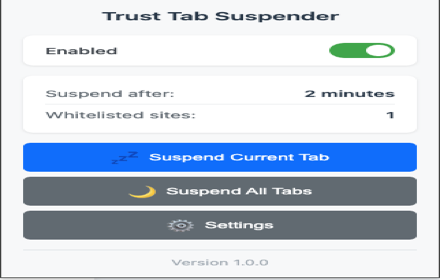
Trust Tab Suspender
Automatically suspend inactive tabs to save memory and improve performance. Premium features available!
5

SessionFlow - Smart Tab & Session Manager
Professional tab session manager and organizer with session auto-save, smart grouping, hibernation.
7
★ 5.0

Tab Manager Pro
Professional tab management with suspension, grouping, and session management. Clean, focused, and fast.
—

Tab Session Manager
Save tabs and restore browser sessions with one click. Organize tabs, free up memory, search saved sessions instantly.
100
★ 4.0

Tab Suspender Pro
Auto-suspend inactive tabs to save memory. Smart protection for audio, video calls, and forms. Keyboard shortcuts included.
8.0K
★ 4.8

TabLimit Pro - Smart Tab Limiter
Limit your tabs to improve focus and productivity
17
★ 5.0
Data sourced from the Chrome Web Store · last verified Jun 8, 2026.