
Auto Pause Inactive Tabs
Automatically suspends inactive tabs to reduce CPU usage and save resources
As of June 2026, Auto Pause Inactive Tabs has 99 users and a 5.00/5 rating from 4 reviews in the Productivity category.
Usersup 94.1 percent+94.1%
99
99
Ratingno change0%
5.00
4 reviews
Reviewsup 300.0 percent+300.0%
4
Version
2.2
Manifest V3
History
7 snapshotsTracking since Apr 6, 2026.
View as table
| Date | Users | Rating | Reviews | Version |
|---|---|---|---|---|
| Apr 6, 2026 | 51 | 5.00 | 1 | 2.2 |
| Apr 20, 2026 | 62 | 5.00 | 3 | 2.2 |
| Apr 30, 2026 | 66 | 5.00 | 3 | 2.2 |
| May 9, 2026 | 67 | 5.00 | 3 | 2.2 |
| May 17, 2026 | 81 | 5.00 | 3 | 2.2 |
| May 26, 2026 | 84 | 5.00 | 3 | 2.2 |
| Jun 4, 2026 | 87 | 5.00 | 4 | 2.2 |
| Now | 99 | 5.00 | 4 | 2.2 |
Permissions & access
- Permissions
- tabsstorage
- Host access
- <all_urls>
Screenshots


About
🚀 Auto Pause Inactive Tabs - Save Resources Automatically

Tired of Chrome eating all your RAM? This lightweight extension automatically suspends inactive tabs after 5 minutes, dramatically reducing CPU usage and memory consumption.

✨ KEY FEATURES

⏱️ Automatic Suspension
- Tabs are suspended after 5 minutes of inactivity
- Saves 2-4 GB of RAM with 20+ tabs open
- Reduces CPU usage by 90-95% per suspended tab

💪 Aggressive Resource Management
- Suspends ALL inactive tabs, including:
  - Tabs playing videos
  - Tabs playing music/audio
  - Background tabs with any activity
- Maximum resource savings for power users

🛡️ Smart Protection
- Never suspends your active tab
- Pinned tabs stay active
- Chrome system pages remain untouched
- Suspended tabs reload instantly when clicked

🎯 Zero Configuration
- Works immediately after installation
- No settings to configure
- Set and forget

📊 PERFORMANCE IMPACT

Per suspended tab:
- CPU Usage: 90-95% reduction (5-20% → 0-1%)
- Memory Usage: 85-90% reduction (100-300 MB → 5-20 MB)

With 20 inactive tabs suspended:
- Save 2-4 GB of RAM
- Significantly reduce CPU load
- Extend laptop battery life

🔒 PRIVACY & SECURITY

- NO data collection
- NO tracking or analytics
- NO information sent anywhere
- 100% local processing
- Open source code available on GitHub

🎓 HOW IT WORKS

1. Extension monitors your active tab
2. When you switch tabs, a 5-minute timer starts
3. After 5 minutes, inactive tabs are suspended
4. Click any suspended tab to reload it instantly
5. Chrome's native Tab Discard API is used (safe and reliable)

🛠️ CUSTOMIZATION

Want to change the 5-minute timer? Edit the extension's background.js file and reload. Advanced users can modify the inactivity threshold.

❓ WHO IS THIS FOR?

- Power users with 20+ tabs open
- Developers with multiple documentation tabs
- Researchers with many reference tabs
- Anyone who wants to save RAM and CPU
- Users with older computers or limited RAM

🆚 COMPARED TO OTHER TAB MANAGERS

- More aggressive than default Chrome behavior
- Simpler than complex tab management extensions
- No whitelist/blacklist configuration needed
- Lightweight background process

📝 PERMISSIONS EXPLAINED

- tabs - Detect tab activity and suspend tabs
- scripting - Required for Chrome's tab management
- <all_urls> - Manage tabs on any website (local only)

💡 PRO TIPS

- Pin important tabs to prevent suspension
- Use Chrome Task Manager (Shift+Esc) to see savings
- Suspended tabs reload automatically when needed
- Perfect for overnight tab hoarding

🔄 UPDATES

Regular updates with improvements and bug fixes. No subscription required, no hidden fees.

⭐ SUPPORT

Having issues? Found a bug?
- Report on GitHub: https://github.com/jayreck996/AutoPauseTabsExtension
- Star the project if you find it useful!
- Leave a review to help others discover it

Made with ❤️ for power users who have too many tabs open.

Save memory, save the planet 🌍
Technical
- Version
- 2.2
- Manifest
- V3
- Size
- 12.34KiB
- Min Chrome
- 88
- Languages
- 1
- Featured
- No
Metadata
- ID
- ldcefodplnldkahefhopnafhefnmdadb
- Developer ID
- u9e947a6a53fb07747bc06a558d06c1b1
- Developer Email
- [email protected]
- Created
- Dec 15, 2025
- Last Updated (Store)
- Dec 31, 2025
- Last Scraped
- Jun 4, 2026
- Website
- —
- Support URL
- —
- Privacy Policy
- —
Similar extensions
Alternatives to Auto Pause Inactive Tabs, ranked by description similarity.

Tab Suspender & Manager
Save memory by suspending inactive tabs, organize by groups, and save sessions. Boost browser performance with smart tab management.
19

Tab Snoozer – Save Memory & Battery by Pausing Inactive Tabs
Reduce memory usage and extend battery life by automatically snoozing unused tabs after inactivity.
487
★ 5.0

RamSaver - Tab Memory Manager
Automatically suspend inactive tabs to free RAM. Keep Chrome fast with smart tab sleeping, whitelists, and live memory stats.
63
★ 5.0

Tab Suspender - Free Up Memory & Boost Performance (Open Source)
Suspend tabs to save memory and CPU by replacing them with lightweight pages
79

Tab Suspender Pro
Auto-suspend inactive tabs to save memory. Smart protection for audio, video calls, and forms. Keyboard shortcuts included.
8.0K
★ 4.8
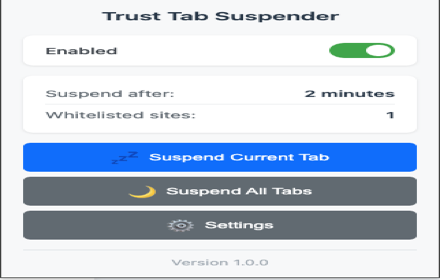
Trust Tab Suspender
Automatically suspend inactive tabs to save memory and improve performance. Premium features available!
5

Tab Suspender & Memory Saver
Automatically suspends inactive tabs to free up memory and improve browser performance
11
★ 3.0

Suspend Tabs Manually
Manually suspend/restore tabs to save memory.
80
★ 2.0
Data sourced from the Chrome Web Store · last verified Jun 4, 2026.