
BackTab
Cycle back and forward through your last 10 active tabs.
As of May 2026, BackTab has 641 users and a 4.44/5 rating from 18 reviews in the Functionality & UI category.
Usersup 2.9 percent+2.9%
641
641
Ratingno change0%
4.44
18 reviews
Reviewsno change0%
18
Version
1.0.15
Manifest V3
History
5 snapshotsTracking since Apr 1, 2026.
View as table
| Date | Users | Rating | Reviews | Version |
|---|---|---|---|---|
| Apr 1, 2026 | 623 | 4.44 | 18 | 1.0.15 |
| Apr 21, 2026 | 629 | 4.44 | 18 | 1.0.15 |
| May 6, 2026 | 641 | 4.44 | 18 | 1.0.15 |
| May 17, 2026 | 622 | 4.44 | 18 | 1.0.15 |
| May 31, 2026 | 670 | 4.44 | 18 | 1.0.15 |
| Now | 641 | 4.44 | 18 | 1.0.15 |
Permissions & access
- Permissions
- storage
- Host access
- None declared
Screenshots
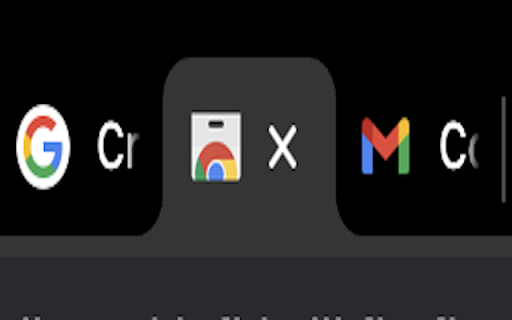
About
Tired of losing track of important tabs? BackTab is your solution for effortlessly navigating through your last active tabs, perfect for multi-taskers juggling numerous open pages.

Key features:
• Navigate through your last ten active tabs with simple one-hand keyboard (Alt + Q/W) shortcuts
• Works across multiple windows and profiles independently
• Only the "storage" permission is required (to save your tabs navigation order), ensuring your privacy
• Completely free

Unlike the browser's default back/forward navigation which moves through your browsing history, BackTab jumps between your recently active tabs, regardless of when you opened them. It's perfect for developers switching between documentation and code, researchers comparing multiple sources, or anyone who frequently juggles between different tasks in their browser.

Using the following shortcuts, you can now toggle between your active tabs:

⌨️ For Mac users:
- Navigate Back: Option + Q
- Navigate Forward: Option + W

⌨️ For other platforms:
- Navigate Back: Alt + Q
- Navigate Forward: Alt + W

You can change the default shortcuts to fit your workflow at chrome://extensions/shortcuts.

We value your feedback! Please share your experience, report bugs, or suggest features through reviews.

Download BackTab now and transform the way you navigate your browser tabs!

*Credits to Stig Andre Dignæs Rundhaug for the icon and all the visuals for this extension.
Technical
- Version
- 1.0.15
- Manifest
- V3
- Size
- 24.18KiB
- Min Chrome
- 88
- Languages
- 1
- Featured
- No
Metadata
- ID
- llmkobjeihbjhjembednoaphiocminap
- Developer ID
- ucf4674416853504f66625cb598806b84
- Developer Email
- [email protected]
- Created
- Aug 4, 2023
- Last Updated (Store)
- Aug 4, 2025
- Last Scraped
- May 31, 2026
- Website
- —
- Support URL
- https://github.com/buondevid/backtab-issues
- Privacy Policy
- —
Similar extensions
Alternatives to BackTab, ranked by description similarity.

Tab History Navigator
✅Navigate Your Tabs with Ease – Tab History Navigation Made Simple!
Tired of losing track of your browsing journey? This powerful…
11

Last Tab
Switch to previously used tab with Ctrl+Q (MRU tab switching like in IDE)
20

Shortcut Tab Switcher
Shortcut Tab Switcher: tab switcher for handy switching with customizable keyboard hotkeys. Instant switching! 🚀
1.0K
★ 4.7

Easy Tab Switcher
Switch between recent tabs with keyboard shortcuts, like browser history but for tabs!
5

Tab Hopper
Introducing Tab Hopper, a Chrome extension designed to streamline your browsing experience.
Are you tired of constantly searching…
45
★ 5.0

Tab Switcher
Switch tabs like Cmd+Tab with visual previews and MRU order. Also adds a keyboard shortcut to copy the current URL.
—
Chrome Window Rotator+ (Tab Manager)
View all tabs across windows. Find and access pages instantly. Organize with drag & drop.
108
★ 5.0

Shortcut Navigator
Navigate through websites using customizable shortcuts, boosting efficiency and minimizing clicks.
23
★ 5.0
Data sourced from the Chrome Web Store · last verified May 31, 2026.