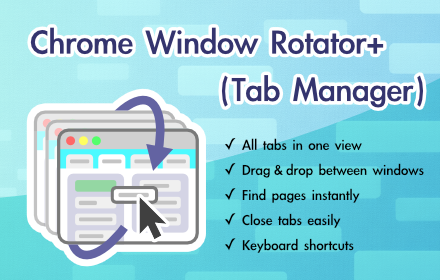
Chrome Window Rotator+ (Tab Manager)
View all tabs across windows. Find and access pages instantly. Organize with drag & drop.
As of June 2026, Chrome Window Rotator+ (Tab Manager) has 108 users and a 5.00/5 rating from 4 reviews in the Functionality & UI category.
Usersup 30.1 percent+30.1%
108
108
Ratingno change0%
5.00
4 reviews
Reviewsup 33.3 percent+33.3%
4
Version
2.1.2
Manifest V3
History
7 snapshotsTracking since Apr 1, 2026.
View as table
| Date | Users | Rating | Reviews | Version |
|---|---|---|---|---|
| Apr 1, 2026 | 83 | 5.00 | 3 | 2.1.2 |
| Apr 8, 2026 | 84 | 5.00 | 3 | 2.1.2 |
| Apr 22, 2026 | 83 | 5.00 | 4 | 2.1.2 |
| May 10, 2026 | 96 | 5.00 | 4 | 2.1.2 |
| May 18, 2026 | 93 | 5.00 | 4 | 2.1.2 |
| May 28, 2026 | 107 | 5.00 | 4 | 2.1.2 |
| Jun 5, 2026 | 106 | 5.00 | 4 | 2.1.2 |
| Now | 108 | 5.00 | 4 | 2.1.2 |
Permissions & access
- Permissions
- windowstabs
- Host access
- None declared
Screenshots


About
Managing dozens of tabs across multiple Chrome windows? This extension gives you a complete overview of all your tabs in one place, so you can find what you need and organize everything without hunting through windows.

━━━━━━━━━━━━━━━━━━━━━━━━━━━━

What it does:

- See all tabs from all windows in a single list
- Drag and drop tabs between windows (yes, really—other extensions can't do this)
- Click any tab to jump straight to it
- Close tabs you don't need with one click
- Switch windows with keyboard shortcuts

━━━━━━━━━━━━━━━━━━━━━━━━━━━━

Quick Start:

Press Cmd+Shift+K (Mac) or Ctrl+Shift+K (Windows) to open the tab manager. (Customizable)

You'll see all your tabs organized by window. Click a tab to switch to it, or drag it to another window to move it.

━━━━━━━━━━━━━━━━━━━━━━━━━━━━

⚙️ Keyboard Shortcuts Setup:

After installing, go to chrome://extensions/shortcuts and set:
- Tab Manager: Cmd+Shift+K (Mac) / Ctrl+Shift+K (Windows)
- Next window: Cmd+Shift+. (Mac) / Ctrl+Shift+. (Windows)
- Previous window: Cmd+Shift+, (Mac) / Ctrl+Shift+, (Windows)
- Return to last window: Cmd+Shift+L (Mac) / Ctrl+Shift+L (Windows)
(Or choose your own preferred shortcuts)

⚠️ Important: Shortcuts may be empty by default. Please set them manually for full functionality.

━━━━━━━━━━━━━━━━━━━━━━━━━━━━

💡 Tips:

Set a profile name: Click the profile button at the top to set a custom name like "Work Account" or "Personal". This helps you identify which Chrome profile you're using, especially when managing multiple accounts.

Rename windows: Right-click a window title to give it a custom name like "Research" or "Shopping". Great for organizing different projects or workflows.

━━━━━━━━━━━━━━━━━━━━━━━━━━━━

A few things that make this different:

The drag-and-drop between windows feature is unique—no other tab manager does this. We also keep things simple and lightweight. No analytics, no tracking, no unnecessary features. Just what you need to stay organized.

━━━━━━━━━━━━━━━━━━━━━━━━━━━━

Created with love by Masahiro (4thD Studio).
If you found this useful, feel free to build on it—but give credit where it's due.

Support the creator:
https://buymeacoffee.com/4thd_studio
Technical
- Version
- 2.1.2
- Manifest
- V3
- Size
- 37.6KiB
- Min Chrome
- 88
- Languages
- 5
- Featured
- No
Metadata
- ID
- bigcjceomgcjepiikbdcfnhenocjgekp
- Developer ID
- ub23f1a57239e95bfd55c2956748de929
- Developer Email
- [email protected]
- Created
- May 15, 2025
- Last Updated (Store)
- Jan 4, 2026
- Last Scraped
- Jun 5, 2026
- Website
- —
- Support URL
- —
- Privacy Policy
- —
Similar extensions
Alternatives to Chrome Window Rotator+ (Tab Manager), ranked by description similarity.

vivid tabs
A simple and user-friendly tab management tool.
9

Enhanced Tab Manager
Manage your browser tabs efficiently with enhanced features
121
★ 4.5

Tab Merger - Merge Chrome Windows & Tabs
One-click tool to combine multiple Chrome windows into one. Merge tabs, organize windows, boost productivity.
92
★ 5.0

Vertical Tabs - Tab Manager
Best vertical tabs extension. Sidebar, Vertical Tabs, Tab Manager, Tab groups
1.0K
★ 4.5

Tab Manager for Chrome™
Quick access to all opened tabs. Manage browser tabs to easily navigate and switch between them.
10.0K
★ 4.2

Tab Organizer
Chrome extension that sorts and organizes your browser tabs.
20
★ 5.0

Tabs in Vertical
Displays all open tabs in a vertical sidebar for better readability
96
★ 5.0

Smart Modern Tab Manager - Organised Browsing
Organize browser tabs into minimalist workspaces. Save, restore, and manage tab groups with notes and tasks.
10
★ 5.0
Data sourced from the Chrome Web Store · last verified Jun 5, 2026.