Copy HTML
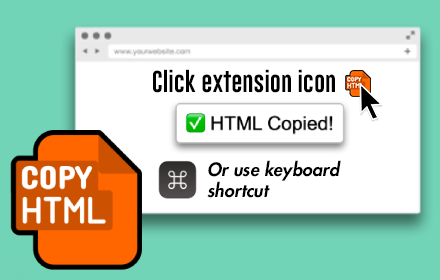
Easily copy any page's HTML element to the clipboard with the press of a button or keyboard shortcut.
As of May 2026, Copy HTML has 3,000 users and a 3.73/5 rating from 11 reviews in the Productivity category.
Usersno change0%
3.0K
3,000
Ratingno change0%
3.73
11 reviews
Reviewsno change0%
11
Version
3.1.1
Manifest V3
Permissions & access
- Permissions
- storage
- Host access
- None declared
Screenshots
About
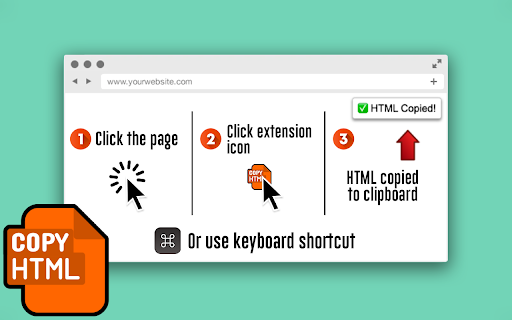
Button method:
1. Click the page
2. Click the extension icon
3. HTML is copied to clipboard

Keyboard shortcut method:
1. Open Manage Extensions › Keyboard Shortcuts and configure a shortcut
2. Open page and press the keyboard shortcut
3. HTML is copied to clipboard

Quick, simple, and easy!
Technical
- Version
- 3.1.1
- Manifest
- V3
- Size
- 117KiB
- Min Chrome
- 88
- Languages
- 1
- Featured
- No
Metadata
- ID
- indfogjkdbmkihaohndcnkoaheopbhjf
- Developer ID
- uf04c5a9b8cd3d1625a3ace13addaf88b
- Developer Email
- [email protected]
- Created
- Sep 14, 2023
- Last Updated (Store)
- Apr 26, 2024
- Last Scraped
- May 19, 2026
- Website
- —
- Support URL
- —
- Privacy Policy
- https://justinmahar.com/privacy/
Similar extensions
Alternatives to Copy HTML, ranked by description similarity.

Dro.pics Screenshot
Screenshot, Annotate & Upload
9

Snap clip
Click any page element—even non-selectable text—and copy its contents to your clipboard in one click.
18
★ 5.0

Quick Copy Link
Copy page title and link together with one shortcut. Save time on your daily browsing and sharing tasks.
659
★ 5.0

Swift Copy Snap
Copy text effortlessly from any website with Swift Copy Snap.
26
★ 5.0

auto-clip
Auto copy selected text to clipboard.
17
★ 5.0

Copy text from button/link
This extension allows you to easily copy text from buttons or hyperlinks using the right-click context menu.
9

Select Text to Copy - Allow Copy & Select Range
Removes text copy protection and enables efficient bulk copying.
40
★ 5.0

Selection to Markdown Link
Copy selection and a link in Markdown format
87
★ 5.0
Data sourced from the Chrome Web Store · last verified May 19, 2026.