
Snap clip
Click any page element—even non-selectable text—and copy its contents to your clipboard in one click.
As of June 2026, Snap clip has 18 users and a 5.00/5 rating from 2 reviews in the Productivity category.
Usersup 12.5 percent+12.5%
18
18
Ratingno change0%
5.00
2 reviews
Reviewsno change0%
2
Version
1.0.1
Manifest V3
History
3 snapshotsTracking since Apr 19, 2026.
View as table
| Date | Users | Rating | Reviews | Version |
|---|---|---|---|---|
| Apr 19, 2026 | 16 | 5.00 | 2 | 1.0.1 |
| May 4, 2026 | 14 | 5.00 | 2 | 1.0.1 |
| Jun 3, 2026 | 12 | 5.00 | 2 | 1.0.1 |
| Now | 18 | 5.00 | 2 | 1.0.1 |
Permissions & access
- Permissions
- activeTabscripting
- Host access
- None declared
Screenshots
About
Snap clip makes copying text from complex web apps a breeze:
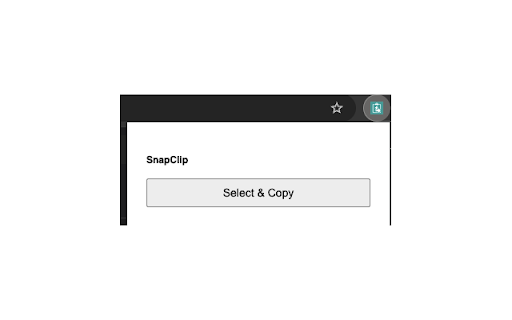
- Point & Copy: Click “Select & Copy” in your toolbar, hover to highlight any element, and click once to copy its text.
- No DevTools Needed: Works on non-selectable fields, custom widgets, and legacy CRM screens.
- Lightweight & Fast: Built on Plasmo + TypeScript, optimized for minimal impact.
- Privacy-First: All processing happens locally—no server involved and no data ever leaves your machine.

How to Use the Snap clip Extension
- Install and pin Snap clip Extension
 - Click the Snap clip Icon : Activate Snap clip by clicking the extension icon in your browser toolbar. You’ll see a message: Click Select and Copy to begin.
- Click "Select and Copy", This button starts the text capture mode.
- Hover and Click to Select : Hover over any piece of text you want to copy. A red border will highlight the element under your cursor. Click once to select the text.
- Click Again to Copy : Once selected, click again to copy the highlighted text to your clipboard.
- Paste Anywhere : Use Ctrl+V or Cmd+V to paste the copied content into your desired destination.
Technical
- Version
- 1.0.1
- Manifest
- V3
- Size
- 66.68KiB
- Min Chrome
- 88
- Languages
- 1
- Featured
- No
Metadata
- ID
- pihddgnfnlnkndkgkkjhnhhkljhmkgpk
- Developer ID
- u9f55b7397b33fbcd940f1b9a21a4111d
- Developer Email
- [email protected]
- Created
- Apr 29, 2025
- Last Updated (Store)
- May 3, 2025
- Last Scraped
- Jun 3, 2026
- Website
- —
- Support URL
- https://github.com/akhileshgowda7/snap-clip
- Privacy Policy
- —
Similar extensions
Alternatives to Snap clip, ranked by description similarity.

Swift Copy Snap
Copy text effortlessly from any website with Swift Copy Snap.
26
★ 5.0

Click-Copy-Paste
Copies data from clicked elements to inputs/clipboard using selected attributes with visual feedback and history.
2

SnipSnap - The ultimate selection tool
Makes text, image, and URL copying a breeze
31

ClickCopier — Click to Copy & Clipboard Manager with History
Click to copy clipboard manager with history. Alt+Click text, images, fields. Pin, edit, mask, export — in Chrome's side panel.
27
★ 5.0

Quickly copy text
A lightweight and efficient Chrome text copy plug-in that automatically copies and pastes with one click, improving web text…
24

shotlink
manifest.json description
—

SnapToClipboard
Click toolbar button to select a region and copy it to clipboard.
34
★ 5.0

Snaply
A browser extension for taking screenshots of DOM elements
—
Data sourced from the Chrome Web Store · last verified Jun 3, 2026.