
GoSnip - Screenshots, Articles, PDFs & Table Extraction
Web clipper to save webpages and AI chats as articles, screenshots, PDFs, and tables, with advanced extraction and Obsidian export.
As of June 2026, GoSnip - Screenshots, Articles, PDFs & Table Extraction has 27 users and a 5.00/5 rating from 1 reviews in the Productivity category.
Usersup 350.0 percent+350.0%
27
27
Ratingno change0%
5.00
1 reviews
Reviewsno change0%
1
Version
0.1.6
Manifest V3
90-day change · In the last 90 days this extension 1 version update.
History
9 snapshotsTracking since Apr 1, 2026.
View as table
| Date | Users | Rating | Reviews | Version |
|---|---|---|---|---|
| Apr 1, 2026 | 6 | — | — | 0.1.5 |
| Apr 17, 2026 | 7 | — | — | 0.1.5 |
| Apr 24, 2026 | 12 | 5.00 | 1 | 0.1.6 |
| May 1, 2026 | 13 | 5.00 | 1 | 0.1.6 |
| May 8, 2026 | 12 | 5.00 | 1 | 0.1.6 |
| May 12, 2026 | 14 | 5.00 | 1 | 0.1.6 |
| May 24, 2026 | 15 | 5.00 | 1 | 0.1.6 |
| May 31, 2026 | 17 | 5.00 | 1 | 0.1.6 |
| Jun 6, 2026 | 24 | 5.00 | 1 | 0.1.6 |
| Now | 27 | 5.00 | 1 | 0.1.6 |
Changelog
- Apr 17, 2026description
Save webpages and AI chats as clean articles, screenshots, PDFs, and tables.

GoSnip helps you capture, clean, and export web content in seconds. From full-page screenshots to clean reading views and reusable table data, it gives you a fast way to save important content from almost any website.

Core features

Screenshots (processed locally)
- Full-page screenshots with automatic scrolling
- Visible area screenshots for quick capture
- Selected area screenshots for precise capture
- Built-in editor and annotation tools

Article capture
- Clean Article (processed locally): remove ads and distractions for a clean reading view
- Advanced Clean (processed on GoSnip's server): stronger extraction for complex pages
- Original Style (processed on GoSnip's server): remove ads while preserving the original layout and visual structure
- PDF export (processed on GoSnip's server): generate clean, printable PDFs

Table extraction (processed locally)
- Capture the current visible table instantly
- Capture full paginated tables with automatic scrolling
- Review and edit before export
- Export to CSV, Excel, JSON, Markdown, or Obsidian

Privacy
- Screenshots and default table/article extractions are processed locally in your browser
- For Advanced Clean, Original Style, and PDF export, page HTML is sent to GoSnip's server for processing and returned immediately
- Page content is not stored persistently on our servers
- We do not track or collect your browsing history
- We do not sell your data or use it for advertising

Great for
- Saving Claude, ChatGPT, DeepSeek, and other AI chat conversations as PDF
- Archiving research articles and technical documentation
- Capturing long web pages and social media content
- Creating clean, printable PDFs
- Extracting structured data from tables
- Saving content for offline reading and personal knowledge bases

Get started

Install GoSnip to save important web content in a cleaner, more usable format. A free tier is available, and you can start using core features right away.

Privacy Policy: https://www.gosnip.io/en/privacy.html
Support: [email protected]
Website: https://www.gosnip.io

---------------------------
🛠 Release Notes:
- 0.1.5: Removed the downloads permission. Fixed login state sync in content editor; improved table editor login UX with auto-dismiss and re-extract guide; replaced alert dialogs with toast notifications; added ARIA accessibility labels.
- 0.1.4: Removed the tabs permission and host_permissions.
Save webpages and AI chats as clean articles, screenshots, PDFs, and tables.

GoSnip helps you capture, clean, and export web content in seconds. From full-page screenshots to clean reading views and reusable table data, it gives you a fast way to save important content from almost any website.

Core features

Screenshots (processed locally)
- Full-page screenshots with automatic scrolling
- Visible area screenshots for quick capture
- Selected area screenshots for precise capture
- Built-in editor and annotation tools

Article capture
- Clean Article (processed locally): remove ads and distractions for a clean reading view
- Advanced Clean (processed on GoSnip's server): stronger extraction for complex pages
- Original Style (processed on GoSnip's server): remove ads while preserving the original layout and visual structure
- PDF export (processed on GoSnip's server): generate clean, printable PDFs

Table extraction (processed locally)
- Capture the current visible table instantly
- Capture full paginated tables with automatic scrolling
- Review and edit before export
- Export to CSV, Excel, JSON, Markdown, or Obsidian

Privacy
- Screenshots and default table/article extractions are processed locally in your browser
- For Advanced Clean, Original Style, and PDF export, page HTML is sent to GoSnip's server for processing and returned immediately
- Page content is not stored persistently on our servers
- We do not track or collect your browsing history
- We do not sell your data or use it for advertising

Great for
- Saving Claude, ChatGPT, DeepSeek, and other AI chat conversations as PDF
- Archiving research articles and technical documentation
- Capturing long web pages and social media content
- Creating clean, printable PDFs
- Extracting structured data from tables
- Saving content for offline reading and personal knowledge bases

Get started

Install GoSnip to save important web content in a cleaner, more usable format. A free tier is available, and you can start using core features right away.

Privacy Policy: https://www.gosnip.io/en/privacy.html
Support: [email protected]
Website: https://www.gosnip.io

---------------------------
🛠 Release Notes:
- 0.1.6: Fixed misc bugs
- 0.1.5: Removed the downloads permission. Fixed login state sync in content editor; improved table editor login UX with auto-dismiss and re-extract guide; replaced alert dialogs with toast notifications; added ARIA accessibility labels.
- 0.1.4: Removed the tabs permission and host_permissions.
- Apr 17, 2026short_description
Save webpages and AI chats as articles, screenshots, PDFs, and tables, with advanced extraction and Obsidian export.
Web clipper to save webpages and AI chats as articles, screenshots, PDFs, and tables, with advanced extraction and Obsidian export.
- Apr 17, 2026name
GoSnip - Save Webpages as Articles, Screenshots, PDFs, and Tables
GoSnip - Screenshots, Articles, PDFs & Table Extraction
Permissions & access
- Permissions
- activeTabcontextMenusscriptingstorageunlimitedStoragealarms
- Host access
- None declared
Screenshots


About
Save webpages and AI chats as clean articles, screenshots, PDFs, and tables.

GoSnip helps you capture, clean, and export web content in seconds. From full-page screenshots to clean reading views and reusable table data, it gives you a fast way to save important content from almost any website.

Core features

Screenshots (processed locally)
- Full-page screenshots with automatic scrolling
- Visible area screenshots for quick capture
- Selected area screenshots for precise capture
- Built-in editor and annotation tools

Article capture
- Clean Article (processed locally): remove ads and distractions for a clean reading view
- Advanced Clean (processed on GoSnip's server): stronger extraction for complex pages
- Original Style (processed on GoSnip's server): remove ads while preserving the original layout and visual structure
- PDF export (processed on GoSnip's server): generate clean, printable PDFs

Table extraction (processed locally)
- Capture the current visible table instantly
- Capture full paginated tables with automatic scrolling
- Review and edit before export
- Export to CSV, Excel, JSON, Markdown, or Obsidian

Privacy
- Screenshots and default table/article extractions are processed locally in your browser
- For Advanced Clean, Original Style, and PDF export, page HTML is sent to GoSnip's server for processing and returned immediately
- Page content is not stored persistently on our servers
- We do not track or collect your browsing history
- We do not sell your data or use it for advertising

Great for
- Saving Claude, ChatGPT, DeepSeek, and other AI chat conversations as PDF
- Archiving research articles and technical documentation
- Capturing long web pages and social media content
- Creating clean, printable PDFs
- Extracting structured data from tables
- Saving content for offline reading and personal knowledge bases

Get started

Install GoSnip to save important web content in a cleaner, more usable format. A free tier is available, and you can start using core features right away.

Privacy Policy: https://www.gosnip.io/en/privacy.html
Support: [email protected]
Website: https://www.gosnip.io

---------------------------
🛠 Release Notes:
- 0.1.6: Fixed misc bugs
- 0.1.5: Removed the downloads permission. Fixed login state sync in content editor; improved table editor login UX with auto-dismiss and re-extract guide; replaced alert dialogs with toast notifications; added ARIA accessibility labels.
- 0.1.4: Removed the tabs permission and host_permissions.
Technical
- Version
- 0.1.6
- Manifest
- V3
- Size
- 2.78MiB
- Min Chrome
- 88
- Languages
- 3
- Featured
- No
Metadata
- ID
- imjkllnhaidikcpdpilonebdfhaimknf
- Developer ID
- u3976f64398261e0a19ceb17287d32bef
- Developer Email
- [email protected]
- Created
- Mar 20, 2026
- Last Updated (Store)
- Apr 6, 2026
- Last Scraped
- Jun 6, 2026
- Website
- gosnip.io
- Support URL
- —
- Privacy Policy
- https://gosnip.io/en/privacy.html
Similar extensions
Alternatives to GoSnip - Screenshots, Articles, PDFs & Table Extraction, ranked by description similarity.

SnipSnap
Save copied text & screenshots. Auto-organized by domain and date so you never lose track. Lightweight, private, and always on
6
★ 5.0
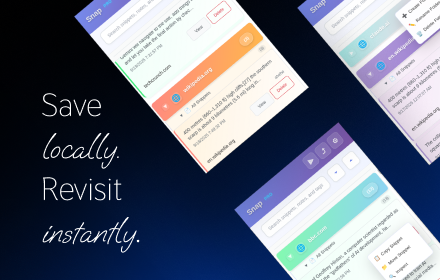
Snap - Smart Text Snippet Manager
Highlight and save text snippets with professional note-taking capabilities. Privacy-first, local storage.
14

SnapExport, Web Page Content Exporter
Export page content, images, and media with advanced features
11

Clipwise AI
Convert any webpage to clean Markdown for ChatGPT, Claude & other AI assistants. Fast, private, works offline.
20
★ 5.0
Decant — Send any page to Claude, ChatGPT & Gemini
Extract any web page & send to Claude, ChatGPT or Gemini in one click. Clean Markdown, JSON, MCP bridge for AI agents & developers.
26
★ 5.0

SnapAI - Smart Screenshot & AI Productivity Tool
A privacy-first screenshot extension with local editing, history, OCR, and optional AI productivity tools.
—

Snipets
Adds a context menu for selected text and stores it in your Snipets account.
1

ExportContext
Universal page to AI-ready data transformer. Export web content in optimized formats.
8
★ 5.0
Data sourced from the Chrome Web Store · last verified Jun 6, 2026.