
Snipets
Adds a context menu for selected text and stores it in your Snipets account.
As of June 2026, Snipets has 1 users in the Productivity category.
Usersno change0%
1
1
Ratingno change0%
—
— reviews
Reviewsno change0%
—
Version
1.0.1
Manifest V3
90-day change · In the last 90 days this extension 1 version update.
History
4 snapshotsTracking since Apr 1, 2026.
Not enough history yet for this metric — the chart fills in as we collect more snapshots.
View as table
| Date | Users | Rating | Reviews | Version |
|---|---|---|---|---|
| Apr 1, 2026 | — | — | — | 1.0.0 |
| Apr 17, 2026 | — | — | — | 1.0.1 |
| Apr 27, 2026 | — | — | — | 1.0.1 |
| Jun 4, 2026 | — | — | — | 1.0.1 |
| Now | 1 | — | — | 1.0.1 |
Permissions & access
- Permissions
- contextMenusstoragenotifications
- Host access
- https://lsnbxwsivlwbpdxjhyma.supabase.co/functions/v1/*, https://lsnbxwsivlwbpdxjhyma.supabase.co/auth/v1/*
Screenshots


About
Snipets makes it effortless to capture and organize useful pieces of text from the web. With a simple right-click, you can save selected text from any page directly to your Snipets account and build your own personal library of snippets.

Whether you're researching, collecting quotes, saving code, or bookmarking useful information, Snipets lets you store and access important fragments of text in seconds—without breaking your browsing flow.

How it works
- Highlight any text on a webpage.
- Right-click and choose “Save to Snipets.”
- The selected text is instantly saved to your Snipets account.
- Each snippet is stored together with its source page so you always know where it came from.

Key features

Save text from any website
Capture useful information instantly using the browser context menu.

Stay organized
Build a searchable collection of snippets that you can revisit later.

Linked to the original source
Snipets automatically records the page where the text was saved from, making it easy to return to the context.

Fast and lightweight
Snipets works directly inside your browser without interrupting your workflow.

Works everywhere you browse
From research papers to blog posts, documentation, tutorials, and articles—Snipets helps you keep the best bits.

Perfect for

Researchers collecting references and quotes

Developers saving useful code fragments

Writers and students organizing notes

Anyone who wants to keep track of valuable information found online

Why Snipets?

The internet is full of valuable information, but it’s easy to lose track of it. Snipets gives you a simple way to capture, store, and revisit the pieces that matter most, right when you find them.

Start building your personal knowledge collection—one snippet at a time.
Technical
- Version
- 1.0.1
- Manifest
- V3
- Size
- 20.87KiB
- Min Chrome
- 88
- Languages
- 1
- Featured
- No
Metadata
- ID
- jofbabbfafeeknpabophbomfnpljpfop
- Developer ID
- u85447a991c3f810c1c122beaec51b017
- Developer Email
- [email protected]
- Created
- Mar 19, 2026
- Last Updated (Store)
- Apr 1, 2026
- Last Scraped
- Jun 10, 2026
- Website
- —
- Support URL
- —
- Privacy Policy
- https://the-law-1.github.io/Snipets/
Similar extensions
Alternatives to Snipets, ranked by description similarity.

CleverClip — Snippet Saver & Clipboard Manager
Save any text from the web with one right-click. Tag, search & copy snippets instantly. 100% local — no account, no tracking.
10
★ 5.0

Snippets Pro
Save and manage text snippets from any website with ease.
1
★ 5.0

SnapClipper
Capture, organize, and retrieve contextual web clips with one click.
10
★ 5.0

SnipSnap
Save copied text & screenshots. Auto-organized by domain and date so you never lose track. Lightweight, private, and always on
6
★ 5.0

CodeSnap
Your Personal Browser Scrapbook.
CodeSnap is a lightweight, high-performance tool for developers, writers, and researchers. Stop…
1
★ 5.0

Snippet
Automatically captures copied content (Text, Images, Video URLs) into a buffer and exports to Word.
3
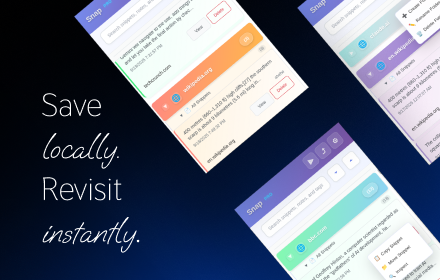
Snap - Smart Text Snippet Manager
Highlight and save text snippets with professional note-taking capabilities. Privacy-first, local storage.
14

Notegrip
Quickly save any text or code snippet from a web page using a hotkey. Stay organized and revisit it anytime.
5
Data sourced from the Chrome Web Store · last verified Jun 10, 2026.