Decant — Send any page to Claude, ChatGPT & Gemini
Extract any web page & send to Claude, ChatGPT or Gemini in one click. Clean Markdown, JSON, MCP bridge for AI agents & developers.
As of June 2026, Decant — Send any page to Claude, ChatGPT & Gemini has 26 users and a 5.00/5 rating from 4 reviews in the Productivity category.
Usersup 62.5 percent+62.5%
26
26
Ratingno change0%
5.00
4 reviews
Reviewsno change0%
4
Version
4.1.0
Manifest V3
History
8 snapshotsTracking since Apr 2, 2026.
View as table
| Date | Users | Rating | Reviews | Version |
|---|---|---|---|---|
| Apr 2, 2026 | 16 | 5.00 | 4 | 4.1.0 |
| Apr 17, 2026 | 18 | 5.00 | 4 | 4.1.0 |
| May 8, 2026 | 26 | 5.00 | 4 | 4.1.0 |
| May 13, 2026 | 30 | 5.00 | 4 | 4.1.0 |
| May 19, 2026 | 29 | 5.00 | 4 | 4.1.0 |
| May 25, 2026 | 26 | 5.00 | 4 | 4.1.0 |
| Jun 1, 2026 | 27 | 5.00 | 4 | 4.1.0 |
| Jun 7, 2026 | 25 | 5.00 | 4 | 4.1.0 |
| Now | 26 | 5.00 | 4 | 4.1.0 |
Permissions & access
- Permissions
- activeTabstoragesidePanelclipboardWritecontextMenusalarmsscriptingoffscreen
- Host access
- None declared
Screenshots


About
Send any web page to your AI in one click.

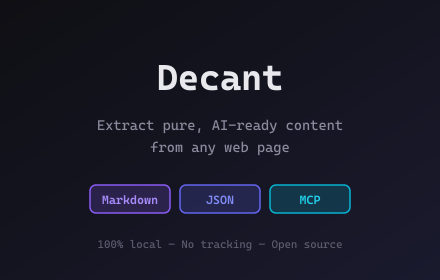
Decant extracts clean content from any website and sends it straight to Claude, ChatGPT, or Gemini. No more copy-paste-format-paste. Extract, Send, Done.

HOW IT WORKS
1. Click Extract on any page
2. Click "Send to Claude" (or ChatGPT, or Gemini)
3. Ctrl+V — your content is ready, clean and formatted

FEATURES
- Send to Claude, ChatGPT, Gemini — one click, content copied + tab opened
- Clean Markdown extraction — no ads, no navigation, just content
- JSON export with full metadata
- MCP Bridge — connect AI agents directly to your browser tabs
- Token counter — estimate token usage across multiple models
- Smart extract — emails, dates, phone numbers, prices auto-detected
- Structured data — JSON-LD, Open Graph, Twitter Cards extracted
- llms.txt detection — finds AI-ready content declarations
- Right-click context menu — extract without opening the popup
- Batch extract — process all open tabs at once
- DOM picker — select specific elements to extract
- Dark mode and light mode
- 16 languages supported

BUILT FOR
- Developers feeding context to AI assistants
- Researchers collecting and organizing web content
- Content creators repurposing articles and documentation
- Anyone who regularly pastes web content into AI chat

OUTPUT FORMATS
- Markdown — clean, readable, token-efficient
- JSON — structured with metadata and token counts
- MCP — Model Context Protocol for AI agent integration

USE CASES
- Send a documentation page to Claude and ask questions about it
- Extract a news article into clean Markdown for ChatGPT
- Feed product pages to Gemini for comparison
- Connect AI desktop apps to your browser tabs via MCP
- Batch extract research articles from multiple tabs

PRIVACY
- No data collection, no tracking, no ads
- Everything runs locally in your browser
- No account needed, no sign-up
- Open source on GitHub

KEYBOARD SHORTCUTS
- Alt+Shift+E — Extract current page
- Alt+Shift+C — Copy to clipboard
- Alt+Shift+S — Save as file

Works on any website. 100% free. No account needed.
Technical
- Version
- 4.1.0
- Manifest
- V3
- Size
- 180KiB
- Min Chrome
- 116
- Languages
- 16
- Featured
- No
Metadata
- ID
- iddjjbfkefeikdjcnhlklblfanhdignj
- Developer ID
- u8a2dd5102bc5e1fcc34a64859d1deeb7
- Developer Email
- [email protected]
- Created
- Feb 24, 2026
- Last Updated (Store)
- Mar 16, 2026
- Last Scraped
- Jun 7, 2026
- Website
- —
- Support URL
- https://decant-extension.vercel.app/help
- Privacy Policy
- https://decant-extension.vercel.app/privacy
Similar extensions
Alternatives to Decant — Send any page to Claude, ChatGPT & Gemini, ranked by description similarity.

Clipwise AI
Convert any webpage to clean Markdown for ChatGPT, Claude & other AI assistants. Fast, private, works offline.
20
★ 5.0

ExtractMD
Extract and copy content as Markdown from any webpage. Built-in support for YouTube, Hacker News, and articles.
29

ExportContext
Universal page to AI-ready data transformer. Export web content in optimized formats.
8
★ 5.0

page2prompt
page2prompt intelligently extracts the main content from any webpage and converts it to clean Markdown, JSON, or XML, perfect for…
3
★ 5.0

MDify
Convert webpages to Markdown and inject into AI platforms
8

Click to Markdown
Toggle inspector mode to click any element and copy its content as Markdown
7

WebNexus AI: Send Web, PDF, YouTube to AI
Extract content from any webpage, PDF, or YouTube video and send it to any AI platform.
39
★ 5.0

Markdown Extractor
Extract web content to clean Markdown with one click. Side panel for easy access.
61
★ 5.0
Data sourced from the Chrome Web Store · last verified Jun 7, 2026.