
BackTick
BackTick: Custom Alt+Tab for Chrome
As of June 2026, BackTick has 17 users and a 4.75/5 rating from 4 reviews in the Workflow & Planning category.
Usersup 13.3 percent+13.3%
17
17
Ratingno change0%
4.75
4 reviews
Reviewsno change0%
4
Version
1.6.2
Manifest V3
History
10 snapshotsTracking since Apr 3, 2026.
View as table
| Date | Users | Rating | Reviews | Version |
|---|---|---|---|---|
| Apr 3, 2026 | 15 | 4.75 | 4 | 1.6.2 |
| Apr 17, 2026 | 14 | 4.75 | 4 | 1.6.2 |
| Apr 23, 2026 | 12 | 4.75 | 4 | 1.6.2 |
| Apr 28, 2026 | 14 | 4.75 | 4 | 1.6.2 |
| May 5, 2026 | 20 | 4.75 | 4 | 1.6.2 |
| May 11, 2026 | 21 | 4.75 | 4 | 1.6.2 |
| May 16, 2026 | 16 | 4.75 | 4 | 1.6.2 |
| May 22, 2026 | 19 | 4.75 | 4 | 1.6.2 |
| Jun 1, 2026 | 15 | 4.75 | 4 | 1.6.2 |
| Jun 9, 2026 | 19 | 4.75 | 4 | 1.6.2 |
| Now | 17 | 4.75 | 4 | 1.6.2 |
Permissions & access
- Permissions
- tabsactiveTabscriptingstoragecommandssessionstabGroupsalarms
- Host access
- <all_urls>
Screenshots


About
BackTick brings the familiar Alt+Tab experience to your browser, allowing you to switch between tabs using keyboard shortcuts.

Efficiently switch tabs, manage groups, and control audio using keyboard shortcuts. BackTick provides a command palette interface for your browser workflow, operating entirely offline.

Key Features

- Tab Switching: Cycle through your most recently used tabs using Alt+Q (or custom shortcut).
- Search: Type to filter open tabs by title or URL.
      Search Modes:
      "g " : Filter by Tab Groups.
     "m " : Filter by playing Media (audio/video).
- Audio Control:
      Mute/Unmute tabs directly from the list.
      Adjust volume for individual tabs using keyboard controls (Ctrl + Up/Down).
- Group Management:
      "De-Clutter" view hides tabs that are already inside groups.
       Rename, color-code, or ungroup tabs without leaving the interface.
       Privacy: Operates locally on your device. No data is transmitted.


Shortcuts

Alt + Q: Toggle UI / Cycle Tabs
Alt + S: Open Search
Tab: Open Actions Menu (for selected item)
Shift + Alt + Q: Sticky Mode (Keep UI open)
Technical
- Version
- 1.6.2
- Manifest
- V3
- Size
- 127KiB
- Min Chrome
- 88
- Languages
- 1
- Featured
- No
Metadata
- ID
- imihnopaioggcbpbflpgiaphaklnmbfo
- Developer ID
- u305165e0599be0fecf7df90def2f2d4d
- Developer Email
- [email protected]
- Created
- Jan 8, 2026
- Last Updated (Store)
- Feb 20, 2026
- Last Scraped
- Jun 9, 2026
Similar extensions
Alternatives to BackTick, ranked by description similarity.

ChromeKeys
Extra keyboard shortcuts from Chrome
26
★ 5.0

TabControl FS
Switch tabs instantly with Alt+PageUp/PageDown. Fast, lightweight navigation with a built-in switch counter. Works in fullscreen.
1
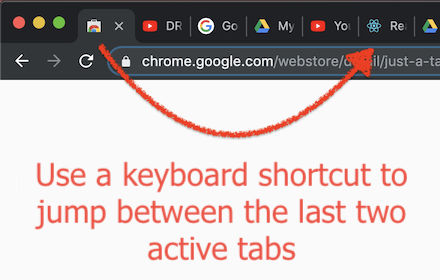
Just a Tab Switcher
Switches between the last 2 active tabs
114
★ 4.6

Tablyt
Quickly access tabs, bookmarks, history, and context-aware actions through a command-palette.
47
★ 5.0

Launchtab
Keyboard-driven tabless browsing with a Quick Switcher modal.
7

Quick Tab Search
Quickly search and switch between open tabs
209
★ 5.0

Quick Tab Switch
Quickly switch between tabs using custom keyboard shortcuts. Assign keys to tabs for fast navigation and seamless tab management.
19
★ 5.0

Tabkey
Assign number keys to open tabs and jump between them instantly.
—
Data sourced from the Chrome Web Store · last verified Jun 9, 2026.