
CloudPixel Player
Digital Signage transforms the way you reach your current and prospective customers. It facilitates the transition from the dull,…
As of May 2026, CloudPixel Player has — users.
Usersno change0%
—
—
Ratingno change0%
—
— reviews
Reviewsno change0%
—
Version
0.0.7.2
Manifest V2
History
1 snapshotsTracking since Apr 25, 2026.
Not enough history yet for this metric — the chart fills in as we collect more snapshots.
View as table
| Date | Users | Rating | Reviews | Version |
|---|---|---|---|---|
| Apr 25, 2026 | — | — | — | 0.0.7.2 |
| Now | — | — | — | 0.0.7.2 |
Permissions & access
- Permissions
- webviewpowerstoragepointerLocksystem.displayenterprise.deviceAttributesaccessibilityFeatures.readaccessibilityFeatures.modify
- Host access
- None declared
Screenshots
About
Digital Signage transforms the way you reach your current and prospective customers. It facilitates the transition
from the dull, static, traditional printed signs, to dynamic, attractive, and interactive content screens for greater
customer experience and engagement.

Making the leap from a one-way communication channel to a bi-directional channel is the determining factor in social media success. CloudPixel makes it easy to do the same with your Chrome based digital signs. Instead of talking at your customers, have a conversation. Use touch screens with total onscreen keyboard functionality.

With CloudPixel your audience will be able to interact with your digital signs using multi-touch screens. You are able to easily construct secure kiosk applications to improve engagement and customer experience.


Easy to Deploy: Direct your audience to an existing online form, survey or any
URL, or easily construct a new one.

Measure Interaction: Track usage statistics per screen and the duration of each
session.

Connectivity Alerts: Receive email alerts if one of your screens goes offline. With
CloudPixel, this option is one click away, helping you to display your content
uninterrupted.

**The current version for Chrome OS has a limited functionality to support touch screen displays only.  If you are looking for a full stack digital signage players, please take a look at our Windows, Mac and Linux apps (https://cloudpixel.com/download/). Upcoming versions will introduce additional functionality.

**Upcoming features: Extend functionality to replicate functionality available with CloudPixel’s Windows, Mac and Linux players.  Will have the ability to play images, videos, youtube and Widgets.
Technical
- Version
- 0.0.7.2
- Manifest
- V2
- Size
- 891KiB
- Min Chrome
- 37.0.0.0
- Languages
- 1
- Featured
- No
Metadata
- ID
- ikaabhlhochadbnccbakckepdigbajpn
- Developer ID
- uf1e32fe61ccfead88b51cad8a8cba864
- Developer Email
- [email protected]
- Created
- Jun 15, 2017
- Last Updated (Store)
- Sep 22, 2017
- Last Scraped
- May 21, 2026
- Website
- cloudpixel.com
- Support URL
- https://cloudpixel.com/ticket/
- Privacy Policy
- —
Similar extensions
Alternatives to CloudPixel Player, ranked by description similarity.
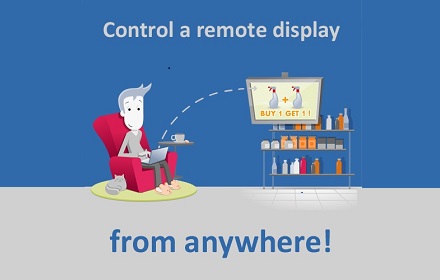
NoviSign Studio for Digital Signage
From one PC, broadcast your content in minutes to any number of screens and locations
1.0K
★ 4.7
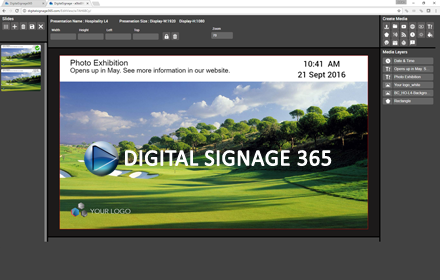
DigitalSignage 365
A web based digital signage solution for restaurants, schools, internal communications and retail.
125
★ 3.0
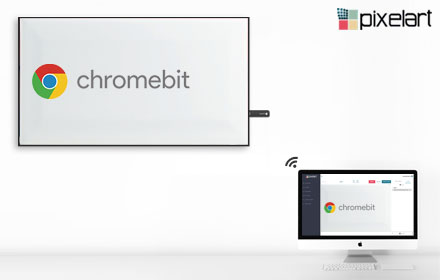
Pixelart Player — Modern Digital Signage
Pixelart player for Chrome OS
—

ScreenCloud Digital Signage Player
Easy to use cloud based Digital Signage content management. Designed to work with Google apps, Chrome, Chromebox, & Chromebit kiosk
—
★ 4.1

Signage Player
Digital signage player for any business to run stable 24/7. Download once, install on your ChromeOS device and control the content…
—
★ 3.0

Hypersign
Hypersign Chrome Extension
—
Signagelive
Play all your digital signage content managed in the cloud at Signagelive.com on your Chrome device
—
★ 3.8

Playr
Digital signage kiosk app for Chrome OS
—
★ 5.0
Data sourced from the Chrome Web Store · last verified May 21, 2026.