
FONT Finder PRO
Can detect which font used in webpage.
As of May 2026, FONT Finder PRO has 55 users in the Developer Tools category.
Usersdown 6.8 percent−6.8%
55
55
Ratingno change0%
—
— reviews
Reviewsno change0%
—
Version
1.0.0
Manifest V3
History
2 snapshotsTracking since Apr 25, 2026.
View as table
| Date | Users | Rating | Reviews | Version |
|---|---|---|---|---|
| Apr 25, 2026 | 59 | — | — | 1.0.0 |
| May 21, 2026 | 58 | — | — | 1.0.0 |
| Now | 55 | — | — | 1.0.0 |
Permissions & access
- Permissions
- activeTabscripting
- Host access
- None declared
Screenshots

About
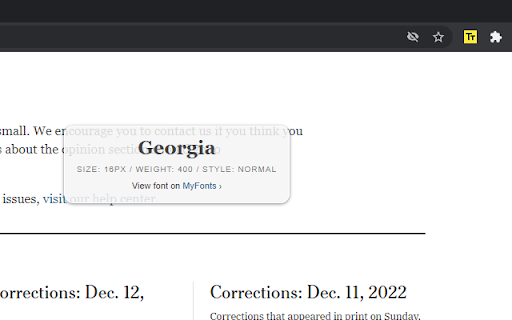
Font Finder RPO extension helps you detect/find fonts used on web pages.

Features:
Find fonts on a web page
Find text size on a web page

How to use:
1. Install "Font Finder PRO" chrome extension.
2. Open any website.
3. Open "Font Finder PRO" from "Extensions list".
Find the extension's icon using the puzzle icon.
4. Click "Start" button to activate Font Finder MODE.
5. Select or click to text on a web page.
Technical
- Version
- 1.0.0
- Manifest
- V3
- Size
- 16.5KiB
- Min Chrome
- 88
- Languages
- 1
- Featured
- No
Metadata
- ID
- ihpkfgphnppljkdhnjgiieicnhlkfdig
- Developer ID
- ua6f16e575109e313a42c43294888612c
- Developer Email
- [email protected]
- Created
- Dec 15, 2022
- Last Updated (Store)
- Dec 15, 2022
- Last Scraped
- May 21, 2026
- Website
- bayramoff.com
- Support URL
- https://bayramoff.com/apps/font-detector
- Privacy Policy
- —
Similar extensions
Alternatives to FONT Finder PRO, ranked by description similarity.
Font Finder
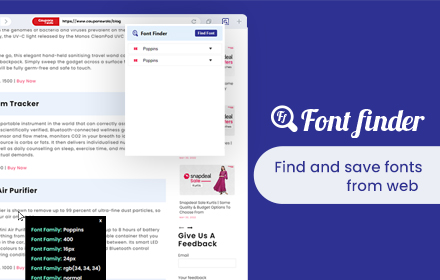
Font finder for images, texts and websites to check Font Family, size, height
10.0K
★ 4.3

Font Finder
Easily identify and analyze fonts on any webpage. Get font family, size, weight, style, color, and more.
20

Font Detector
Detects font details on any webpage to find Fonr family, height and more
77
★ 1.0

FindFont - Font Identifier
Identify fonts from selected text on webpages
66
★ 5.0

Find Font and Download
Find Font: Identifies Fonts on Any Website + Downloads Fonts
129
★ 5.0

Font Finder
An easy-to-use font inspector to get CSS styles of the selected element
400.0K
★ 4.5

Font Finder - Typography Inspector
Highlight text to see font details instantly. Perfect for designers and developers!
8

Font Finder
Easy font identifier, meet Font Finder! This extension helps you find the font you’re looking for and analyze text styles instantly.
1.0K
★ 4.5
Data sourced from the Chrome Web Store · last verified May 21, 2026.