Font Finder
Font finder for images, texts and websites to check Font Family, size, height
As of June 2026, Font Finder has 10,000 users and a 4.33/5 rating from 12 reviews in the Developer Tools category.
Usersno change0%
10.0K
10,000
Ratingno change0%
4.33
12 reviews
Reviewsno change0%
12
Version
1.3
Manifest V3
History
1 snapshotsTracking since Apr 16, 2026.
View as table
| Date | Users | Rating | Reviews | Version |
|---|---|---|---|---|
| Apr 16, 2026 | 10.0K | 4.33 | 12 | 1.3 |
| Now | 10.0K | 4.33 | 12 | 1.3 |
Permissions & access
- Permissions
- storageclipboardWrite
- Host access
- *://*/*
Screenshots
About
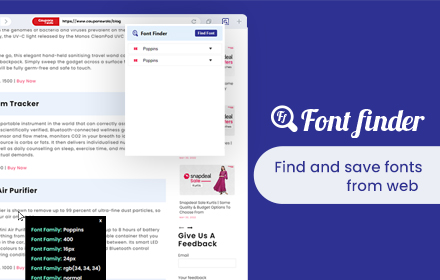
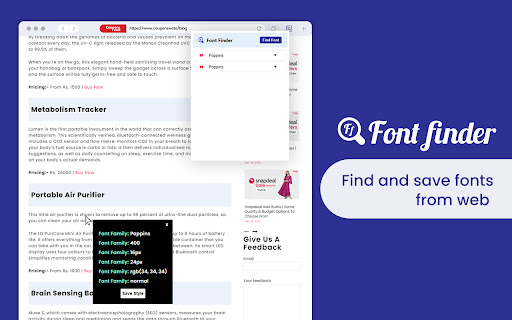
Install the Font Finder Chrome extension to check font size, font style, font family and line-height, and font-weight. It is the easiest method to identify font details on a webpage.

What Font Finder Chrome extension Captures: -
✅RGB Color Codes of Fonts
✅Font Family
✅Font Size
✅Line Height
✅Font Weight
✅Font Style

Who can use Font Finder for Chrome: -

Web Developers: To create a beautiful website web developers need to use attractive fonts & this extension will surely help them to pick the right font details very quickly.

Freelancers: Freelancers can use this extension if their client needs to have the same font style as their competitor’s website.

Designers: It can make a huge difference if you choose the right font style for your website. Fonts can have a profound psychological impact on visitors and affect their ability to read your content.

How To Use :
>>Click on the “Add to chrome” option to install the add-on
>>Tap on “Find Font” then it will enable the pointer
>>Move the mouse pointer to any word for which you want to get font details.
>>Once you click on the word you will get all the font details.
>>You can also save the font styles for further use

Version 0.1.1 Changes:
>>Bug fixes
Technical
- Version
- 1.3
- Manifest
- V3
- Size
- 73.29KiB
- Min Chrome
- 88
- Languages
- 54
- Featured
- Yes
Metadata
- ID
- gdloiclnenchnhcmapnomnlkjhggkjof
- Developer ID
- uefea427efe9ec79b976535ff1810c282
- Developer Email
- [email protected]
- Created
- Jun 27, 2022
- Last Updated (Store)
- Mar 5, 2026
- Last Scraped
- Jun 6, 2026
- Website
- https://fontfinder.app/
- Support URL
- —
Similar extensions
Alternatives to Font Finder, ranked by description similarity.

Font Finder
Easily identify and analyze fonts on any webpage. Get font family, size, weight, style, color, and more.
20

Font Detector
Detects font details on any webpage to find Fonr family, height and more
77
★ 1.0

Find Font and Download
Find Font: Identifies Fonts on Any Website + Downloads Fonts
129
★ 5.0

Font Finder - Typography Inspector
Highlight text to see font details instantly. Perfect for designers and developers!
8

FindFont - Font Identifier
Identify fonts from selected text on webpages
66
★ 5.0

Identify Font - What is the font
Easily Identify Font on any webpage. Discover what is the font used with a simple click.
621
★ 5.0

Font Detective
Hover over text to see font style, size, weight, and other typography details
5

Font Detector – What font is this?
Font Detector is a fast and free font finder tool that helps you identify any font on a webpage instantly. What font is used here?
473
★ 5.0
Data sourced from the Chrome Web Store · last verified Jun 6, 2026.