
Save that Clip
Bookmark timestamps on Netflix episodes. Easily find and revisit your favorite moments on Netflix.
As of May 2026, Save that Clip has 42 users and a 5.00/5 rating from 1 reviews in the Workflow & Planning category.
Usersup 20.0 percent+20.0%
42
42
Ratingno change0%
5.00
1 reviews
Reviewsno change0%
1
Version
1.0.1
Manifest V3
History
3 snapshotsTracking since Apr 1, 2026.
View as table
| Date | Users | Rating | Reviews | Version |
|---|---|---|---|---|
| Apr 1, 2026 | 35 | 5.00 | 1 | 1.0.1 |
| Apr 30, 2026 | 33 | 5.00 | 1 | 1.0.1 |
| May 27, 2026 | 41 | 5.00 | 1 | 1.0.1 |
| Now | 42 | 5.00 | 1 | 1.0.1 |
Permissions & access
- Permissions
- tabsstoragescriptingactiveTab
- Host access
- https://*.netflix.com/, http://*.netflix.com/
Screenshots


About
Bookmark timestamps on Netflix episodes. Easily find and revisit your favorite moments on Netflix.

Bookmark a Scene:
Have you ever wanted to bookmark a specific scene in a Netflix episode? Now you can! With my Chrome extension, you can click a button to bookmark the episode. After you enter a name for your bookmark, the extension will save it to a list. Then, you can open the extension and click on the bookmark to automatically visit the episode’s scene.

Search for Bookmarks:
You can easily find a scene by typing the scene’s name into the Chrome extension’s search bar. This will automatically find the scene in your saved bookmarks. Then, you can click on the bookmark to automatically view the scene on Netflix. This means you no longer have to waste time searching for the episode on the Netflix website!

Organize Your Bookmarks:
The extension will automatically organize your bookmarks by Netflix series. This will help you find your bookmarks more easily.

Privacy:
Your bookmarks are stored on your browser, so there is no need to worry about privacy.

Download:
What are you waiting for? Install the Chrome extension today and make your life easier.

Requested Permissions:
Tabs: This permission allows the extension to check if you have any Netflix tabs open. It also allows the extension to get a Netflix tab's URL to bookmark it.
Storage: The extension uses this permission to save bookmarks.
Scripting: This permission enables the extension to set the Netflix episode's time.
Active tab: The extension needs this permission to make network requests to Netflix to get an episode's series name.

Note: This extension is not affiliated with the company "Netflix."
Technical
- Version
- 1.0.1
- Manifest
- V3
- Size
- 1.18MiB
- Min Chrome
- 88
- Languages
- 1
- Featured
- No
Metadata
- ID
- hphpgkhnbbifpfbkcadjnmkcbjeljhoe
- Developer ID
- ubb7a33fed86e6ab73ac744049989b0f8
- Developer Email
- [email protected]
- Created
- Jul 25, 2023
- Last Updated (Store)
- Mar 4, 2025
- Last Scraped
- May 27, 2026
- Website
- —
- Privacy Policy
- https://netflixbookmarks.wordpress.com/privacy-policy/
Similar extensions
Alternatives to Save that Clip, ranked by description similarity.

Speckle Bookmarks
Saving timestamps in Youtube videos
9
★ 4.0

Chrome Bookmarked Website Downloader
Chrome Bookmarked Website Downloader is an extension that allows users to download all the websites they have bookmarked.
226
★ 1.0

YouTube Bookmarker
Save and organize YouTube video bookmarks with timestamps, categories, and search. Export your bookmarks to CSV/JSON formats.
11
Bookmark All Tabs
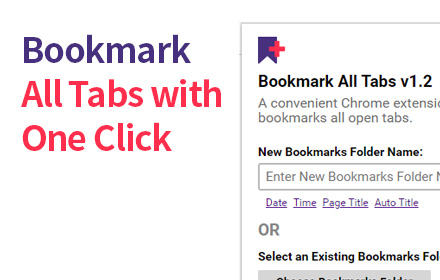
A Chrome extension that allows you to bookmark all open tabs with one click. Choose to save to a new or existing bookmark folder.
1.0K
★ 4.1

YT Bookmarker
Add bookmarks and notes to Youtube videos
776
★ 4.2

YouTube Bookmark: Save and manage timestamps for your favorite YT videos
Save and manage timestamps for your favorite YouTube videos, making it easy to bookmark important moments.
22

YTB
Add bookmarks and notes to Youtube videos
12
★ 5.0

Bookmark Scheduler
Schedule your bookmarks to open at specific times
4
Data sourced from the Chrome Web Store · last verified May 27, 2026.