
YT Bookmarker
Add bookmarks and notes to Youtube videos
As of May 2026, YT Bookmarker has 776 users and a 4.22/5 rating from 9 reviews in the Workflow & Planning category.
Usersup 8.8 percent+8.8%
776
776
Ratingdown 7.7 percent−7.7%
4.22
9 reviews
Reviewsup 28.6 percent+28.6%
9
Version
1.1.0
Manifest V3
History
3 snapshotsTracking since Apr 1, 2026.
View as table
| Date | Users | Rating | Reviews | Version |
|---|---|---|---|---|
| Apr 1, 2026 | 713 | 4.57 | 7 | 1.1.0 |
| Apr 30, 2026 | 717 | 4.57 | 7 | 1.1.0 |
| May 28, 2026 | 745 | 4.13 | 8 | 1.1.0 |
| Now | 776 | 4.22 | 9 | 1.1.0 |
Permissions & access
- Permissions
- storagetabswebNavigation
- Host access
- https://*.youtube.com/*
Screenshots
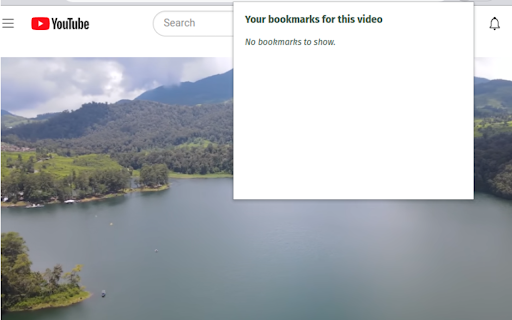


About
YT Bookmarker - the Video Bookmarker for YouTube - is a handy Chrome extension designed to enhance your video watching experience. With the ability to create bookmarks and add custom notes to specific timestamps in YouTube videos, you can effortlessly save and access key moments for future reference. This tool is perfect for tutorial videos, lectures, presentations, or any content where you wish to highlight and remember specific parts of the video.

Key Features:

1. **Create bookmarks with notes**: Save important timestamps in YouTube videos along with your personalized notes, ensuring you can easily recall and navigate to specific moments.
Use the following shortcut to add bookmarks directly from your keyboard: Shift + A

2. **View and manage saved bookmarks**: Access your saved bookmarks through the extension popup, where you can view, edit, or delete them as needed.

3. **Easy navigation**: Click on a bookmark's timestamp in the extension popup to instantly navigate to that point in the video. No more manually scrubbing through the video to find the exact moment you're looking for!

4. **Edit existing bookmarks**: Need to update a note or fix a typo? The extension allows you to edit your bookmarks effortlessly, keeping your notes accurate and up-to-date.

5. **Delete bookmarks**: You can remove individual bookmarks or delete all bookmarks for a video with just a few clicks.

Using Video Bookmarker for YouTube is simple and intuitive. Just open a YouTube video, click the Video Bookmarker icon under the video, and start creating bookmarks. Click the Bookmarker icon in your Chrome toolbar and access your personal bookmars with your custom notes to easily jump to a timestamp, edit your notes, and delete what's no longer needed.

Enhance your YouTube experience, improve productivity, and make video content more accessible with YT Bookmarker, your video bookmarker for YouTube. Install the extension now and revolutionize the way you watch and navigate videos!
Technical
- Version
- 1.1.0
- Manifest
- V3
- Size
- 28.55KiB
- Min Chrome
- 88
- Languages
- 1
- Featured
- Yes
Metadata
- ID
- docgcaajjlhikhllnlkfmffciiokggag
- Developer ID
- u77382bc7765bd0d1e457d594d6e3cbff
- Developer Email
- [email protected]
- Created
- Mar 28, 2023
- Last Updated (Store)
- Mar 6, 2024
- Last Scraped
- May 28, 2026
- Website
- —
- Support URL
- —
- Privacy Policy
- —
Similar extensions
Alternatives to YT Bookmarker, ranked by description similarity.

YouTube Bookmarker
Helps to save timestamps in YouTube videos
—

Bookmarker for YouTube™
Maximize your YouTube viewing experience with Bookmarker for YouTube™. Save, organize and pick up where you left off.
4.0K
★ 4.0

Youtube Bookmarker
Add bookmarks and notes to Youtube videos
8
★ 5.0

YouTube Bookmark: Save and manage timestamps for your favorite YT videos
Save and manage timestamps for your favorite YouTube videos, making it easy to bookmark important moments.
22

YTB
Add bookmarks and notes to Youtube videos
12
★ 5.0

YouTube Bookmarker
Save and organize YouTube video bookmarks with timestamps, categories, and search. Export your bookmarks to CSV/JSON formats.
11

YouTube Bookmarker
Saving timestamps in YT videos
1

Speckle Bookmarks
Saving timestamps in Youtube videos
9
★ 4.0
Data sourced from the Chrome Web Store · last verified May 28, 2026.