
Notes Tab
A fast notes editor on every new tab. Markdown, slash menu, checklists, dark mode. Keep notes local or share with an AI agent.
As of June 2026, Notes Tab has 134 users and a 4.57/5 rating from 7 reviews in the Workflow & Planning category.
Usersdown 7.6 percent−7.6%
134
134
Ratingno change0%
4.57
7 reviews
Reviewsno change0%
7
Version
2.6.2
Manifest V3
90-day change · In the last 90 days this extension 1 version update, changed permissions.
History
3 snapshotsTracking since Apr 23, 2026.
View as table
| Date | Users | Rating | Reviews | Version |
|---|---|---|---|---|
| Apr 23, 2026 | 145 | 4.57 | 7 | 1.0 |
| May 12, 2026 | 139 | 4.57 | 7 | 1.0 |
| Jun 7, 2026 | 128 | 4.57 | 7 | 1.0 |
| Now | 134 | 4.57 | 7 | 2.6.2 |
Changelog
- Jun 7, 2026description
It changes your new tab to a amazing notes tool that supports markdown
Notes Tab replaces the New Tab page with a clean, fast notes editor, so the place you already open dozens of times a day becomes the place you capture ideas, todos, snippets, and rough drafts.

WHY IT'S DIFFERENT
• 100% local. Notes live in your browser. No accounts, no cloud, no telemetry.
• Zero friction. Open a new tab → start typing. That's it.
• Looks like a real editor, not a sticky note. Inter for prose, JetBrains Mono for code, light/dark themes that follow your OS.

EDITOR
• Live markdown. Type # for a heading, - for a list, > for a quote, and they render instantly without showing the raw syntax.
• Slash menu. Press / to insert headings, bulleted/numbered lists, checklists, or a divider.
• Bubble menu. Select text for bold, italic, strikethrough, inline code, or a link.
• Checklists with the click of a box.
• Paste markdown from anywhere, and it auto-formats.

TABS
• Multiple tabs across the top for separate notebooks, projects, or contexts.
• Switch instantly with ⌘ + [ or ⌘ + ] (Ctrl on Windows/Linux).
• Rename inline. Reorder by drag.

KEYBOARD-FRIENDLY
Block shortcuts in the slash menu

PRIVACY
Notes Tab does not collect, transmit, or sync any data. Everything is stored in your browser's local storage on your device.
- Jun 7, 2026short_description
Your browser is the best place to add all your stuff
A fast notes editor on every new tab. Markdown, slash menu, checklists, dark mode. Keep notes local or share with an AI agent.
- Jun 7, 2026permissions
(empty)
storage, downloads
Permissions & access
- Permissions
- storagedownloads
- Host access
- None declared
Screenshots


About
Notes Tab replaces the New Tab page with a clean, fast notes editor, so the place you already open dozens of times a day becomes the place you capture ideas, todos, snippets, and rough drafts.

WHY IT'S DIFFERENT
• 100% local. Notes live in your browser. No accounts, no cloud, no telemetry.
• Zero friction. Open a new tab → start typing. That's it.
• Looks like a real editor, not a sticky note. Inter for prose, JetBrains Mono for code, light/dark themes that follow your OS.

EDITOR
• Live markdown. Type # for a heading, - for a list, > for a quote, and they render instantly without showing the raw syntax.
• Slash menu. Press / to insert headings, bulleted/numbered lists, checklists, or a divider.
• Bubble menu. Select text for bold, italic, strikethrough, inline code, or a link.
• Checklists with the click of a box.
• Paste markdown from anywhere, and it auto-formats.

TABS
• Multiple tabs across the top for separate notebooks, projects, or contexts.
• Switch instantly with ⌘ + [ or ⌘ + ] (Ctrl on Windows/Linux).
• Rename inline. Reorder by drag.

KEYBOARD-FRIENDLY
Block shortcuts in the slash menu

PRIVACY
Notes Tab does not collect, transmit, or sync any data. Everything is stored in your browser's local storage on your device.
Technical
- Version
- 2.6.2
- Manifest
- V3
- Size
- 837KiB
- Min Chrome
- 88
- Languages
- 1
- Featured
- No
Metadata
- ID
- hngoegoklccnaghmdfodhbbpkgeblfpo
- Developer ID
- u41d2b20c23018ef74b11754f4b9f97f4
- Developer Email
- [email protected]
- Created
- Apr 18, 2022
- Last Updated (Store)
- Jun 1, 2026
- Last Scraped
- Jun 7, 2026
- Website
- —
- Support URL
- https://ae.studio
- Privacy Policy
- —
Similar extensions
Alternatives to Notes Tab, ranked by description similarity.

Blank Notes
A note-taking app that replaces your new tab page. Features include markdown support, multiple tabs, quick links, and dark mode.
12

TabNotes
Take notes in new tab
1.0K
★ 4.1

MemoPad New Tab
Memopad New Tab makes it a Markdown editor instead of the default [New Tab] in Google Chrome.
42
★ 4.0

MadNotes
Minimalistic markdown notepad. Boost your efficiency with quick note-taking app.
254
★ 4.6

Tackboard
Tackboard replaces your new tab page with a board of sticky notes.
Create notes, edit them, drag them around, or minimize to keep…
6
★ 5.0

NewTabNote: AI-Powered Block Editor & Note-Taking
Transform Your New Tab into an AI-powered second brain. Professional block-based editor inspired by Notion and Obsidian.
4

Novum
A powerful new tab experience with note-taking and productivity tools.
37
★ 5.0
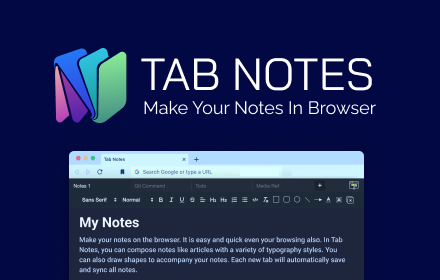
Tab Notes
Tab Notes will helps you to make notes on the browser. It is easy to use and quick to access
447
★ 3.9
Data sourced from the Chrome Web Store · last verified Jun 7, 2026.