
Blank Notes
A note-taking app that replaces your new tab page. Features include markdown support, multiple tabs, quick links, and dark mode.
As of June 2026, Blank Notes has 12 users in the Workflow & Planning category.
Usersdown 20.0 percent−20.0%
12
12
Ratingno change0%
—
— reviews
Reviewsno change0%
—
Version
1.5.0
Manifest V3
History
6 snapshotsTracking since Apr 1, 2026.
View as table
| Date | Users | Rating | Reviews | Version |
|---|---|---|---|---|
| Apr 1, 2026 | 15 | — | — | 1.5.0 |
| Apr 19, 2026 | 13 | — | — | 1.5.0 |
| May 3, 2026 | 11 | — | — | 1.5.0 |
| May 12, 2026 | 14 | — | — | 1.5.0 |
| May 25, 2026 | 16 | — | — | 1.5.0 |
| Jun 6, 2026 | 13 | — | — | 1.5.0 |
| Now | 12 | — | — | 1.5.0 |
Permissions & access
- Permissions
- None declared
- Host access
- None declared
Screenshots

About
Blank Notes turns your new tab into a quick-access workspace for code snippets and notes.
Key Features:
📝 Markdown Editor
Write notes and code snippets with markdown syntax and live preview. Simple to learn, powerful to use.
📑 Multiple Tabs
Organize up to 5 tabs for different projects, languages, or topics. Keep everything separated and accessible.
🔗 Quick Links
Add and reorder your frequently visited sites with drag-and-drop. Perfect for documentation and references.
🌙 Dark Mode
Switch themes for comfortable viewing anytime.
💾 Local Storage
All data stays on your device. No account, no tracking, works offline.
Perfect for developers, sysadmins, students, and anyone who needs instant access to code snippets and formatted notes.
Technical
- Version
- 1.5.0
- Manifest
- V3
- Size
- 253KiB
- Min Chrome
- 88
- Languages
- 1
- Featured
- No
Metadata
- ID
- ambkjmcghbfokjhfcjdienjkdehfebfl
- Developer ID
- u664445ba4dc58c02d9f1f42a5d7ac924
- Developer Email
- [email protected]
- Created
- Apr 4, 2015
- Last Updated (Store)
- Oct 11, 2025
- Last Scraped
- Jun 6, 2026
- Website
- —
- Support URL
- —
Similar extensions
Alternatives to Blank Notes, ranked by description similarity.

MadNotes
Minimalistic markdown notepad. Boost your efficiency with quick note-taking app.
254
★ 4.6

TabNotes
Take notes in new tab
1.0K
★ 4.1

TabNotes: Per-Tab Notepad for Productivity
Take notes tied to each browser tab. Perfect for remote work, study, and freelancing.
13
★ 5.0

Quick Notes – Minimalist Notepad & Sticky Notes
The fastest, most private way to take notes in Chrome. Instant access, auto-save, and 100% local storage. No accounts needed.
37
★ 5.0

Note Cards
Transform your notes into organized, color-coded cards with smart syntax recognition
9
★ 5.0
Tab Notes
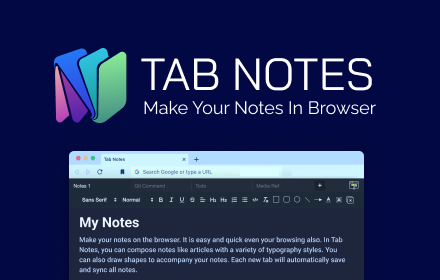
Tab Notes will helps you to make notes on the browser. It is easy to use and quick to access
447
★ 3.9

Papyrus
A simple and customizable new tab extension for taking notes. Includes the ability to download your notes as a text file.
—
★ 5.0

Novum
A powerful new tab experience with note-taking and productivity tools.
37
★ 5.0
Data sourced from the Chrome Web Store · last verified Jun 6, 2026.