
Tab Suspender | The Great Suspender 2026
Suspend inactive Chrome tabs to save RAM and boost speed. Best Tab Suspender — auto-freezes unused tabs and restores them instantly.
As of June 2026, Tab Suspender | The Great Suspender 2026 has 40,000 users and a 4.21/5 rating from 68 reviews in the Productivity category.
Usersup 33.3 percent+33.3%
40.0K
40,000
Ratingup 1.0 percent+1.0%
4.21
68 reviews
Reviewsup 65.9 percent+65.9%
68
Version
2.0.1
Manifest V3
90-day change · In the last 90 days this extension gained 10.0K users, 3 version updates, changed permissions.
History
12 snapshotsTracking since Apr 21, 2026.
View as table
| Date | Users | Rating | Reviews | Version |
|---|---|---|---|---|
| Apr 21, 2026 | 30.0K | 4.17 | 41 | 1.0.1 |
| Apr 24, 2026 | 30.0K | 4.02 | 44 | 1.0.3 |
| Apr 27, 2026 | 30.0K | 4.00 | 44 | 1.0.3 |
| May 3, 2026 | 30.0K | 3.93 | 46 | 1.0.3 |
| May 7, 2026 | 30.0K | 3.93 | 46 | 2.0.0 |
| May 9, 2026 | 30.0K | 4.15 | 53 | 2.0.0 |
| May 11, 2026 | 30.0K | 4.17 | 54 | 2.0.0 |
| May 15, 2026 | 40.0K | 4.18 | 55 | 2.0.0 |
| May 23, 2026 | 40.0K | 4.13 | 56 | 2.0.0 |
| May 29, 2026 | 30.0K | 4.13 | 56 | 2.0.0 |
| Jun 16, 2026 | 30.0K | 4.14 | 57 | 2.0.0 |
| Jun 24, 2026 | 30.0K | 4.14 | 58 | 2.0.1 |
| Now | 40.0K | 4.21 | 68 | 2.0.1 |
Changelog
- May 3, 2026permissions
tabs, storage, history, unlimitedStorage, contextMenus, cookies, alarms, favicon, scripting
tabs, storage, history, unlimitedStorage, contextMenus, cookies, alarms, favicon, scripting, offscreen
- Apr 21, 2026description
The Great Suspender Reloaded is back on the Chrome Web Store!

This is a safe fork of The Great Suspender and The Great Suspender Original, with open-source code under the GPL 2.0 license and compatible with Manifest v3, which means it works in all Chromium-based browsers in 2025.
Here is the GitHub link: https://github.com/tim-dim-ext/The-Great-Suspender-Reloaded.

I originally made this version for myself but decided to share it with the community, so feel free to join the development. This is not my main job, and I work on fixing bugs and adding new features in my free time.

In case the project proves useful, I also created a Patreon: https://www.patreon.com/c/The_Great_Suspender_Reloaded  🙌

All trackers and external site requests have also been removed from this version, making it a fully local extension with no external scripts, verified by the Chrome Web Store.

The Great Suspender Reloaded frees up memory by suspending inactive tabs, improving browser performance. Customizable settings let you set keyboard shortcuts, suspension timers, and more.

Easily organize tabs and browsing sessions with a unified tab list for quick access and management.

🔧 Features:

Suspend tabs on a schedule or with one click

Restore all tabs at once or only the ones you need

Create and save tab groups for later

Suspend or unsuspend selected tabs or all tabs instantly

✅ Safe, Private & Local
Unlike previous compromised versions, this extension has no tracking, external requests, or malicious code.
Everything runs locally—your data never leaves your browser.
No third-party servers. No analytics. Just a clean, privacy-first experience.
🧠 The Best Tab Suspender for Chrome — Save Memory, Speed Up Your Browser

The Great Suspender Reloaded is a powerful tab suspender that automatically freezes inactive tabs to free up RAM and CPU. If your browser gets slow because of too many open tabs — this extension is the solution.

Every open tab uses 50–300 MB of memory. With 20+ tabs, that's gigabytes of RAM wasted on pages you aren't even looking at. This tab suspender replaces idle tabs with a lightweight page, saving 1–4+ GB of RAM instantly. Click a suspended tab to restore it — right where you left off, scroll position included.

Works as a tab suspender, tab freezer, and memory saver — all in one clean, private extension.

🔄 HOW IT WORKS

When a tab sits unused for a configurable time (from 1 minute to 2 weeks), the extension suspends it — unloading all heavy content from memory. The tab shows a lightweight page with the original title and URL.

Restore a suspended tab in any of these ways: • Click anywhere on the page • Press F5 • Use the keyboard shortcut (default: Ctrl+Shift+S / ⌘+⇧+S on Mac) • Enable auto-unsuspend — tabs restore the moment you switch to them

Unlike Chrome's built-in Memory Saver, this tab suspender gives you full control: whitelist, custom timers, session management, keyboard shortcuts, screen previews, and much more.

⚡ FEATURES

⏱️ Automatic Suspension Timer Choose when to suspend idle tabs — from 1 minute to 2 weeks, or set to "Never" for manual-only mode.

🛡️ Smart Protection Rules The extension is smart about what to keep active: 📌 Never suspend pinned tabs (Gmail, Slack, Spotify stay live) 🔊 Never suspend tabs playing audio or video 📝 Never suspend tabs with unsaved form data 👁️ Never suspend the active tab in each window 📡 Never suspend tabs when offline 🔋 Never suspend tabs when charging

📋 Whitelist Protect specific URLs, domains, or regex patterns from ever being suspended. The "Test whitelist" button verifies your rules against all open tabs.

🖱️ One-Click Actions (Popup Menu) • Suspend or unsuspend a single tab • Suspend or unsuspend only selected tabs • Suspend all other tabs in the window • Unsuspend all tabs at once • Add a page or domain to the whitelist

⌨️ 10 Keyboard Shortcuts • Suspend/Unsuspend active tab (Ctrl+Shift+S) • Pause/Unpause suspension • Suspend/Unsuspend selected tabs • Suspend all in current window • Force suspend all in current window • Unsuspend all in current window • Suspend all in all windows • Force suspend all in all windows • Unsuspend all in all windows All shortcuts are customizable at chrome://extensions/shortcuts.

📂 Session Manager Save, export, import, and restore your browsing sessions: • View your current session with all windows and tabs • Browse automatically saved session snapshots • Save and name sessions for later • Export/import sessions as text files • Restore sessions fully loaded or kept suspended Great for saving a "work" session before switching contexts.

📸 Screen Capture Preview Optionally capture a screenshot before suspending a tab: • Disabled (best performance) • Top of screen only • Entire page (full scrollable content) • High quality mode

💾 Chrome Discard Integration Combine suspension with Chrome's native tab discarding for up to 500% more memory savings. Each suspended tab uses almost zero RAM.

⚠️ Low Memory Auto-Suspend When system memory gets critically low, the extension suspends tabs before Chrome discards them — preserving your screenshots and session data.

🌙 Dark & Light Theme Choose a theme for suspended tab pages.

🔗 Settings Sync Sync your settings across all Chrome browsers logged into the same Google account.

🕶️ Incognito Support Works in incognito mode with session features disabled for privacy.

🩺 Crash Recovery If Chrome crashes, a recovery page appears automatically. Restore all your tabs with one click.

🖱️ Right-Click Context Menu Enable the context menu for 15 suspension actions from any page, including "Open Link in New Suspended Tab."

🔒 SAFE, PRIVATE & 100% LOCAL

The original Great Suspender was the world's most popular tab suspender extension with over 2 million users. In 2020, new owners injected malicious code — tracking browsing and executing remote scripts. Google removed it in February 2021.

The Great Suspender Reloaded is a completely clean, safe fork:

✅ No tracking, no analytics, no telemetry ✅ No external requests or remote scripts ✅ No third-party servers ✅ Open-source code (GPL 2.0) — fully auditable on GitHub ✅ Chrome Web Store verified ✅ Manifest V3 — latest security standard ✅ Everything runs locally — your data never leaves your browser

💡 TIPS

• Start with a 10–15 minute timer and adjust for your workflow • Pin always-needed tabs and enable "Never suspend pinned tabs" • Enable form input protection so you never lose unsaved work • Use Ctrl+Shift+S to quickly suspend or unsuspend any tab • Always unsuspend all tabs before uninstalling the extension • Save important sessions before closing Chrome • For 50+ tabs, enable "Discard After Suspend" for max memory savings

🌐 BROWSER COMPATIBILITY

Works on all Chromium-based browsers: • Google Chrome • Microsoft Edge • Brave • Opera • Vivaldi • Arc • Any other Chromium-based browser

💻 OPEN SOURCE & COMMUNITY

GitHub: https://github.com/tim-dim-ext/The-Great-Suspender-Reloaded Support the project: https://www.patreon.com/c/The_Great_Suspender_Reloaded
- Apr 21, 2026short_description
Make your computer run smoothly by suspending the tabs you aren't using
Suspend inactive Chrome tabs to save RAM and boost speed. Best Tab Suspender — auto-freezes unused tabs and restores them instantly.
- Apr 21, 2026name
The Great Suspender Reloaded (2025 Safe Edition)
Tab Suspender | The Great Suspender 2026
Permissions & access
- Permissions
- tabsstoragehistoryunlimitedStoragecontextMenuscookiesalarmsfaviconscriptingoffscreen
- Host access
- http://*/*, https://*/*, file://*/*
Screenshots

About
🧠 The Best Tab Suspender for Chrome — Save Memory, Speed Up Your Browser

The Great Suspender Reloaded is a powerful tab suspender that automatically freezes inactive tabs to free up RAM and CPU. If your browser gets slow because of too many open tabs — this extension is the solution.

Every open tab uses 50–300 MB of memory. With 20+ tabs, that's gigabytes of RAM wasted on pages you aren't even looking at. This tab suspender replaces idle tabs with a lightweight page, saving 1–4+ GB of RAM instantly. Click a suspended tab to restore it — right where you left off, scroll position included.

Works as a tab suspender, tab freezer, and memory saver — all in one clean, private extension.

🔄 HOW IT WORKS

When a tab sits unused for a configurable time (from 1 minute to 2 weeks), the extension suspends it — unloading all heavy content from memory. The tab shows a lightweight page with the original title and URL.

Restore a suspended tab in any of these ways: • Click anywhere on the page • Press F5 • Use the keyboard shortcut (default: Ctrl+Shift+S / ⌘+⇧+S on Mac) • Enable auto-unsuspend — tabs restore the moment you switch to them

Unlike Chrome's built-in Memory Saver, this tab suspender gives you full control: whitelist, custom timers, session management, keyboard shortcuts, screen previews, and much more.

⚡ FEATURES

⏱️ Automatic Suspension Timer Choose when to suspend idle tabs — from 1 minute to 2 weeks, or set to "Never" for manual-only mode.

🛡️ Smart Protection Rules The extension is smart about what to keep active: 📌 Never suspend pinned tabs (Gmail, Slack, Spotify stay live) 🔊 Never suspend tabs playing audio or video 📝 Never suspend tabs with unsaved form data 👁️ Never suspend the active tab in each window 📡 Never suspend tabs when offline 🔋 Never suspend tabs when charging

📋 Whitelist Protect specific URLs, domains, or regex patterns from ever being suspended. The "Test whitelist" button verifies your rules against all open tabs.

🖱️ One-Click Actions (Popup Menu) • Suspend or unsuspend a single tab • Suspend or unsuspend only selected tabs • Suspend all other tabs in the window • Unsuspend all tabs at once • Add a page or domain to the whitelist

⌨️ 10 Keyboard Shortcuts • Suspend/Unsuspend active tab (Ctrl+Shift+S) • Pause/Unpause suspension • Suspend/Unsuspend selected tabs • Suspend all in current window • Force suspend all in current window • Unsuspend all in current window • Suspend all in all windows • Force suspend all in all windows • Unsuspend all in all windows All shortcuts are customizable at chrome://extensions/shortcuts.

📂 Session Manager Save, export, import, and restore your browsing sessions: • View your current session with all windows and tabs • Browse automatically saved session snapshots • Save and name sessions for later • Export/import sessions as text files • Restore sessions fully loaded or kept suspended Great for saving a "work" session before switching contexts.

📸 Screen Capture Preview Optionally capture a screenshot before suspending a tab: • Disabled (best performance) • Top of screen only • Entire page (full scrollable content) • High quality mode

💾 Chrome Discard Integration Combine suspension with Chrome's native tab discarding for up to 500% more memory savings. Each suspended tab uses almost zero RAM.

⚠️ Low Memory Auto-Suspend When system memory gets critically low, the extension suspends tabs before Chrome discards them — preserving your screenshots and session data.

🌙 Dark & Light Theme Choose a theme for suspended tab pages.

🔗 Settings Sync Sync your settings across all Chrome browsers logged into the same Google account.

🕶️ Incognito Support Works in incognito mode with session features disabled for privacy.

🩺 Crash Recovery If Chrome crashes, a recovery page appears automatically. Restore all your tabs with one click.

🖱️ Right-Click Context Menu Enable the context menu for 15 suspension actions from any page, including "Open Link in New Suspended Tab."

🔒 SAFE, PRIVATE & 100% LOCAL

The original Great Suspender was the world's most popular tab suspender extension with over 2 million users. In 2020, new owners injected malicious code — tracking browsing and executing remote scripts. Google removed it in February 2021.

The Great Suspender Reloaded is a completely clean, safe fork:

✅ No tracking, no analytics, no telemetry ✅ No external requests or remote scripts ✅ No third-party servers ✅ Open-source code (GPL 2.0) — fully auditable on GitHub ✅ Chrome Web Store verified ✅ Manifest V3 — latest security standard ✅ Everything runs locally — your data never leaves your browser

💡 TIPS

• Start with a 10–15 minute timer and adjust for your workflow • Pin always-needed tabs and enable "Never suspend pinned tabs" • Enable form input protection so you never lose unsaved work • Use Ctrl+Shift+S to quickly suspend or unsuspend any tab • Always unsuspend all tabs before uninstalling the extension • Save important sessions before closing Chrome • For 50+ tabs, enable "Discard After Suspend" for max memory savings

🌐 BROWSER COMPATIBILITY

Works on all Chromium-based browsers: • Google Chrome • Microsoft Edge • Brave • Opera • Vivaldi • Arc • Any other Chromium-based browser

💻 OPEN SOURCE & COMMUNITY

GitHub: https://github.com/tim-dim-ext/The-Great-Suspender-Reloaded Support the project: https://www.patreon.com/c/The_Great_Suspender_Reloaded
Technical
- Version
- 2.0.1
- Manifest
- V3
- Size
- 549KiB
- Min Chrome
- 88
- Languages
- 55
- Featured
- No
Metadata
- ID
- hlofigcdgjlnalbkeeinfcjceabpamci
- Developer ID
- u6ee42bb040ec7e2f6addd538bf3e5aa0
- Developer Email
- [email protected]
- Created
- Jun 16, 2025
- Last Updated (Store)
- Jun 15, 2026
- Last Scraped
- Jun 24, 2026
- Website
- —
- Support URL
- —
- Privacy Policy
- —
Similar extensions
Alternatives to Tab Suspender | The Great Suspender 2026, ranked by description similarity.

Tab Suspender - Free Up Memory & Boost Performance (Open Source)
Suspend tabs to save memory and CPU by replacing them with lightweight pages
79

Tab Suspender & Manager
Save memory by suspending inactive tabs, organize by groups, and save sessions. Boost browser performance with smart tab management.
19
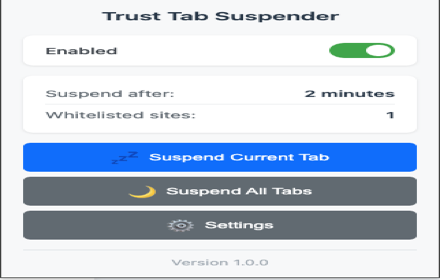
Trust Tab Suspender
Automatically suspend inactive tabs to save memory and improve performance. Premium features available!
5

Tab Suspender Pro
Auto-suspend inactive tabs to save memory. Smart protection for audio, video calls, and forms. Keyboard shortcuts included.
8.0K
★ 4.8

Flow Tabs Pro
Advanced tab management with session saving, duplicate detection, and intelligent organization
13

Auto Pause Inactive Tabs
Automatically suspends inactive tabs to reduce CPU usage and save resources
99
★ 5.0

Reload 4 U
Reload tab for you!
10
★ 5.0

Page Reloader - Auto Tab Reload & URL Refresher
Auto refresh & reload any webpage at custom intervals. Monitor live content, auctions, stocks, sports etc. Multiple tabs support.
80
★ 5.0
Data sourced from the Chrome Web Store · last verified Jun 24, 2026.