
Local Media Player
Local media player lets you play your favorite media (be it video, music or audio) files without any third party software.
As of June 2026, Local Media Player has 1,000 users and a 4.78/5 rating from 9 reviews in the Productivity category.
Usersno change0%
1.0K
1,000
Ratingno change0%
4.78
9 reviews
Reviewsno change0%
9
Version
1.0.0
Manifest V3
History
3 snapshotsTracking since Apr 19, 2026.
View as table
| Date | Users | Rating | Reviews | Version |
|---|---|---|---|---|
| Apr 19, 2026 | 1.0K | 4.78 | 9 | 1.0.0 |
| Apr 24, 2026 | 1.0K | 4.78 | 9 | 1.0.0 |
| May 31, 2026 | 1.0K | 4.78 | 9 | 1.0.0 |
| Now | 1.0K | 4.78 | 9 | 1.0.0 |
Changelog
- Apr 19, 2026description
Local media player as the name suggests allows you to play most of the media files (.mp4,.mp3,.mkv,.webm,.avi and many more) from local PC drives, without any need to download third party softwares like VLC, Windows Media Player etc. So we help you view your local videos and also keep you safe when you download them from different sources. You do this simply from the comfort of your browser window. This is very helpful for computers with low storage space/processing power.
Some video/audio formats other than mentioned above may not work. If your file is not working with our media player than you are requested to convert your desired file into any of the above mention file formats of your choice using numerous free file converters (both offline as well as online).
We also have provided option of web based Local Media Player, which can be utilized by clicking on the text displayed on top blue ribbon in the video player window!
Please feel free to share your feedback in form of ratings and comments.

We need certain permissions like access to list of urls you visit, to keep you safe while you download videos to your local drives and also stream videos on websites. We call this new feature 'Safe Video Streaming'. We don't sell this data to third parties neither is this data personally identifiable.

Terms of Service: https://mediaplayer.chromecrxstore.com/terms-of-use
Privacy Policy: https://mediaplayer.chromecrxstore.com/privacy-policy
About Us: https://mediaplayer.chromecrxstore.com/about-us
Local Media Player: The Ultimate Browser-Based Player
Looking for a reliable video player and audio player that works instantly? Local Media Player is a powerful browser video player that allows you to play local files directly from your computer without needing to install heavy, third-party software. If you want to play local videos in browser safely and smoothly, this is the perfect VLC alternative Chrome users can rely on.

Seamless Offline Viewing
Enjoy your content anywhere, anytime. Our extension acts as a complete offline media player, meaning no internet connection is required. Whether you need a dedicated Chromebook video player or a low CPU media player for an older desktop, our lightweight media player ensures lag-free performance. It functions as a true no download video player—simply drag and drop your files into the tab. It has never been easier to watch videos offline on Chromebook, Windows, or Mac.

Broad Format Support
Say goodbye to "format not supported" errors. Our versatile media player handles a wide variety of file types. Use it as an all-in-one:

MKV player: Easily open MKV files without VLC and play MKV in Chrome without complicated codecs.

MP4 player: Enjoy high-definition playback for standard video files.

WebM player: Natively support web-optimized video formats.

AVI player: Watch classic video file types instantly.

It is also an excellent local video player for music and podcasts! If you want to listen to downloaded music, you can seamlessly play MP3 browser tracks directly through the interface.

Privacy & Security First
We need certain permissions like access to list of urls you visit, to keep you safe while you download videos to your local drives and also stream videos on websites. We call this new feature 'Safe Video Streaming'. We don't sell this data to third parties neither is this data personally identifiable.

How to use:

1. Add the extension to your browser.

2. Click the extension icon or use the web-based player interface.

3. Select or drag-and-drop your audio or video file.

4. Sit back and enjoy!

Terms of Service: https://mediaplayer.chromecrxstore.com/terms-of-use
Privacy Policy: https://mediaplayer.chromecrxstore.com/privacy-policy
About Us: https://mediaplayer.chromecrxstore.com/about-us
Permissions & access
- Permissions
- storage
- Host access
- None declared
Screenshots


About
Local Media Player: The Ultimate Browser-Based Player
Looking for a reliable video player and audio player that works instantly? Local Media Player is a powerful browser video player that allows you to play local files directly from your computer without needing to install heavy, third-party software. If you want to play local videos in browser safely and smoothly, this is the perfect VLC alternative Chrome users can rely on.

Seamless Offline Viewing
Enjoy your content anywhere, anytime. Our extension acts as a complete offline media player, meaning no internet connection is required. Whether you need a dedicated Chromebook video player or a low CPU media player for an older desktop, our lightweight media player ensures lag-free performance. It functions as a true no download video player—simply drag and drop your files into the tab. It has never been easier to watch videos offline on Chromebook, Windows, or Mac.

Broad Format Support
Say goodbye to "format not supported" errors. Our versatile media player handles a wide variety of file types. Use it as an all-in-one:

MKV player: Easily open MKV files without VLC and play MKV in Chrome without complicated codecs.

MP4 player: Enjoy high-definition playback for standard video files.

WebM player: Natively support web-optimized video formats.

AVI player: Watch classic video file types instantly.

It is also an excellent local video player for music and podcasts! If you want to listen to downloaded music, you can seamlessly play MP3 browser tracks directly through the interface.

Privacy & Security First
We need certain permissions like access to list of urls you visit, to keep you safe while you download videos to your local drives and also stream videos on websites. We call this new feature 'Safe Video Streaming'. We don't sell this data to third parties neither is this data personally identifiable.

How to use:

1. Add the extension to your browser.

2. Click the extension icon or use the web-based player interface.

3. Select or drag-and-drop your audio or video file.

4. Sit back and enjoy!

Terms of Service: https://mediaplayer.chromecrxstore.com/terms-of-use
Privacy Policy: https://mediaplayer.chromecrxstore.com/privacy-policy
About Us: https://mediaplayer.chromecrxstore.com/about-us
Technical
- Version
- 1.0.0
- Manifest
- V3
- Size
- 79.78KiB
- Min Chrome
- 88
- Languages
- 7
- Featured
- Yes
Metadata
- ID
- hfjoaohgiikdanjdmgalfmmkcbajodko
- Developer ID
- ud738d67bf073f6c69f2b20cf679c5058
- Developer Email
- [email protected]
- Created
- Oct 29, 2025
- Last Updated (Store)
- Apr 13, 2026
- Last Scraped
- Jun 17, 2026
- Support URL
- —
- Privacy Policy
- https://chromecrxstore.com/privacy-policy
Similar extensions
Alternatives to Local Media Player, ranked by description similarity.

Local Video-Audio Player
Play local video and audio files with speed control, playlist, shuffle, and volume-boosting
628
★ 5.0

PlayLocal Player - Video and Audio Player
Play local audio and video files in a polished popup player.
10
★ 5.0

Local Media Studio Pro
Private local player with MP4 and MP3 recording, notes, and PiP support.
114
★ 5.0
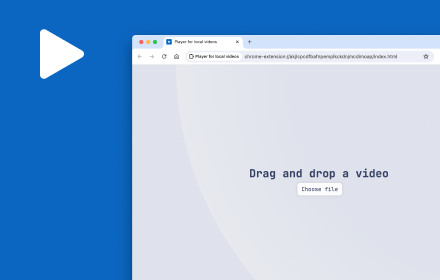
Player for local videos
Player for local videos with light/dark theme, keyboard shortcuts, progress retrieval and more.
874
★ 2.1

Mi Video - Video Player
A simple video player extension inspired by Mi Video Player
78

Video Converter
Convert videos to MP4, MKV, MOV, WEBM, AVI – all locally in your browser. Fast, private, and easy to use. No uploads, no data leaks.
746
★ 3.0

Poly Player
PolyPlayer
19

Video Saver
Save streaming videos by automatically merging all parts (HLS/m3u8) into a single file.
102
★ 5.0
Data sourced from the Chrome Web Store · last verified Jun 17, 2026.