
Local Video-Audio Player
Play local video and audio files with speed control, playlist, shuffle, and volume-boosting
As of June 2026, Local Video-Audio Player has 628 users and a 5.00/5 rating from 4 reviews in the Productivity category.
Usersup 127.5 percent+127.5%
628
628
Ratingno change0%
5.00
4 reviews
Reviewsno change0%
4
Version
1.2
Manifest V3
90-day change · In the last 90 days this extension 2 version updates.
History
13 snapshotsTracking since Apr 1, 2026.
View as table
| Date | Users | Rating | Reviews | Version |
|---|---|---|---|---|
| Apr 1, 2026 | 276 | 5.00 | 4 | 1.0 |
| Apr 10, 2026 | 297 | 5.00 | 4 | 1.0 |
| Apr 20, 2026 | 333 | 5.00 | 4 | 1.0 |
| Apr 29, 2026 | 363 | 5.00 | 4 | 1.0 |
| May 9, 2026 | 394 | 5.00 | 4 | 1.0 |
| May 12, 2026 | 426 | 5.00 | 4 | 1.1 |
| May 16, 2026 | 454 | 5.00 | 4 | 1.2 |
| May 20, 2026 | 503 | 5.00 | 4 | 1.2 |
| May 25, 2026 | 534 | 5.00 | 4 | 1.2 |
| May 30, 2026 | 559 | 5.00 | 4 | 1.2 |
| Jun 4, 2026 | 577 | 5.00 | 4 | 1.2 |
| Jun 8, 2026 | 603 | 5.00 | 4 | 1.2 |
| Jun 14, 2026 | 607 | 5.00 | 4 | 1.2 |
| Now | 628 | 5.00 | 4 | 1.2 |
Changelog
- May 9, 2026description
🎬 Local video-audio player as the name clearly explains allows you to play most of the media files (MP4, MKV, WEBM, OGG, MP3, H.264 and many more) without any need to download third party softwares like VLC, Windows Media Player etc. This is very helpful for computers with low storage space/processing power.

🚀 This simple, yet powerful media player tool comes power packed with below listed features:

⏩ 1) Video Speed Control: Our best media player allows you to boost media playback upto 8 times!

🔊 2) Volume Boosting: our local media player helps in boosting media volume by upto 300%!

📜 3)Playlist: this windows media player also comes with playlist feature.

🔀 4) Shuffle: this media player alternative also allows you to shuffle videos added to playlist.

✨ Features:

🔊 This player can increase volume up to 300% similar to the VLC media player

⚡ This player can increase the video playback rate up to 8 times

🔁 It supports repeating one song or an entire album

📂 Can extract media sources from a destination directory and all its children's directories.

📸 You can take screenshots of the video with a button or with a keyboard command.

🛠️ Can play video formats that your browser does not support (using FFmpeg transcoding) (FLV, AVI, WMV, ...)

🌐 You may also use Online Local Media Player as well https://mediaplayer.chromecrxstore.com/

💿 This extension offers to play media files from a local disk or a remote resource. It uses the standard caching method to play remote sources with minimal interruption.

👀 You can watch remote hosted videos in 2 ways.

First Method:
1️⃣ Open "https://www.w3schools.com/html/html5_video.asp" in a browser tab
2️⃣ Right-click on the player
3️⃣ Use "Play with Video Player"

Second Method:
1️⃣ Open "https://www.w3schools.com/html/html5_video.asp" in a browser tab
2️⃣ Right-click and save the video to the disk
3️⃣ Open the player and drop the video to the player's interface
🎬Local Video & Audio Player: Your All-in-One Browser Media Hub
Looking for a reliable play local video extension? This tool transforms your browser into a powerful, lightweight offline media player. Instead of downloading heavy desktop software, you can now seamlessly play local files in Chrome with a smooth, native experience. Whether you need a dedicated browser audio player for your music collection or a high-performance video hub, this extension is built to handle it all.

🎬 Universal Format Support
Tired of your browser rejecting certain file types? Powered by advanced FFmpeg browser player technology, this extension breaks the limits of standard playback.

Easily play MKV in browser without external codecs.

Use it as your go-to FLV player Chrome solution.

Enjoy smooth playback as a dedicated AVI video player.

Functions as a dynamic WMV to MP4 player right in your tab.

Naturally supports MP4, WEBM, MP3, and all standard web formats.

🚀 Advanced Playback Controls
Take absolute control over how you consume media:

Video volume booster: Audio too quiet? Instantly boost video volume 300% so you never miss a word.

Video speed controller: Skim through lectures or slow down tutorials with customizable playback speed 8x adjustments.

Video screenshot capture: Grab high-quality snapshots of your favorite moments with a single click or hotkey.

📂 Smart Playlist & Remote Streaming
Keep your media organized with the built-in video playlist manager. Shuffle, repeat, or extract entire directories of media in seconds. Not just for offline files, you can also seamlessly play remote video URL links by simply right-clicking a hosted video link and selecting "Play with Video Player."

Experience the ultimate local video player directly within your browser. Fast, secure, and fully contained within your current tab.

🌐 You may also use Online Local Media Player as well https://mediaplayer.chromecrxstore.com/

💿 This extension offers to play media files from a local disk or a remote resource. It uses the standard caching method to play remote sources with minimal interruption.

Privacy & Security First
We need certain permissions like access to list of urls you visit, to keep you safe while you download videos to your local drives and also stream videos on websites. We call this new feature 'Safe Video Streaming'. We don't sell this data to third parties neither is this data personally identifiable.

👀 You can watch remote hosted videos in 2 ways.

First Method:
1️⃣ Open "https://www.w3schools.com/html/html5_video.asp" in a browser tab
2️⃣ Right-click on the player
3️⃣ Use "Play with Video Player"

Second Method:
1️⃣ Open "https://www.w3schools.com/html/html5_video.asp" in a browser tab
2️⃣ Right-click and save the video to the disk
3️⃣ Open the player and drop the video to the player's interface
Permissions & access
- Permissions
- storagecontextMenus
- Host access
- None declared
Screenshots


About
🎬Local Video & Audio Player: Your All-in-One Browser Media Hub
Looking for a reliable play local video extension? This tool transforms your browser into a powerful, lightweight offline media player. Instead of downloading heavy desktop software, you can now seamlessly play local files in Chrome with a smooth, native experience. Whether you need a dedicated browser audio player for your music collection or a high-performance video hub, this extension is built to handle it all.

🎬 Universal Format Support
Tired of your browser rejecting certain file types? Powered by advanced FFmpeg browser player technology, this extension breaks the limits of standard playback.

Easily play MKV in browser without external codecs.

Use it as your go-to FLV player Chrome solution.

Enjoy smooth playback as a dedicated AVI video player.

Functions as a dynamic WMV to MP4 player right in your tab.

Naturally supports MP4, WEBM, MP3, and all standard web formats.

🚀 Advanced Playback Controls
Take absolute control over how you consume media:

Video volume booster: Audio too quiet? Instantly boost video volume 300% so you never miss a word.

Video speed controller: Skim through lectures or slow down tutorials with customizable playback speed 8x adjustments.

Video screenshot capture: Grab high-quality snapshots of your favorite moments with a single click or hotkey.

📂 Smart Playlist & Remote Streaming
Keep your media organized with the built-in video playlist manager. Shuffle, repeat, or extract entire directories of media in seconds. Not just for offline files, you can also seamlessly play remote video URL links by simply right-clicking a hosted video link and selecting "Play with Video Player."

Experience the ultimate local video player directly within your browser. Fast, secure, and fully contained within your current tab.

🌐 You may also use Online Local Media Player as well https://mediaplayer.chromecrxstore.com/

💿 This extension offers to play media files from a local disk or a remote resource. It uses the standard caching method to play remote sources with minimal interruption.

Privacy & Security First
We need certain permissions like access to list of urls you visit, to keep you safe while you download videos to your local drives and also stream videos on websites. We call this new feature 'Safe Video Streaming'. We don't sell this data to third parties neither is this data personally identifiable.

👀 You can watch remote hosted videos in 2 ways.

First Method:
1️⃣ Open "https://www.w3schools.com/html/html5_video.asp" in a browser tab
2️⃣ Right-click on the player
3️⃣ Use "Play with Video Player"

Second Method:
1️⃣ Open "https://www.w3schools.com/html/html5_video.asp" in a browser tab
2️⃣ Right-click and save the video to the disk
3️⃣ Open the player and drop the video to the player's interface
Technical
- Version
- 1.2
- Manifest
- V3
- Size
- 8.79MiB
- Min Chrome
- 88
- Languages
- 11
- Featured
- Yes
Metadata
- ID
- cegahinhempcichibiamcjeacchkihma
- Developer ID
- ud738d67bf073f6c69f2b20cf679c5058
- Developer Email
- [email protected]
- Created
- Jan 15, 2026
- Last Updated (Store)
- May 11, 2026
- Last Scraped
- Jun 14, 2026
- Support URL
- —
- Privacy Policy
- https://chromecrxstore.com/privacy-policy
Similar extensions
Alternatives to Local Video-Audio Player, ranked by description similarity.

Local Media Player
Local media player lets you play your favorite media (be it video, music or audio) files without any third party software.
1.0K
★ 4.8

PlayLocal Player - Video and Audio Player
Play local audio and video files in a polished popup player.
10
★ 5.0

Local Media Studio Pro
Private local player with MP4 and MP3 recording, notes, and PiP support.
114
★ 5.0
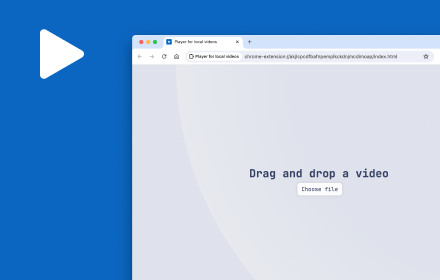
Player for local videos
Player for local videos with light/dark theme, keyboard shortcuts, progress retrieval and more.
874
★ 2.1

Poly Player
PolyPlayer
19

Video Speeder
Adjust video playback speed with ease.
775
★ 4.0

Offline Video Converter for Chrome
Convert video and audio files locally in Chrome. Fast offline converter for MP4, WebM, MOV, MP3 and more.
163
★ 5.0
video downloader - CocoCut
Best video downloader Chrome extension, this video downloader for Chrome can download video,music free,safe in one click.
900.0K
★ 4.8
Data sourced from the Chrome Web Store · last verified Jun 14, 2026.