
Local Media Studio Pro
Private local player with MP4 and MP3 recording, notes, and PiP support.
As of June 2026, Local Media Studio Pro has 114 users and a 5.00/5 rating from 4 reviews in the Productivity category.
Usersup 137.5 percent+137.5%
114
114
Ratingno change0%
5.00
4 reviews
Reviewsno change0%
4
Version
5.22.9
Manifest V3
90-day change · In the last 90 days this extension 4 version updates, changed permissions.
History
9 snapshotsTracking since Apr 6, 2026.
View as table
| Date | Users | Rating | Reviews | Version |
|---|---|---|---|---|
| Apr 6, 2026 | 48 | 5.00 | 4 | 3.11.10 |
| Apr 18, 2026 | 68 | 5.00 | 4 | 4.2.20 |
| Apr 24, 2026 | 77 | 5.00 | 4 | 4.17.0 |
| May 7, 2026 | 83 | 5.00 | 4 | 4.17.0 |
| May 12, 2026 | 98 | 5.00 | 4 | 4.26.1 Smart Loudness Normalize |
| May 18, 2026 | 104 | 5.00 | 4 | 4.26.1 Smart Loudness Normalize |
| May 24, 2026 | 118 | 5.00 | 4 | 4.26.1 Smart Loudness Normalize |
| May 31, 2026 | 119 | 5.00 | 4 | 5.22.9 |
| Jun 6, 2026 | 125 | 5.00 | 4 | 5.22.9 |
| Now | 114 | 5.00 | 4 | 5.22.9 |
Changelog
- May 24, 2026host_permissions
https://*.mzstatic.com/*, https://itunes.apple.com/*, https://script.google.com/*, https://script.googleusercontent.com/*
https://*.mzstatic.com/*, https://itunes.apple.com/*, https://script.google.com/*, https://script.googleusercontent.com/*, https://huggingface.co/*, https://*.huggingface.co/*, https://*.xethub.hf.co/*, https://cdn-lfs.huggingface.co/*, https://cdn.jsdelivr.net/*, https://*.hf.co/*, https://cdn-lfs-us-1.hf.co/*, https://cdn-lfs-us-2.hf.co/*, https://cdn-lfs-eu-1.hf.co/*
- Apr 6, 2026description
🎧 Local Media Player Pro — a private local player for your files.

Local Media Player Pro is a modern local audio and video player for the browser, designed for comfortable viewing and listening without the cloud, without tracking, and without unnecessary clutter.
It opens your local files directly and gives you a convenient set of tools for video, audio, subtitles, notes, and playback control — all in one clean interface.

Why install it

This player is for people who want more than just opening a file. It gives you a practical and well-designed tool for everyday use: watching videos, listening to music, working with subtitles, taking timeline notes, saving important moments, and fine-tuning sound and picture.

Everything works locally with your own files. No cloud uploads. No online services. No unnecessary distractions.

Main features

Local playback

open local audio and video files

fully offline operation

playlist with saved queue and file-related data

Comfortable viewing and listening

convenient HUD interface

seeking, repeat, A-B loop, seamless audio

playback timer

Night Mode for more comfortable sound in the evening and at night

Subtitles

support for external subtitles

subtitle delay adjustment

subtitles continue to work in PiP mode

Picture-in-Picture

separate PiP window for convenient viewing

minimalist mode without visual clutter

Notes and markers

create notes on the timeline

quickly jump to important moments

save notes together with the file and playlist

export notes to a file

Screenshots and recording

create PNG screenshots

capture a selected area

record video or audio fragments

Audio and video settings

equalizer and preamp

balance, normalization, pitch correction, audio delay

brightness, contrast, saturation, rotation, and mirror

video display modes: fit, fill, stretch, and others

What makes it different

Local Media Player Pro focuses on your own local files, not streaming services.
It is a convenient private player for people who value control, a clean interface, and useful features without overload.

It works especially well for:

watching local movies and video archives

listening to music and audio files

working with subtitles

taking notes on lectures, interviews, podcasts, and study materials

creating quick screenshots and recording useful fragments

using a comfortable media player directly in the browser

Extra

The player also works well together with built-in browser tools when working with local content, including object search on screen through Google Lens.
🔶 Local Media Studio Pro

Local Media Studio Pro is a private local media player and media studio for Chrome, designed for comfortable viewing, listening, learning, and working with your files.

The extension opens local audio and video files directly in the browser and gives you far more than standard playback. You can build playlists, load entire folders, use subtitles, adjust sound and image, take screenshots, record fragments to MP4 and MP3, and create timestamped notes with export.

This is not just a browser player. It is a convenient working tool for movies, music, lectures, courses, lessons, educational materials, and any content where control, comfort, and quick access to important moments matter.

🔒 Private local player

Local Media Studio Pro works primarily with your local files.

This is important: the extension is a private browser-based player, not a cloud service for storing or streaming your media library. Its main purpose is to play audio and video directly from your device in a convenient interface inside Chrome.

Network access is used only for additional features, such as downloading track covers.
In other words, internet access is not used to send your video or audio anywhere, but only to retrieve related data such as cover art.

If local file handling, privacy, and control over your content matter to you, this is one of the key advantages of the extension.

🎬 For video, music, and everyday use

Local Media Studio Pro makes working with local media convenient every day.

You can:
— open individual audio and video files
— load entire folders
— build and save playlists
— quickly resume from the saved position
— use fullscreen mode and Picture-in-Picture
— control playback through a modern, convenient interface

The extension is suitable both for home entertainment and everyday music listening, as well as for more serious tasks related to learning and content review.

📁 Convenient local media library management

Instead of opening files chaotically, you get a clean and intuitive way to manage your media library directly in Chrome.

Available features:
— adding individual files and entire folders
— playlist with search and filters
— drag & drop
— tree view for folders and media files
— saving and loading playlists
— remembering playback position

This makes the player convenient even for a large local collection of music, movies, lectures, or educational recordings.

🎓 Strong point: lectures, learning, and notes

One of the strongest advantages of Local Media Studio Pro is how convenient it is for studying and working with long videos.

While watching a lecture, course, lesson, or educational material, you can:
— add notes at important moments
— attach them to timestamps
— quickly return to key fragments
— capture important thoughts while watching
— export notes and use them as study notes

This is especially useful for:
— students
— teachers
— self-learning
— language practice
— technical reviews
— workplace training materials
— video lessons and online courses

In practice, the extension helps you not only watch content, but also work with it meaningfully.

⏺️ Recording to MP4 and MP3

Another strong feature is the ability to save important fragments in convenient formats.

You can:
— record video fragments to MP4
— save audio to MP3
— keep only the parts you need
— save important episodes for review, learning, or personal work

This is especially convenient when you do not need the entire file, but only a specific moment: an explanation from a lecture, an important breakdown, a music fragment, a useful section of a lesson, or a particular part of a video.

📝 Notes with export

The notes feature turns the player into a productivity tool.

While watching, you can create notes tied to time, and then export them for later use. This is helpful when you need to:
— make lecture notes
— collect key points from a video
— mark moments for review
— preserve the structure of a lesson
— prepare materials for study or work

This workflow is especially valuable for people who use video and audio not only for entertainment, but also for growth, analysis, and structured work with information.

🔤 Subtitles and comfortable viewing

For video files, the extension includes practical tools that make viewing much more comfortable.

Supported features:
— SRT/VTT subtitles
— subtitle delay adjustment
— convenient playback control
— fullscreen mode
— Picture-in-Picture
— frame screenshots

This makes the extension a good choice for movies, series, language practice, educational videos, and any content where details matter.

🎧 Flexible audio handling

Local Media Studio Pro is suitable not only for video, but also for your local audio library.

The extension helps you listen to music and audio files conveniently thanks to features such as:
— folder and playlist loading
— repeat and shuffle
— quick library navigation
— flexible sound adjustment
— saving audio to MP3

This makes the player convenient both for casual listening and for more focused work with audio material.

⚙️ Control over playback and interface

The player is designed for those who care not only about a good-looking interface, but also about real control.

The extension includes:
— quick hotkeys
— interface and scale adjustment
— modern HUD-style interface
— advanced sound and image settings
— convenient content navigation
— support for multiple languages

As a result, Chrome becomes a полноценный local media player with a polished presentation and convenient access to important features.

✅ Who Local Media Studio Pro is for

Local Media Studio Pro is suitable for:
— people who want a convenient local player directly in Chrome
— people who watch movies, series, and videos with subtitles
— people who listen to music and audio files from their folders
— people taking online courses and watching lectures
— people who make notes from videos and want to export them
— people who need to save fragments in MP4 and MP3
— people who value privacy and local file handling
— people who want not just a player, but a complete local media studio in the browser

🔶 Summary

Local Media Studio Pro combines a private local player, a convenient media library workflow, and useful tools for learning, analysis, and everyday use in one extension.

Watch, listen, save important fragments, take notes, export study materials, and manage your content in one stylish and functional interface.
- Apr 6, 2026short_description
Advanced local audio/video player as a Chrome extension page (MV3).
Private local player with MP4 and MP3 recording, notes, and PiP support.
- Apr 6, 2026name
Local Media Player Pro
Local Media Studio Pro
Permissions & access
- Permissions
- storagedownloadsidentityclipboardWrite
- Host access
- https://*.mzstatic.com/*, https://itunes.apple.com/*, https://script.google.com/*, https://script.googleusercontent.com/*, https://huggingface.co/*, https://*.huggingface.co/*, https://*.xethub.hf.co/*, https://cdn-lfs.huggingface.co/*, https://cdn.jsdelivr.net/*, https://*.hf.co/*, https://cdn-lfs-us-1.hf.co/*, https://cdn-lfs-us-2.hf.co/*, https://cdn-lfs-eu-1.hf.co/*
Screenshots


About
🔶 Local Media Studio Pro

Local Media Studio Pro is a private local media player and media studio for Chrome, designed for comfortable viewing, listening, learning, and working with your files.

The extension opens local audio and video files directly in the browser and gives you far more than standard playback. You can build playlists, load entire folders, use subtitles, adjust sound and image, take screenshots, record fragments to MP4 and MP3, and create timestamped notes with export.

This is not just a browser player. It is a convenient working tool for movies, music, lectures, courses, lessons, educational materials, and any content where control, comfort, and quick access to important moments matter.

🔒 Private local player

Local Media Studio Pro works primarily with your local files.

This is important: the extension is a private browser-based player, not a cloud service for storing or streaming your media library. Its main purpose is to play audio and video directly from your device in a convenient interface inside Chrome.

Network access is used only for additional features, such as downloading track covers.
In other words, internet access is not used to send your video or audio anywhere, but only to retrieve related data such as cover art.

If local file handling, privacy, and control over your content matter to you, this is one of the key advantages of the extension.

🎬 For video, music, and everyday use

Local Media Studio Pro makes working with local media convenient every day.

You can:
— open individual audio and video files
— load entire folders
— build and save playlists
— quickly resume from the saved position
— use fullscreen mode and Picture-in-Picture
— control playback through a modern, convenient interface

The extension is suitable both for home entertainment and everyday music listening, as well as for more serious tasks related to learning and content review.

📁 Convenient local media library management

Instead of opening files chaotically, you get a clean and intuitive way to manage your media library directly in Chrome.

Available features:
— adding individual files and entire folders
— playlist with search and filters
— drag & drop
— tree view for folders and media files
— saving and loading playlists
— remembering playback position

This makes the player convenient even for a large local collection of music, movies, lectures, or educational recordings.

🎓 Strong point: lectures, learning, and notes

One of the strongest advantages of Local Media Studio Pro is how convenient it is for studying and working with long videos.

While watching a lecture, course, lesson, or educational material, you can:
— add notes at important moments
— attach them to timestamps
— quickly return to key fragments
— capture important thoughts while watching
— export notes and use them as study notes

This is especially useful for:
— students
— teachers
— self-learning
— language practice
— technical reviews
— workplace training materials
— video lessons and online courses

In practice, the extension helps you not only watch content, but also work with it meaningfully.

⏺️ Recording to MP4 and MP3

Another strong feature is the ability to save important fragments in convenient formats.

You can:
— record video fragments to MP4
— save audio to MP3
— keep only the parts you need
— save important episodes for review, learning, or personal work

This is especially convenient when you do not need the entire file, but only a specific moment: an explanation from a lecture, an important breakdown, a music fragment, a useful section of a lesson, or a particular part of a video.

📝 Notes with export

The notes feature turns the player into a productivity tool.

While watching, you can create notes tied to time, and then export them for later use. This is helpful when you need to:
— make lecture notes
— collect key points from a video
— mark moments for review
— preserve the structure of a lesson
— prepare materials for study or work

This workflow is especially valuable for people who use video and audio not only for entertainment, but also for growth, analysis, and structured work with information.

🔤 Subtitles and comfortable viewing

For video files, the extension includes practical tools that make viewing much more comfortable.

Supported features:
— SRT/VTT subtitles
— subtitle delay adjustment
— convenient playback control
— fullscreen mode
— Picture-in-Picture
— frame screenshots

This makes the extension a good choice for movies, series, language practice, educational videos, and any content where details matter.

🎧 Flexible audio handling

Local Media Studio Pro is suitable not only for video, but also for your local audio library.

The extension helps you listen to music and audio files conveniently thanks to features such as:
— folder and playlist loading
— repeat and shuffle
— quick library navigation
— flexible sound adjustment
— saving audio to MP3

This makes the player convenient both for casual listening and for more focused work with audio material.

⚙️ Control over playback and interface

The player is designed for those who care not only about a good-looking interface, but also about real control.

The extension includes:
— quick hotkeys
— interface and scale adjustment
— modern HUD-style interface
— advanced sound and image settings
— convenient content navigation
— support for multiple languages

As a result, Chrome becomes a полноценный local media player with a polished presentation and convenient access to important features.

✅ Who Local Media Studio Pro is for

Local Media Studio Pro is suitable for:
— people who want a convenient local player directly in Chrome
— people who watch movies, series, and videos with subtitles
— people who listen to music and audio files from their folders
— people taking online courses and watching lectures
— people who make notes from videos and want to export them
— people who need to save fragments in MP4 and MP3
— people who value privacy and local file handling
— people who want not just a player, but a complete local media studio in the browser

🔶 Summary

Local Media Studio Pro combines a private local player, a convenient media library workflow, and useful tools for learning, analysis, and everyday use in one extension.

Watch, listen, save important fragments, take notes, export study materials, and manage your content in one stylish and functional interface.
Technical
- Version
- 5.22.9
- Manifest
- V3
- Size
- 1.66MiB
- Min Chrome
- 88
- Languages
- 13
- Featured
- No
Metadata
- ID
- kdckfobjnijlnclnjbknakhmclkkcmle
- Developer ID
- ud45bce3390fabbf3c7390d4ef2b20272
- Developer Email
- [email protected]
- Created
- Feb 24, 2026
- Last Updated (Store)
- May 22, 2026
- Last Scraped
- Jun 6, 2026
- Website
- —
- Support URL
- —
- Privacy Policy
- —
Similar extensions
Alternatives to Local Media Studio Pro, ranked by description similarity.

PlayLocal Player - Video and Audio Player
Play local audio and video files in a polished popup player.
10
★ 5.0

Local Video-Audio Player
Play local video and audio files with speed control, playlist, shuffle, and volume-boosting
628
★ 5.0

Local Media Player
Local media player lets you play your favorite media (be it video, music or audio) files without any third party software.
1.0K
★ 4.8

Poly Player
PolyPlayer
19

Tab Audio Recorder
Professional tab audio recorder with Warp engine, Fades, and EQ visualization. Minimalist industrial design.
182
★ 5.0

Extreme Media Finder
Find, collect and download M3U8, Video, Audio, Images. Create lists. Info: www.ai-acopro.com
142
★ 5.0

Video Converter
Convert videos to MP4, MKV, MOV, WEBM, AVI – all locally in your browser. Fast, private, and easy to use. No uploads, no data leaks.
746
★ 3.0
Player for local videos
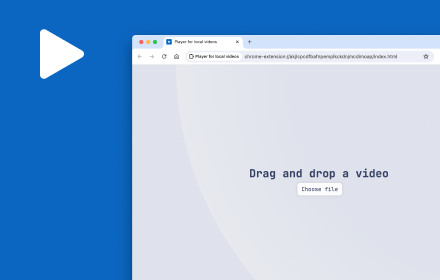
Player for local videos with light/dark theme, keyboard shortcuts, progress retrieval and more.
874
★ 2.1
Data sourced from the Chrome Web Store · last verified Jun 6, 2026.