
Last Tab
Marks the last visited tab on the same website
As of June 2026, Last Tab has 15 users and a 5.00/5 rating from 1 reviews in the Productivity category.
Usersup 15.4 percent+15.4%
15
15
Ratingno change0%
5.00
1 reviews
Reviewsno change0%
1
Version
1.0
Manifest V3
History
4 snapshotsTracking since Apr 1, 2026.
View as table
| Date | Users | Rating | Reviews | Version |
|---|---|---|---|---|
| Apr 1, 2026 | 13 | — | — | 1.0 |
| Apr 21, 2026 | 11 | — | — | 1.0 |
| May 11, 2026 | 12 | 5.00 | 1 | 1.0 |
| Jun 6, 2026 | 12 | 5.00 | 1 | 1.0 |
| Now | 15 | 5.00 | 1 | 1.0 |
Permissions & access
- Permissions
- tabsstoragescripting
- Host access
- <all_urls>
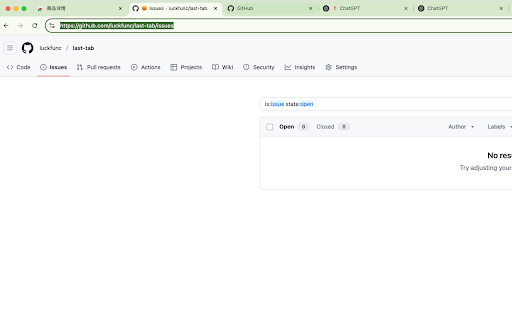
Screenshots
About
Tired of losing track of tabs from the same site?
Last Tab is a lightweight Chrome extension that automatically remembers and highlights your last visited tab for each website domain. Whether you’re researching, comparing products, or multitasking across dozens of tabs — this extension ensures you always know where you left off.

🔍 Key Features
💡 Automatically highlights the most recently visited tab on each domain

🧠 Remembers your last active tab even after closing and reopening Chrome

🎨 Customize highlight color to suit your style

🧹 One-click clear for all saved tab marks

⚡ Fast, lightweight, and privacy-conscious — no external tracking

🛡️ Permissions Used
tabs: To track which tabs are active

storage: To save your last visited tab per domain

scripting: To inject highlighting logic into pages

host_permissions: Required for applying features on all websites

💻 Who is it for?
This extension is perfect for:

Students and researchers juggling multiple pages from the same site

Online shoppers comparing multiple products

Developers and designers working in multiple environments

Anyone who lives with 20+ open tabs (we see you 👀)

🧰 Support & Feedback
If you encounter issues, have suggestions, or want to contribute:
🔗 [GitHub Repository](https://github.com/luckfunc/last-tab/issues)

🪪 Privacy Policy
This extension does not collect or transmit any personal data. All saved data is stored locally in your browser.
Technical
- Version
- 1.0
- Manifest
- V3
- Size
- 1.18MiB
- Min Chrome
- 88
- Languages
- 1
- Featured
- No
Metadata
- ID
- gplhgaodohbbjilekpmjpkhbcggangmf
- Developer ID
- uf1715b08e48d6a4c0d980c61f10166a0
- Developer Email
- [email protected]
- Created
- Apr 3, 2025
- Last Updated (Store)
- Apr 3, 2025
- Last Scraped
- Jun 6, 2026
- Website
- —
- Support URL
- —
- Privacy Policy
- —
Similar extensions
Alternatives to Last Tab, ranked by description similarity.

Tab Domain Highlighter for Chrome
Activate this extension to automatically highlight domains with colors across your open tabs with just one click.
39

Recent Tabs
Use Recent Tabs to instantly open last tab and return to your previous session with a powerful switching tabs shortcut
125
★ 5.0

Last Tab Focus
A single-purpose extension that returns to the previous tab when you close the current tab
223
★ 4.5

Reopen Closed Tabs
Use this extension to easily restore closed tabs in one click. Perfect for restoring tabs you accidentally closed
4

Open a Closed Tabs
Reopen lost tabs instantly with Open a Closed Tab! Easily open recently closed pages with one click.
201
★ 5.0

Closed Tabs Recovery: Fast Tab Restore & Search
Instantly recover recently closed tabs. Search and restore multiple tabs with one click.
8

Duplicate Tab Finder
Find and close duplicate browser tabs instantly. Save memory, reduce clutter, and keep your browser fast.
61
★ 5.0

Tab URL Manager: Copy, Organize, and Share Open Tabs Instantly
Manage and copy multiple tab URLs easily
15
Data sourced from the Chrome Web Store · last verified Jun 6, 2026.