
Recent Tabs
Use Recent Tabs to instantly open last tab and return to your previous session with a powerful switching tabs shortcut
As of June 2026, Recent Tabs has 125 users and a 5.00/5 rating from 3 reviews in the Productivity category.
Usersup 290.6 percent+290.6%
125
125
Ratingno change0%
5.00
3 reviews
Reviewsup 50.0 percent+50.0%
3
Version
1.0.1
Manifest V3
History
9 snapshotsTracking since Apr 1, 2026.
View as table
| Date | Users | Rating | Reviews | Version |
|---|---|---|---|---|
| Apr 1, 2026 | 32 | 5.00 | 2 | 1.0.1 |
| Apr 17, 2026 | 34 | 5.00 | 3 | 1.0.1 |
| Apr 22, 2026 | 45 | 5.00 | 3 | 1.0.1 |
| Apr 27, 2026 | 61 | 5.00 | 3 | 1.0.1 |
| May 4, 2026 | 87 | 5.00 | 3 | 1.0.1 |
| May 10, 2026 | 96 | 5.00 | 3 | 1.0.1 |
| May 15, 2026 | 90 | 5.00 | 3 | 1.0.1 |
| May 21, 2026 | 91 | 5.00 | 3 | 1.0.1 |
| May 28, 2026 | 111 | 5.00 | 3 | 1.0.1 |
| Now | 125 | 5.00 | 3 | 1.0.1 |
Permissions & access
- Permissions
- tabssessionsstoragecontextMenusalarms
- Host access
- <all_urls>
Screenshots

About
A productivity-focused extension, Recent Tabs is built for users who want to learn how to switch tabs with keyboard and constantly juggle open sites and need fast access to recent pages. It improves interaction with open webpages, adds clarity to previous sites history in Chrome, and makes reopening pages simple and fast via special shortcut for switching tabs. 🚀

Losing pages happens constantly: accidental clicks, browser crashes, or switching windows too fast. With Recent Tabs you can open lost url extension chrome in seconds and manage recently closed pages without digging through menus. It works as a smart layer over chrome recently closed pages and improves the standard recent close site behavior.

Key scenarios where the extension saves time:
1. Previous page navigation
2. Instantly view recent web history
3. Recovering lost sites extension chrome
4. Open recently closed pages with one shortcut

The extension also includes a responsive tab switcher and window switcher, allowing seamless movement between sites and windows. Use next tab shortcut to speed up daily browsing and reduce distractions.

Workflow boosters:
• Back button app behavior
• Recovering lost urls extension
• Session backup for safety
• Switch tabs shortcut

The extension Recent Tabs transforms browser into a smarter workspace by extending browser recently closed webpages functionality. It gives you instant access to chrome native recent tabs and helps you open last site browser without friction.

With a clean recent sites history interface, you can track every recent url and understand how to switch tabs with keyboard. This makes it ideal for professionals, students, and multitaskers.

Why users choose Recent Tabs:
🔸 Easy recovery of recent tabs urls
🔸 Faster navigation between open windows
🔸 Next url and previous tab switching
🔸 Window switch extension for multitasking
🔸 Back site extension logic

If you ever wondered how to open chrome recent tabs without repeating mouse actions one by one, this app solves it. You can reopen recently closed sites on browser in the exact order you need, turning chaos into a clean workflow.

The extension acts as a window switch extension and last tab chrome extension in one. Jump between sessions, windows, and sites using a powerful page switcher and next window shortcut. If you need a reliable back tab app that helps manage open links and recover lost ones, Recent Tabs is the perfect extension for everyday use.

If you are interested how to delete recent tabs on chrome you can solve this common problem. Restore pages chrome with closed links are helpful, but limited. This extension expands that functionality and gives you a complete overview of closed pages with easy recovery options.

Additional advantages:
• Restore recently closed site after crashes
• Go back app style navigation
• Back page extension support
• Make window backup
• Useful shortcut to switch tabs

With a switching tabs shortcut, you can reopen recently closed pages in the exact order you need. It simplifies open recently closed sites on chrome and improves productivity for heavy browser users.

This tool also improves daily browsing habits. Instead of relying only on chrome native functionality, you get clarity, speed, and control. It helps to see recent activity page, manage open websites efficiently, and avoid losing important pages during multitasking 🔁

To experience the full power of tool, just open recent tabs in chrome and you can configure custom hotkeys for switching between windows and navigating back and forth through your recent activity. This allows you to move instantly between the pages you actually use, without scanning long web lists or relying on default shortcuts that don’t fit your habits.

Typical use cases include:
1) Recovering work after browser restart
2) Managing many open sessions
3) Finding a recently closed link fast

Whether you work with research, marketing dashboards, development tools, or simple daily browsing, this chrome extension turns sites chaos into order. With Recent Tabs extension, every webpage is just one click away, and every workflow stays uninterrupted.

Recent Tabs also functions as a go back app for Chrome. It behaves like a back button app that remembers your navigation flow and helps you return to a previous session instantly.

Extra features you’ll love:
🟢 Open a recently closed urls from any window
🟢 Smart recent webpage grouping
🟢 Keyboard-friendly url switcher

Whether you’re researching, coding, managing projects, or multitasking across dozens of pages, Recent Tabs keeps your focus where it belongs: on your work, not on finding the right page
Technical
- Version
- 1.0.1
- Manifest
- V3
- Size
- 173KiB
- Min Chrome
- 88
- Languages
- 51
- Featured
- No
Metadata
- ID
- hnbmfofbjmkbfbkmmenkggjpndpcaobh
- Developer ID
- u61658142ca0084d48f4246e221df74e9
- Developer Email
- [email protected]
- Created
- Feb 18, 2026
- Last Updated (Store)
- Mar 4, 2026
- Last Scraped
- Jun 4, 2026
- Website
- —
- Support URL
- —
Similar extensions
Alternatives to Recent Tabs, ranked by description similarity.

Open a Closed Tabs
Reopen lost tabs instantly with Open a Closed Tab! Easily open recently closed pages with one click.
201
★ 5.0

Chrome Tab Recovery
Instantly restore tabs chrome with Chrome Tab Recovery. Reopen closed tabs, recover chrome tabs, and undo closed tab in one click.
394
★ 5.0
Closed Tabs Recovery: Fast Tab Restore & Search
Instantly recover recently closed tabs. Search and restore multiple tabs with one click.
8
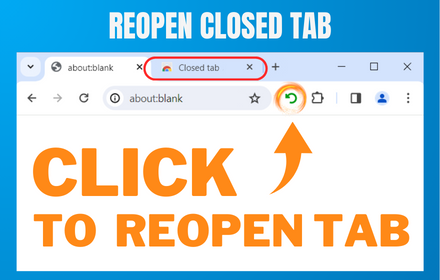
Reopen closed tab
Reopen Closed Tab: Easily restore closed tabs in one click. Enhance your browsing with the convenient "Reopen tab" button
10.0K
★ 4.1
Undo Tab Close
Easily restore recently closed tabs
68

Close all tabs
A Chrome extension to instantly close all open tabs. Simplify your online browsing and web management with one click.
40
★ 5.0

Reopen closed tab
Reopen closed tab
42
★ 5.0

Last Tab
Marks the last visited tab on the same website
15
★ 5.0
Data sourced from the Chrome Web Store · last verified Jun 4, 2026.