
Closed Tabs Recovery: Fast Tab Restore & Search
Instantly recover recently closed tabs. Search and restore multiple tabs with one click.
As of June 2026, Closed Tabs Recovery: Fast Tab Restore & Search has 8 users in the Productivity category.
Usersup 100.0 percent+100.0%
8
8
Ratingno change0%
—
— reviews
Reviewsno change0%
—
Version
1.1
Manifest V3
History
6 snapshotsTracking since Apr 7, 2026.
View as table
| Date | Users | Rating | Reviews | Version |
|---|---|---|---|---|
| Apr 7, 2026 | 4 | — | — | 1.1 |
| Apr 26, 2026 | 6 | — | — | 1.1 |
| May 3, 2026 | 8 | — | — | 1.1 |
| May 14, 2026 | 7 | — | — | 1.1 |
| May 20, 2026 | 5 | — | — | 1.1 |
| Jun 8, 2026 | 7 | — | — | 1.1 |
| Now | 8 | — | — | 1.1 |
Permissions & access
- Permissions
- sessionstabsstorage
- Host access
- None declared
Screenshots

About
🚀 Never lose an important tab again with Closed Tabs Recovery!

Accidentally closed a window with 20 tabs? Researching a complex topic and need to find that one article from 15 minutes ago? Closed Tabs Recovery is the lightweight, lightning-fast, and secure tool for Google Chrome users who demand better control over their browsing sessions.

Whether you closed a single tab or lost an entire window, our extension lets you browse, search, and restore your recently closed tabs in seconds.

🌟 Key Features:
Instant Access: View a clean, chronological list of your most recently closed tabs directly from your toolbar.
Powerful Smart Search: Quickly find the exact page you need by searching titles and URLs. No more digging through cluttered browser history!

Bulk Restore: Reopen your entire previous session or filtered search results with a single "Restore All" click.
Customizable Experience: Control your view by choosing to show 5, 10, 15, 20, or 25 recent tabs.
Time-Stamp Context: See exactly how long ago each tab was closed (e.g., "5m ago", "2h ago").
Privacy-First Design: We don't track your data. The extension works entirely on your device using Chrome's native Session API.

🛠 How it Works:
Click the Closed Tabs Recovery icon (↩) in your toolbar.
Scroll through your recent items or use the Search Bar to filter.
Click any tab to restore it immediately.
Use Restore All Tabs to bring back multiple pages at once.

💎 Why users love it:
Feather-Light: Designed to consume near-zero system resources.
Zero Configuration: Install and start restoring immediately—no setup required.
Clean UI: A modern, distraction-free interface that blends perfectly with Chrome.
Developer Integrity: Proudly developed by the team at Moonshots LLC.
Stop the frustration of lost tabs. Install Closed Tabs Recovery today and master your browser tabs!

Developed with ❤️ by Moonshots LLC
Technical
- Version
- 1.1
- Manifest
- V3
- Size
- 17.04KiB
- Min Chrome
- 88
- Languages
- 1
- Featured
- No
Metadata
- ID
- fkgplnknokodfpmcihjhepahegaancdf
- Developer ID
- u334b5dcbb3c74eda35ca8bd1d48dd677
- Developer Email
- [email protected]
- Created
- Dec 31, 2025
- Last Updated (Store)
- Mar 5, 2026
- Last Scraped
- Jun 8, 2026
- Website
- https://moonshots.biz/
- Support URL
- https://moonshots.biz/contact
- Privacy Policy
- —
Similar extensions
Alternatives to Closed Tabs Recovery: Fast Tab Restore & Search, ranked by description similarity.

Open a Closed Tabs
Reopen lost tabs instantly with Open a Closed Tab! Easily open recently closed pages with one click.
201
★ 5.0

Chrome Tab Recovery
Instantly restore tabs chrome with Chrome Tab Recovery. Reopen closed tabs, recover chrome tabs, and undo closed tab in one click.
394
★ 5.0
Reopen closed tab
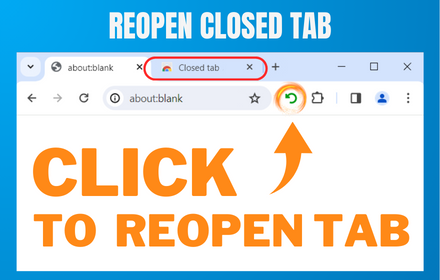
Reopen Closed Tab: Easily restore closed tabs in one click. Enhance your browsing with the convenient "Reopen tab" button
10.0K
★ 4.1

Reopen closed tab
Reopen closed tab
42
★ 5.0

Closed Tabs Recovery
Records closed tabs and allows you to restore them
9

Quick Restore Tab
Восстанавливает последнюю закрытую вкладку одним нажатием.
11

Undo Tab Close
Easily restore recently closed tabs
68

Recent Tabs
Use Recent Tabs to instantly open last tab and return to your previous session with a powerful switching tabs shortcut
125
★ 5.0
Data sourced from the Chrome Web Store · last verified Jun 8, 2026.