
Identify Font - What is the font
Easily Identify Font on any webpage. Discover what is the font used with a simple click.
As of June 2026, Identify Font - What is the font has 621 users and a 5.00/5 rating from 3 reviews in the Developer Tools category.
Usersup 24.0 percent+24.0%
621
621
Ratingno change0%
5.00
3 reviews
Reviewsno change0%
3
Version
1.4.3
Manifest V3
History
8 snapshotsTracking since Apr 4, 2026.
View as table
| Date | Users | Rating | Reviews | Version |
|---|---|---|---|---|
| Apr 4, 2026 | 501 | 5.00 | 3 | 1.4.3 |
| Apr 18, 2026 | 502 | 5.00 | 3 | 1.4.3 |
| Apr 23, 2026 | 523 | 5.00 | 3 | 1.4.3 |
| May 4, 2026 | 533 | 5.00 | 3 | 1.4.3 |
| May 11, 2026 | 547 | 5.00 | 3 | 1.4.3 |
| May 20, 2026 | 546 | 5.00 | 3 | 1.4.3 |
| May 30, 2026 | 566 | 5.00 | 3 | 1.4.3 |
| Jun 7, 2026 | 569 | 5.00 | 3 | 1.4.3 |
| Now | 621 | 5.00 | 3 | 1.4.3 |
Permissions & access
- Permissions
- scriptingactiveTabwebNavigationcontextMenus
- Host access
- None declared
Screenshots


About
Identify Font with Ease! Easily identify fonts and get their names with just one click. Wondering what the font is? Use this Chrome extension to find the information you need instantly!

This browser extension allows you to effortlessly identify fonts and access useful details in a snap.

With Identify Font, you can:
- Know the font name, color, weight, and line height.
- Easily identify font names on any website.
- Access all the essential information about the font.
- Enjoy a simple and user-friendly interface.
- Start the app by right-clicking or using the shortcut icon.
- Highlight the hovered element for precise identification.

How to Use Identify Font for Chrome:

1. Click the “Add to Chrome” button to install the extension.
2. Tap the Identify Font icon or right-click and select Identify Font to enable the extension.
3. Click on any word on the website to get its font details.
4. After clicking, you'll see the font information.
5. To exit the font details, click outside the window, press “ESC,” or click the Identify Font icon again.

Version 1.4.3.:
- Resolved a bug with styles.

Version 1.4.2.:
- Minor improvements.

Version 1.4.1.:
- Fixed an issue when Welcome screen appears after every PC restart;
- Changed the link to review color to grey;
- Fixed the link to review;
- Minor bug fixes.

Version 1.4.:
- Redesigned app architecture to provide more stable and convenient functionality;
- Added a welcome screen with a guide for newbies;
- Fixed a bug where the last letter of the font name was cut off;
- Other minor bug fixes.

Version 1.3.:
- Added languages support;
- Minor bug fixes.

Version 1.2.:
- Improved user safety;
- Fixed minor bugs for users with Mac OSX;
- Optimized code for better performance;
- Restored the ability to launch the extension via the context menu.

Version 1.1.:
- Improved user safety;
- Optimized the code;
- Fixed bugs that occasionally occurred when searching for fonts on the website.
Technical
- Version
- 1.4.3
- Manifest
- V3
- Size
- 954KiB
- Min Chrome
- 88
- Languages
- 51
- Featured
- No
Metadata
- ID
- ikaopkbefidagmnnekedcobpbdppnbjl
- Developer ID
- u10f3d19f1d7bb04f45ad03f7d525dcb3
- Developer Email
- [email protected]
- Created
- Nov 4, 2024
- Last Updated (Store)
- Jan 22, 2026
- Last Scraped
- Jun 7, 2026
- Website
- —
- Support URL
- —
- Privacy Policy
- —
Similar extensions
Alternatives to Identify Font - What is the font, ranked by description similarity.
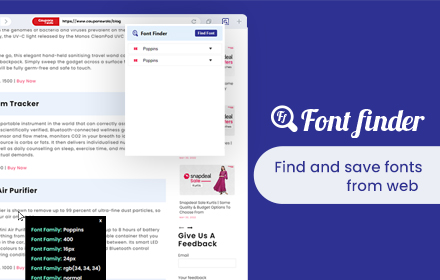
Font Finder
Font finder for images, texts and websites to check Font Family, size, height
10.0K
★ 4.3

This font
Identify font and copy its CSS style with one click.
133

Font Detector – What font is this?
Font Detector is a fast and free font finder tool that helps you identify any font on a webpage instantly. What font is used here?
473
★ 5.0

WhatFont
The easiest way to identify fonts on web pages.
3.0M
★ 4.0

Font Finder
Easy font identifier, meet Font Finder! This extension helps you find the font you’re looking for and analyze text styles instantly.
1.0K
★ 4.5

Find Font and Download
Find Font: Identifies Fonts on Any Website + Downloads Fonts
129
★ 5.0

FindFont - Font Identifier
Identify fonts from selected text on webpages
66
★ 5.0

FontFinder
FontFinder is a powerful font identifier and detector for any webpage.
1.0K
★ 4.9
Data sourced from the Chrome Web Store · last verified Jun 7, 2026.