Web Screenshot
Takes Web and Desktop screenshots with a single click
As of May 2026, Web Screenshot has 10,000 users and a 4.50/5 rating from 12 reviews in the Developer Tools category.
Usersup 11.1 percent+11.1%
10.0K
10,000
Ratingno change0%
4.50
12 reviews
Reviewsno change0%
12
Version
1.0.2
Manifest V3
90-day change · In the last 90 days this extension gained 1.0K users.
History
1 snapshotsTracking since Apr 1, 2026.
View as table
| Date | Users | Rating | Reviews | Version |
|---|---|---|---|---|
| Apr 1, 2026 | 9.0K | 4.50 | 12 | 1.0.2 |
| Now | 10.0K | 4.50 | 12 | 1.0.2 |
Permissions & access
- Permissions
- scriptingactiveTabtabsstoragedownloadsdesktopCapturenotifications
- Host access
- *://*/*
Screenshots

About
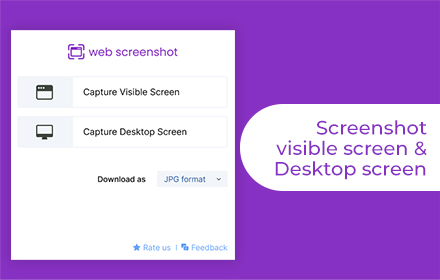
Web screenshot Chrome extension let users capture the visible part of the screen easily. It also enables users to screenshot a specific browser tab, active page, desktop or window. Web screen capture is the fastest, most convenient, and easiest way to take screenshots.

Key Features of Web Screenshot Tool: -
-Captures the visible portion of the desktop screen accurately.
-Takes screenshots of specific browser tabs and desktop windows
-Simple user interface
-A completely free desktop screenshot tool

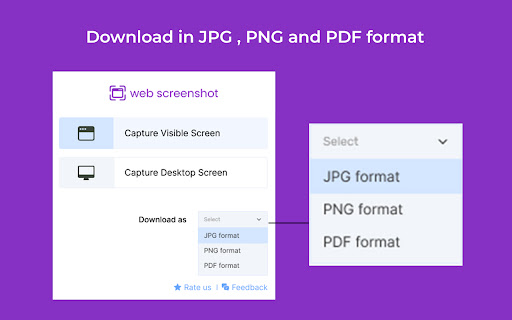
Save Web Screenshots in JPG, PNG and PDF Format: -

After capturing the screenshot with this tool screenshot can be saved in three formats on PC: JPG, PNG & PDF.

Why Is This the Best Web page Capturing Tool for PCs and Desktops?
-Captures high quality screenshots
-Works smoothly on mac and window platform
-Regularly updated by developers to improve the performance
Technical
- Version
- 1.0.2
- Manifest
- V3
- Size
- 473KiB
- Min Chrome
- 88
- Languages
- 54
- Featured
- No
Metadata
- ID
- dmcjalhehbkkbcmdpgmefmhfbdmllnel
- Developer ID
- ub04e7c683e933667c371f761566db2a9
- Developer Email
- [email protected]
- Created
- Nov 26, 2022
- Last Updated (Store)
- Jan 21, 2025
- Last Scraped
- May 28, 2026
- Website
- —
- Support URL
- —
- Privacy Policy
- —
Similar extensions
Alternatives to Web Screenshot, ranked by description similarity.

Screenshot a Tab
Capture viewport, full page, or element screenshots — like Chrome DevTools.
24
★ 5.0

SaveFullPage - Full Page Screenshot Tool
Capture screen of current page: Edit, crop, and save full-page screenshots as JPEG, PNG, or PDF—all in one easy-to-use tool
51
★ 5.0

Page Screenshot
Take a screenshot of the current page
1

Website Full Page Screenshot
Capture a full-page screenshot of the current website.
12
★ 5.0

SnipSnap Screenshot - Full Page Capture & Editor
Fast, reliable full page screenshot tool. Capture, annotate, edit, and share browser screen captures in seconds.
14

ScreenCapture
Select any screen area and save it instantly as a high-quality JPEG.
2

FullPageSnap - Full Page Screenshot Capture
Capture entire webpage screenshots with one click. Take full page screenshots, long screenshots & scrolling captures. PNG/JPEG
84
★ 5.0

UltraShot - HD Webpage Screenshots
Capture full-page, visible-area, or custom webpage screenshots in 4K, 8K, or 12K.
195
Data sourced from the Chrome Web Store · last verified May 28, 2026.