
FullPageSnap - Full Page Screenshot Capture
Capture entire webpage screenshots with one click. Take full page screenshots, long screenshots & scrolling captures. PNG/JPEG
As of May 2026, FullPageSnap - Full Page Screenshot Capture has 84 users and a 5.00/5 rating from 1 reviews in the Developer Tools category.
Usersup 3.7 percent+3.7%
84
84
Ratingno change0%
5.00
1 reviews
Reviewsno change0%
1
Version
1.0.0
Manifest V3
History
4 snapshotsTracking since Apr 1, 2026.
View as table
| Date | Users | Rating | Reviews | Version |
|---|---|---|---|---|
| Apr 1, 2026 | 81 | 5.00 | 1 | 1.0.0 |
| Apr 21, 2026 | 79 | 5.00 | 1 | 1.0.0 |
| May 6, 2026 | 80 | 5.00 | 1 | 1.0.0 |
| May 17, 2026 | 85 | 5.00 | 1 | 1.0.0 |
| Now | 84 | 5.00 | 1 | 1.0.0 |
Permissions & access
- Permissions
- activeTabscriptingtabsdownloadsstorage
- Host access
- None declared
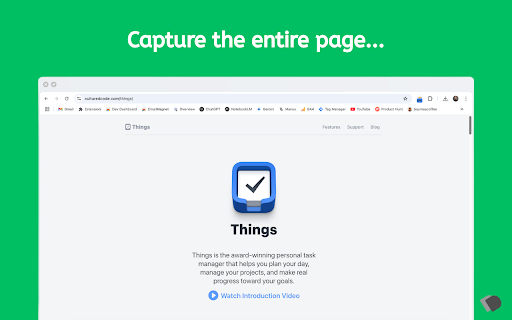
Screenshots


About
Effortlessly capture entire webpage screenshots
  with just one click! FullPageSnap is the most
  reliable Chrome extension for taking full page
  screenshots, long screenshots, and scrolling
  captures of any website.

  🎯 Key Features:
  • One-Click Capture - Instantly screenshot
  entire webpages without manual scrolling
  • Pixel-Perfect Stitching - Advanced algorithm
  ensures seamless image assembly without gaps or
  duplicates
  • Multiple Export Formats - Save as high-quality
   PNG or compressed JPEG files
  • Responsive Screenshots - Capture how pages
  look on desktop, tablet, and mobile devices
  • Smart Element Handling - Automatically manages
   fixed headers, sticky navigation, and floating
  elements
  • Large Page Support - Handles extremely long
  pages and infinite scroll websites
  • Privacy First - All processing happens locally
   on your device - no data sent to servers

  🚀 Perfect For:
  ✓ Web developers testing responsive designs
  ✓ Content creators capturing full articles or
  tutorials✓ Researchers documenting online
  sources
  ✓ Students saving complete study materials
  ✓ Digital marketers capturing landing pages
  ✓ Bug reporting with complete page context

  💡 How It Works:
  1. Navigate to any webpage you want to capture
  2. Click the FullPageSnap extension icon
  3. Watch the progress as the page is
  automatically captured
  4. Preview and save your perfect full-page
  screenshot

  🔧 Advanced Features:
  • Achievement System - Track your screenshot
  activity with fun milestones
  • Usage Statistics - Monitor your productivity
  and data savings
  • Error Recovery - Robust handling of complex
  websites and dynamic content
  • Memory Optimization - Efficient processing
  even for massive webpages
  • Cross-Browser Compatibility - Works seamlessly
   across all Chrome-based browsers

  ⭐ Why Choose FullPageSnap?
  Unlike basic screenshot tools that only capture
  visible areas, FullPageSnap intelligently
  scrolls through the entire page, stitches
  multiple sections together, and delivers a
  complete, high-resolution image of the full
  webpage. Our advanced anti-duplication
  technology prevents repeated content in long
  pages with sticky elements.

  🆓 Completely Free Forever
  FullPageSnap is 100% free with no hidden costs,
  subscriptions, or watermarks. Built with love by
   developers for the community.

  📱 Responsive Design Testing
  Unique responsive capture mode lets you see how
  websites appear across different screen sizes in
   a single capture session - perfect for web
  developers and designers.

  🔒 Privacy & Security
  Your screenshots never leave your device. All
  image processing happens locally in your
  browser, ensuring complete privacy and security
  of your captured content.

  Keywords: full page screenshot, webpage capture,
   scrolling screenshot, long screenshot, website
  screenshot, page capture tool, web screenshot,
  screenshot extension, full page capture, screen
  capture, webpage to image

  ---
  Developed with ❤️ by Dentoku Dev

  Support future development:
  https://buymeacoffee.com/snighedis
Technical
- Version
- 1.0.0
- Manifest
- V3
- Size
- 60.45KiB
- Min Chrome
- 88
- Languages
- 1
- Featured
- No
Metadata
- ID
- lndijinckcedmojaddbioalhmkknogmc
- Developer ID
- u7d9238be5ca84e463789139365c9b7e3
- Developer Email
- [email protected]
- Created
- Jun 13, 2025
- Last Updated (Store)
- Jun 13, 2025
- Last Scraped
- May 31, 2026
- Website
- —
- Support URL
- —
Similar extensions
Alternatives to FullPageSnap - Full Page Screenshot Capture, ranked by description similarity.

SnapPage Pro - Full Page Screenshot
Capture full page screenshots with advanced editing, annotations, and export to PNG, JPEG, or PDF
383
★ 5.0

Full Page Capture
Full Page Capture is a fast, reliable Chrome extension designed for effortless full-page captures — no distractions, no ads, and…
5

ShotMyPage - Full Page Screen Capture
Chrome full page screenshot and screen capture extension with professional editing tools and project management
224
★ 5.0

Website Full Page Screenshot
Capture a full-page screenshot of the current website.
12
★ 5.0

SnapFull
Capture Everything. Miss Nothing. — Full page screenshot tool with Scroll Capture, Annotation Editor, and Gallery. By Alphabytecore.
5
★ 5.0

LongShot Screenshot & Annotate
Capture full-page screenshots with one click. Preview, download, and annotate instantly. Fast, reliable scrolling screenshots.
91

Full Page Screenshot Capture
Capture full webpage screenshots with a single click. Simple, focused, and privacy-friendly.
29
★ 5.0

UltraShot - HD Webpage Screenshots
Capture full-page, visible-area, or custom webpage screenshots in 4K, 8K, or 12K.
195
Data sourced from the Chrome Web Store · last verified May 31, 2026.