
ScreenCapture
Select any screen area and save it instantly as a high-quality JPEG.
As of June 2026, ScreenCapture has 2 users in the Developer Tools category.
Usersno change0%
2
2
Ratingno change0%
—
— reviews
Reviewsno change0%
—
Version
1.0
Manifest V3
History
2 snapshotsTracking since May 9, 2026.
View as table
| Date | Users | Rating | Reviews | Version |
|---|---|---|---|---|
| May 9, 2026 | — | — | — | 1.0 |
| May 16, 2026 | 1 | — | — | 1.0 |
| Now | 2 | — | — | 1.0 |
Permissions & access
- Permissions
- activeTabscriptingdownloads
- Host access
- None declared
Screenshots

About
ScreenCapture is a lightweight Chrome extension that helps you quickly capture any selected area of your screen and save it as a high-quality JPEG image.

Just click the extension icon, drag to select the area you want, and press Enter to save. There are no popups, no menus, and no complicated settings—everything is designed to be fast and distraction-free.

All processing happens locally in your browser. The extension does not collect, store, or share any personal data.

ScreenCapture is ideal for users who need a quick and simple way to take clean screenshots for work, documentation, or sharing—without unnecessary features or clutter.
Technical
- Version
- 1.0
- Manifest
- V3
- Size
- 11.07KiB
- Min Chrome
- 88
- Languages
- 1
- Featured
- No
Metadata
- ID
- bjjicpaaokifcfhknmhciigphbapbkjc
- Developer ID
- u83d204b089b31f4c985138fee9dc72a3
- Developer Email
- [email protected]
- Created
- Dec 22, 2025
- Last Updated (Store)
- Dec 22, 2025
- Last Scraped
- Jun 4, 2026
- Website
- —
- Support URL
- —
- Privacy Policy
- https://wpblogging101.com/privacy-policy/
Similar extensions
Alternatives to ScreenCapture, ranked by description similarity.

Page Screenshot
Take a screenshot of the current page
1

Screenshot On Click
Screenshot On Click
18

Quick Screenshot
Click the icon or right-click to take a screenshot of the visible screen and download it.
10

SnapShot Pro
SnapShot Pro: Capture screenshots easily.
4

Full Page Capture
Full Page Capture is a fast, reliable Chrome extension designed for effortless full-page captures — no distractions, no ads, and…
5
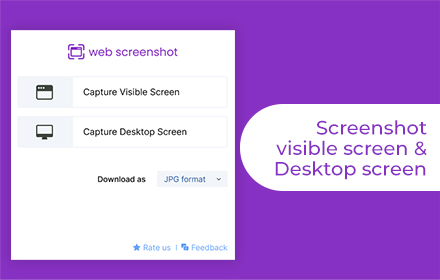
Web Screenshot
Takes Web and Desktop screenshots with a single click
10.0K
★ 4.5

SnipSnap Screenshot - Full Page Capture & Editor
Fast, reliable full page screenshot tool. Capture, annotate, edit, and share browser screen captures in seconds.
14

One Screenshot - One Click Screenshot (Current and Full Page)
Take a screenshot of the current page and full page and save it to downloads in just one click.
1.0K
★ 4.0
Data sourced from the Chrome Web Store · last verified Jun 4, 2026.