
Super Drag for Google Chrome
Super Drag enables Google Chrome to easily search and open links just using drag & drop.
As of June 2026, Super Drag for Google Chrome has 30,000 users and a 4.26/5 rating from 202 reviews in the Functionality & UI category.
Usersno change0%
30.0K
30,000
Ratingno change0%
4.26
202 reviews
Reviewsno change0%
202
Version
0.9.16
Manifest V3
History
3 snapshotsTracking since Apr 16, 2026.
View as table
| Date | Users | Rating | Reviews | Version |
|---|---|---|---|---|
| Apr 16, 2026 | 30.0K | 4.26 | 202 | 0.9.16 |
| May 7, 2026 | 30.0K | 4.26 | 202 | 0.9.16 |
| Jun 1, 2026 | 30.0K | 4.26 | 201 | 0.9.16 |
| Now | 30.0K | 4.26 | 202 | 0.9.16 |
Permissions & access
- Permissions
- scriptingstoragetabs
- Host access
- http://*/*, https://*/*
Screenshots

About
Super Drag is an amazing extension for Chrome and Chromium-based browser users.

It's an extremely enhanced feature for Chrome.

With Super Drag, you can never be more easily open links or searches in one web page. Just hold on your left mouse button, performing a drag-n-drop, yeah, links open in the new tab.

With CTRL button holding on, drag-n-drop, your web page will be opened in an inactive state.

The drag-to-search feature is also useful and friendly to use. Selecting the key words, then drag-n-drop the selection, it'll search them by your customized search engine.

You can change the search engine by the extension popup settings.

It's the minimal and simplest Chrome extension ever.

Don't wait for any more, just try it right now.

If you like it, please make an review 5 star, thank you! :P
Technical
- Version
- 0.9.16
- Manifest
- V3
- Size
- 228KiB
- Min Chrome
- 88
- Languages
- 54
- Featured
- Yes
Metadata
- ID
- dlknjglebgomjjfaijjnebecgjbfjihk
- Developer ID
- u8f2131697c24402e565da82866b11760
- Developer Email
- [email protected]
- Created
- Sep 29, 2017
- Last Updated (Store)
- Feb 3, 2026
- Last Scraped
- Jun 10, 2026
- Website
- —
- Support URL
- —
- Privacy Policy
- —
Similar extensions
Alternatives to Super Drag for Google Chrome, ranked by description similarity.

Click-to-Select
Adds click-to-select feature to your browser.
13

Search Selection
Right-click selected text to search it on your preferred search engine, in a new tab.
15

Better Chrome Bookmarks Page
Replaces Chrome's built-in bookmarks page with a better, feature-rich interface
4

SearchBar
Focus on the search bar in web pages by pressing the '/' key.
173
★ 5.0

Chrome Quick Find
Instantly find bookmarks, folders, open tabs, and tab groups.
—

Change Default Search
Switch your Chrome default search engine to Google, Bing, Yandex, DuckDuckGo, or Yahoo in one click.
191
★ 3.0

Context Menu Search
Use the right-click context menu to search selected text with different search engines instantly.
707
★ 3.7
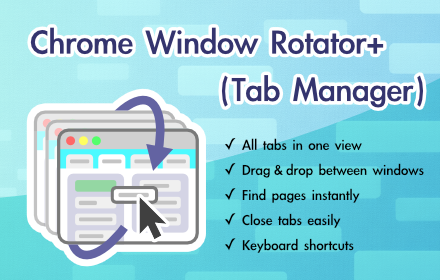
Chrome Window Rotator+ (Tab Manager)
View all tabs across windows. Find and access pages instantly. Organize with drag & drop.
108
★ 5.0
Data sourced from the Chrome Web Store · last verified Jun 10, 2026.