
SearchBar
Focus on the search bar in web pages by pressing the '/' key.
As of May 2026, SearchBar has 173 users and a 5.00/5 rating from 1 reviews in the Functionality & UI category.
Usersup 4.8 percent+4.8%
173
173
Ratingno change0%
5.00
1 reviews
Reviewsno change0%
1
Version
1.0
Manifest V3
History
2 snapshotsTracking since Apr 24, 2026.
View as table
| Date | Users | Rating | Reviews | Version |
|---|---|---|---|---|
| Apr 24, 2026 | 165 | 5.00 | 1 | 1.0 |
| May 21, 2026 | 168 | 5.00 | 1 | 1.0 |
| Now | 173 | 5.00 | 1 | 1.0 |
Permissions & access
- Permissions
- activeTabstorage
- Host access
- None declared
Screenshots

About
Enhance Your Web Experience with the SearchBar Extension
Transform Your Browsing with a Simple Key Press

The SearchBar extension is a nifty tool designed to significantly streamline your online browsing experience. Its core functionality lies in its ability to instantly focus the search bar on any website with a single keystroke. By pressing the '/' key, this extension eliminates the need for multiple clicks or manual navigation to a website's search field, thereby saving time and enhancing your browsing efficiency.

Why Should You Install the SearchBar Extension?

Instant Search Bar Access: With just a press of the '/' key, you can immediately jump to the search bar of any website. This feature is incredibly useful for frequent searchers and enhances productivity by reducing repetitive actions.

User-Friendly Experience: The extension is designed with simplicity and ease of use in mind. It requires no complex setup or configuration – just install it, and it's ready to use.

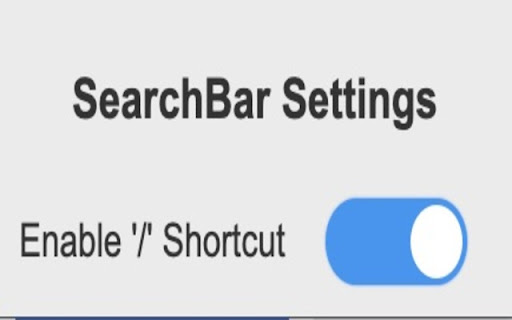
Customizable to Your Browsing Needs: Understanding that user needs vary, the SearchBar extension includes a toggle feature. This allows you to enable or disable the shortcut as per your browsing requirements, giving you complete control over its functionality.

Seamless Integration: The extension integrates smoothly into your browser without disrupting your usual workflow. It works quietly in the background, activating only when you need it.

Safe and Secure: Designed with a focus on privacy and security, the extension does not collect personal data or browsing history. It simply improves your browsing experience without compromising your online privacy.

Free and Open-Source: As an open-source tool, it invites collaboration and improvement from the community, ensuring the extension stays up-to-date and aligned with user needs.

Ideal for Power Users and Casual Browsers Alike

Whether you're a power user who spends hours browsing the web or someone who uses the internet occasionally, the SearchBar extension is tailored to make your life easier. It's particularly beneficial for:

Researchers and students who frequently use search functions for academic purposes.
Professionals who need to quickly navigate through various websites and databases.
Casual browsers looking for a more efficient and streamlined internet experience.
Installation and Use

Installing the SearchBar extension is straightforward. It's available on the Chrome Web Store and can be added to your browser with just a few clicks. Once installed, it operates automatically – no further action is required from you. Simply press '/' on any webpage to focus on the search bar instantly.

Conclusion

The SearchBar extension is more than just a tool – it's an enhancement to your daily browsing that promotes efficiency and ease of use. By reducing the steps required to search, it allows you to focus more on what matters – the content you are searching for. Install the SearchBar extension today and experience a more fluid, efficient, and productive browsing experience!
Technical
- Version
- 1.0
- Manifest
- V3
- Size
- 16.66KiB
- Min Chrome
- 88
- Languages
- 1
- Featured
- No
Metadata
- ID
- obkpcdbjpllljakmogbohgimhabdgdno
- Developer ID
- u6c64e84b99cc4fffcaa251584d3c47a8
- Developer Email
- [email protected]
- Created
- Jan 4, 2024
- Last Updated (Store)
- Jan 4, 2024
- Last Scraped
- May 21, 2026
- Website
- —
- Support URL
- —
Similar extensions
Alternatives to SearchBar, ranked by description similarity.

Slash Search - Universal Search Shortcut
Press '/' to focus on the search bar on any website.
22
★ 5.0

Fast Bookmark Search
Ultra-fast bookmark search with smart indexing and configurable history
59
★ 5.0

Add to Favorites
This extension allows you to add tabs to favorites from the context menu.
17
★ 5.0

Sidebar
Open any web page in the sidebar
310
★ 2.5

Searchbar Splitter
A better way to search across multiple services
11
★ 5.0

Search Potato
Search Potato is your shopping and browsing pal - All your important and useful links are in one place.
20.0K
★ 4.6

ClickToSearch
Select text and click (outside links) with a custom modifier combination to search using one of your saved search engines.
3

Search Website for
Quickly search within the current website.
58
Data sourced from the Chrome Web Store · last verified May 21, 2026.