
Shortcut Launcher
Quickly launch your favorite websites with custom keyboard shortcuts.
As of June 2026, Shortcut Launcher has 17 users and a 5.00/5 rating from 3 reviews in the Workflow & Planning category.
Usersup 41.7 percent+41.7%
17
17
Ratingno change0%
5.00
3 reviews
Reviewsno change0%
3
Version
1.0
Manifest V3
History
6 snapshotsTracking since Apr 1, 2026.
View as table
| Date | Users | Rating | Reviews | Version |
|---|---|---|---|---|
| Apr 1, 2026 | 12 | 5.00 | 3 | 1.0 |
| Apr 19, 2026 | 13 | 5.00 | 3 | 1.0 |
| Apr 28, 2026 | 14 | 5.00 | 3 | 1.0 |
| May 8, 2026 | 16 | 5.00 | 3 | 1.0 |
| May 16, 2026 | 17 | 5.00 | 3 | 1.0 |
| Jun 4, 2026 | 16 | 5.00 | 3 | 1.0 |
| Now | 17 | 5.00 | 3 | 1.0 |
Permissions & access
- Permissions
- tabsstorage
- Host access
- None declared
Screenshots


About
Shortcut Launcher lets you open websites quickly using keyboard shortcuts you define.

How it Works:
1.  Quick Launch: Open the extension popup (default `Alt+Z`). Press a single key (e.g., `1`, `a`, `b`) to open the linked URL. If your current tab is a new tab page, the URL will open there; otherwise, a new tab will be created.
2.  Easy Configuration: Manage your shortcuts in the popup's "Configuration" tab or the full options page. Add, edit, or delete key-URL pairs.
3.  "Save Current URL": Assign the URL of your current active tab to a new shortcut directly from the popup.

Changing the Default Shortcut (`Alt+Z`)

The default shortcut to open the Shortcut Launcher popup is `Alt+Z`. To change this (e.g., to `Ctrl+Shift+S`), follow these steps:

1.  Open Chrome.
2.  Go to `chrome://extensions/shortcuts`.
3.  Find "Shortcut Launcher" in the list of extensions.
4.  Click the input field next to "Activate the extension" and press your desired new key combination.
5.  Your custom shortcut will save automatically.

Usage Example

1.  Install the extension.
2.  Navigate to the website you want to save (e.g., `https://www.google.com`).
3.  Open the Shortcut Launcher popup by pressing `Alt+Z` (or clicking the extension icon).
4.  Click the "Save Current URL" button in the top right.
5.  A prompt will appear. Press the single key you want to assign to this URL (e.g., `g`).
6.  The URL is now saved. Close the popup.
7.  Open the popup again (Alt+Z) and press `g` on your keyboard. Google will open!
Technical
- Version
- 1.0
- Manifest
- V3
- Size
- 26.25KiB
- Min Chrome
- 88
- Languages
- 1
- Featured
- No
Metadata
- ID
- dkchebpgollajigijeifnnklghipgmpe
- Developer ID
- u11ab98d2e41f51a3b51bf61c97bca15c
- Developer Email
- [email protected]
- Created
- Jun 30, 2025
- Last Updated (Store)
- Dec 20, 2025
- Last Scraped
- Jun 4, 2026
- Website
- —
- Support URL
- —
Similar extensions
Alternatives to Shortcut Launcher, ranked by description similarity.

Tab Hot Key
Define hotkeys to open or focus frequently used tabs.
144
★ 5.0

0tab AI
Manage Chrome bookmarks with 0 Tab shortcuts, smart tags, drag-to-move folders, and tab groups.
68
★ 4.9

Shortcut2Url
Shortcut2Url gives you 4 keyboard shortcuts for your favorite sites
82
★ 5.0
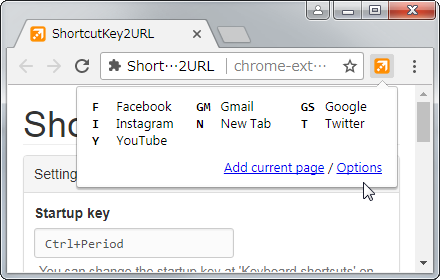
ShortcutKey2URL
ShortcutKey2URL provide a shortcut key to easily access frequently visit sites.
3.0K
★ 4.6

Bookmark Shortcuts Extension
Add keyboard shortcuts for 10 of your bookmarks.
3.0K
★ 3.3

Address Bar Shortcuts
Use shortcuts in the address bar to redirect to commonly used sites.
96
★ 3.8

Omnibox Shortcuts
Press ` and then press Tab in the Omnibar to access your shortcuts
124
★ 4.5

Onlyshortcuts - Quick access to links with shortcuts
Reach frequently used web links faster by using pre-set, easy-to-remember shortcuts instead of typing out the full URL.
362
★ 3.4
Data sourced from the Chrome Web Store · last verified Jun 4, 2026.