
Tab Hot Key
Define hotkeys to open or focus frequently used tabs.
As of May 2026, Tab Hot Key has 144 users and a 5.00/5 rating from 1 reviews in the Workflow & Planning category.
Usersup 5.1 percent+5.1%
144
144
Ratingno change0%
5.00
1 reviews
Reviewsno change0%
1
Version
0.1.0
Manifest V3
History
3 snapshotsTracking since Apr 1, 2026.
View as table
| Date | Users | Rating | Reviews | Version |
|---|---|---|---|---|
| Apr 1, 2026 | 137 | 5.00 | 1 | 0.1.0 |
| May 1, 2026 | 134 | 5.00 | 1 | 0.1.0 |
| May 30, 2026 | 135 | 5.00 | 1 | 0.1.0 |
| Now | 144 | 5.00 | 1 | 0.1.0 |
Permissions & access
- Permissions
- tabsstorage
- Host access
- http://*/*, https://*/*
Screenshots


About
Jump to frequently used websites using keyboard shortcuts.

Press Alt + J, and then a defined hot key to open a website.

If a website is already opened then Tab Hot Key activates the existing tab. Otherwise it open the website in a new tab.

Unlike other shortcut extensions, Tab Hot Key doesn't inject any scripts in your websites. Instead, our extension opens up a small independent popup just for the moment to capture your shortcut key.

It can work globally! You don't have to be in Chrome to use your shortcuts. Just change the base hot key scope from "In Chrome" to Global in chrome://extensions/shortcuts.

Unlike other shortcut extensions that work globally, this one doesn't require any additional software.
Technical
- Version
- 0.1.0
- Manifest
- V3
- Size
- 13.61KiB
- Min Chrome
- 88
- Languages
- 1
- Featured
- Yes
Metadata
- ID
- amdglafidmblcmffjcbgkmbogkenfdjh
- Developer ID
- ub213d4f71728ad30780ad4eef45a110c
- Developer Email
- [email protected]
- Created
- Apr 9, 2022
- Last Updated (Store)
- Apr 11, 2022
- Last Scraped
- May 30, 2026
- Website
- solvenium.com
- Support URL
- —
- Privacy Policy
- —
Similar extensions
Alternatives to Tab Hot Key, ranked by description similarity.

Global New Tab Shortcut
This allows you to open a new tab from within any application with a keyboard shortcut.
This means that as soon as you think of a…
263
★ 4.3
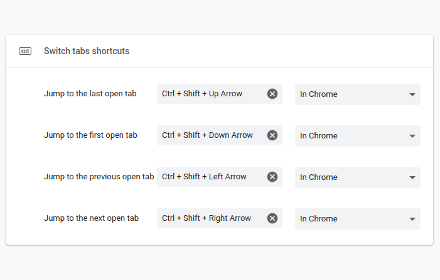
Switch tabs shortcuts
Adds custom shortcuts for switching tabs.
707
★ 4.7

Shortcut Launcher
Quickly launch your favorite websites with custom keyboard shortcuts.
17
★ 5.0

KeyTab
adds keybinds for your tabs.
11
★ 5.0

Shortcuts for websites
Assign keyboard shortcuts to specific websites.
16
★ 5.0

Tab Group Switcher
Command palette for quick switching between Chrome tab groups.
18
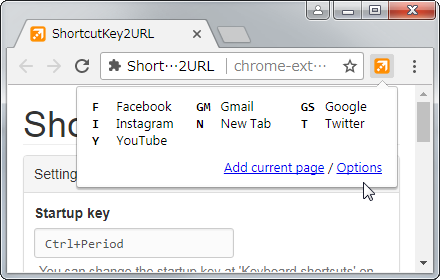
ShortcutKey2URL
ShortcutKey2URL provide a shortcut key to easily access frequently visit sites.
3.0K
★ 4.6

Tabkey
Assign number keys to open tabs and jump between them instantly.
—
Data sourced from the Chrome Web Store · last verified May 30, 2026.