
Serenity Tools for ChatGPT
Bookmark responses in ChatGPT conversations. Add and store custom instruction sets, and apply them with the click of a button!
As of June 2026, Serenity Tools for ChatGPT has 2 users and a 5.00/5 rating from 2 reviews in the Workflow & Planning category.
Usersdown 60.0 percent−60.0%
2
2
Ratingno change0%
5.00
2 reviews
Reviewsno change0%
2
Version
1.0.1
Manifest V3
History
6 snapshotsTracking since Apr 1, 2026.
View as table
| Date | Users | Rating | Reviews | Version |
|---|---|---|---|---|
| Apr 1, 2026 | 5 | 5.00 | 2 | 1.0.1 |
| Apr 8, 2026 | 6 | 5.00 | 2 | 1.0.1 |
| Apr 19, 2026 | 4 | 5.00 | 2 | 1.0.1 |
| Apr 26, 2026 | 3 | 5.00 | 2 | 1.0.1 |
| May 9, 2026 | 2 | 5.00 | 2 | 1.0.1 |
| May 14, 2026 | 3 | 5.00 | 2 | 1.0.1 |
| Now | 2 | 5.00 | 2 | 1.0.1 |
Permissions & access
- Permissions
- storagetabsscripting
- Host access
- https://chatgpt.com/*, https://chat.openai.com/*
Screenshots


About
ChatGPT is great until your best replies disappear in old chats and your favourite custom instructions are scattered everywhere in random documents.

Serenity Tools for ChatGPT helps you keep things organized. Bookmark useful responses, save reusable instruction sets, and switch between them in one click.

It’s designed to make ChatGPT easier to use when you’re moving between different tasks, projects, or workflows, perfect for power users.

Features

1. Bookmark useful ChatGPT responses
Save replies you want to come back to later with a bookmark button to the top right of each post. Bookmarked replies are highlighted in blue for easy tracking in long chats, and can be un-bookmarked by clicking the bookmark button again, or from deleting the bookmark in the bookmarks popup menu.

2. Create and save custom instruction sets
Store multiple custom setups for different use cases (writing, research, coding, brainstorming, and more).

3. Apply saved sets in one click
Switch context quickly without copy pasting instructions from another document. Clicking apply on a set of custom instructions opens the personalisation menu, fills out the custom instruction fields accordingly, saves the new instructions and closes the window, letting you pick up from where you left off!

4. Organize with tags and pinning
Add a tag, filter by tag, and pin the items you use most.

5. Search saved items
Quickly find bookmarks and instruction sets by title or tag.

6. Quick import for instruction sets
Paste a formatted template once to fill all fields automatically (title, tag, "Custom Instructions", and “More about you”). This is necessary since chrome extension popups always disappear if you click away from them, meaning all fields need to be filled in at the same time.


Privacy and storage

Local-only storage
Your bookmarks and instruction sets are stored locally in your browser
No account required
No cloud sync in the current version

If you have any issues with compatibility or certain features not working, please let me know!

Support: [email protected]
Privacy Policy: https://sites.google.com/view/serenitylabs?usp=sharing
Technical
- Version
- 1.0.1
- Manifest
- V3
- Size
- 95.61KiB
- Min Chrome
- 88
- Languages
- 1
- Featured
- No
Metadata
- ID
- cojgblchaohflikjfpkfndblkjneoapn
- Developer ID
- u50655b71f4d104facebb3c858a735742
- Developer Email
- [email protected]
- Created
- Feb 23, 2026
- Last Updated (Store)
- Mar 27, 2026
- Last Scraped
- Jun 9, 2026
- Website
- —
- Privacy Policy
- https://sites.google.com/view/serenitylabs?usp=sharing
Similar extensions
Alternatives to Serenity Tools for ChatGPT, ranked by description similarity.

ChatGPT Bookmark & Prompt Manager
ChatGPT Bookmark & Prompt Manager gives you control so you can find anything instantly, save what matters, reuse and share prompts.
75
★ 4.9

ChatGPT Power - Supercharge ChatGPT
Folders, search, export, prompt library, and productivity tools for ChatGPT
4
★ 5.0

Pro ChatGPT Bookmarks
Add a professional bookmarking sidebar to ChatGPT — save, search, and organize messages locally.
8
★ 5.0

ChatGPT & Gemini AI Chat Bookmark & History Manager
Save, bookmark, organize, and search ChatGPT and Gemini AI chat messages with tags.
22
★ 5.0

ChatGPT Clarity
Pin ChatGPT messages, ask follow-up questions, and organize conversations in a beautiful sidebar with grid layout.
—

ChatGPT Bookmark Manager
Bookmark ChatGPT responses and return to them later
94
★ 3.0
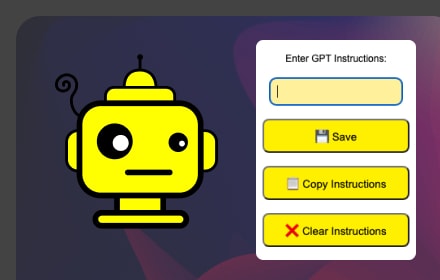
GPT4 Chat settings using prompts
A Chrome extension to store and copy GPT4 Chat setting instructions using prompts.
6

Bookmark Folders for ChatGPT
Save your Important and Favorite ChatGPTChats in Folders
780
★ 4.3
Data sourced from the Chrome Web Store · last verified Jun 9, 2026.