
ChatGPT Clarity
Pin ChatGPT messages, ask follow-up questions, and organize conversations in a beautiful sidebar with grid layout.
As of June 2026, ChatGPT Clarity has — users in the Workflow & Planning category.
Usersno change0%
—
—
Ratingno change0%
—
— reviews
Reviewsno change0%
—
Version
1.1.0
Manifest V3
History
2 snapshotsTracking since Apr 18, 2026.
Not enough history yet for this metric — the chart fills in as we collect more snapshots.
View as table
| Date | Users | Rating | Reviews | Version |
|---|---|---|---|---|
| Apr 18, 2026 | — | — | — | 1.1.0 |
| Jun 2, 2026 | 1 | — | — | 1.1.0 |
| Now | — | — | — | 1.1.0 |
Permissions & access
- Permissions
- storageactiveTabscriptingtabs
- Host access
- https://chatgpt.com/*, https://api.openai.com/*
Screenshots

About
Transform your ChatGPT experience with ChatGPT Clarity - the ultimate productivity extension for organizing and expanding your AI conversations.**

🔥 Key Features:

📌 Pin Important Messages

- Save crucial ChatGPT responses with one click
- Never lose valuable insights or code snippets again
- Organize pinned messages with custom tags
- Quick search and filter through your saved content

💬 Ask Follow-Up Questions

- Continue conversations about any pinned message
- Full context awareness - the extension remembers the original conversation
- Get deeper insights without repeating yourself
- Perfect for iterating on complex problems or ideas

🎨 Beautiful Organization

- Elegant sidebar interface that doesn't interfere with ChatGPT
- Masonry grid layout for optimal space usage
- Full-screen mode for managing large collections
- Dual-tab system: Chat view and Pinned messages view

🚀 Smart Features:

- Automatic conversation context preservation
- Tag-based organization system
- Export and backup capabilities
- Seamless integration with ChatGPT's interface
- Works with all ChatGPT conversation types

🔒 Privacy First:

- All data stored locally in your browser
- No external servers or data collection
- Optional OpenAI API integration (your keys, your control)
- Complete transparency with open-source code

✨ Perfect For:

- Researchers collecting AI-generated insights
- Developers saving code solutions and explanations
- Students organizing study materials
- Content creators managing AI-assisted work
- Anyone who wants to get more value from ChatGPT

How It Works:

1. Install the extension and visit ChatGPT
2. Click the pin button (📌) on any message you want to save
3. Add tags and organize your collection
4. Ask follow-up questions with full context
5. Switch to full-screen mode for better management

Why Choose ChatGPT Clarity?

- No subscription fees - completely free
- Lightweight and fast
- Regular updates and improvements
- Active community support
- Built by developers, for developers

Start organizing your AI conversations today and never lose another valuable ChatGPT response!
Technical
- Version
- 1.1.0
- Manifest
- V3
- Size
- 356KiB
- Min Chrome
- 88
- Languages
- 1
- Featured
- No
Metadata
- ID
- ipggeldbefljljklndcbajnnaandehnh
- Developer ID
- ub4370d6afe5b31ca2137991d4af97366
- Developer Email
- [email protected]
- Created
- Oct 23, 2025
- Last Updated (Store)
- Nov 3, 2025
- Last Scraped
- Jun 2, 2026
- Website
- —
- Support URL
- —
Similar extensions
Alternatives to ChatGPT Clarity, ranked by description similarity.

ChatGPT Search Helper: Search through your ChatGPT conversations
Search through your ChatGPT conversations
3

ChatGPT Power - Supercharge ChatGPT
Folders, search, export, prompt library, and productivity tools for ChatGPT
4
★ 5.0

ChatGPT in Side Panel
Access ChatGPT directly in Chrome's side panel with seamless login and chat history synchronization.
165
★ 5.0
ChatGPT Helper
Boost productivity with new workflow & easy access to frequent prompts using our innovative ChatGPT extension.
532
★ 5.0
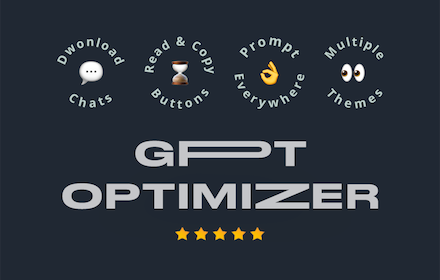
ChatGPT Optimizer - Boost Your AI Workflow
Enhance the Chat GPT interface and bring GPT trough all the web!
20.0K
★ 3.9

Indexly
Save and organize your favorite AI responses with tags and search
2

ChatGPT Wrangler
Monitor ChatGPT tabs processing status with visual indicators
9

ChatGPT Assistant Plus
Maximize Your ChatGPT: Search Integration, Run from the Context Menu, Talk with LLM in the Popup
30.0K
★ 4.3
Data sourced from the Chrome Web Store · last verified Jun 2, 2026.