resizemy.photos
Resize or crop any photo or image from any website or upload your own image
As of May 2026, resizemy.photos has 9,000 users and a 4.00/5 rating from 38 reviews in the art category.
Usersup 12.5 percent+12.5%
9.0K
9,000
Ratingno change0%
4.00
38 reviews
Reviewsno change0%
38
Version
1.66.0
Manifest V3
90-day change · In the last 90 days this extension gained 1.0K users.
History
2 snapshotsTracking since Apr 30, 2026.
View as table
| Date | Users | Rating | Reviews | Version |
|---|---|---|---|---|
| Apr 30, 2026 | 8.0K | 4.00 | 38 | 1.66.0 |
| May 29, 2026 | 8.0K | 4.00 | 38 | 1.66.0 |
| Now | 9.0K | 4.00 | 38 | 1.66.0 |
Permissions & access
- Permissions
- activeTabcontextMenusstoragescripting
- Host access
- None declared
Screenshots


About
Upload any image or use photos from websites to easily crop and resize to any dimensions.

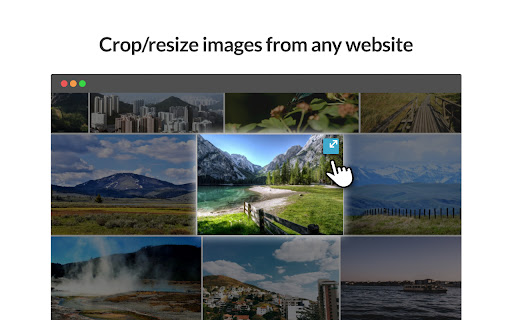
* Resize or crop any photo from the web.
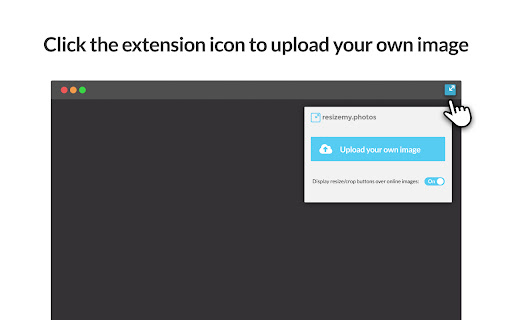
* Upload your own photo to resize or crop.
* Auto crop according to social network and other preset sizes.
* Custom define your own crop size.
* Free crop mode allows you to select cropping area on photo and keep image pixel resolution.
* Slider resize allows you to resize the image by percentage.
* Download your image as JPG or PNG.

Preset sizes we support:
* Wallpaper - Desktop, Laptop, Tablet, Thumbnail.
* Facebook - Cover photo, Profile photo, Shared image, Shared preview.
* Linkedin - Banner image, Cover image, Profile image, Logo image.
* GooglePlus - Cover image, Profile photo, Shared link.

***** MORE PRESET SIZES COMING SOON ******

***** We take your privacy very seriously, so we do not store or upload any information of the images you use. *****
*** Use of Permissions ***
We use the following Permissions to provide you with the needed features required:

activeTab - Access to current active tab and enable the crop icon on images for faster access to crop function
contextMenus - Access to add menu option to crop using right click
storage - Access to storage to save and sync extention status (for showing or hiding the icon on images)

*** So what data do we collect and how do we use it? ***
We collect the following data using Google Analytics:
install, update and uninstall actions and the version
files uploaded types (jpeg / png / etc`...)
cropper changes sizes (300x300, 250x200, etc`...)
files downloaded sizes (300x300, 250x200, etc`...)
Technical
- Version
- 1.66.0
- Manifest
- V3
- Size
- 740KiB
- Min Chrome
- 88
- Languages
- 4
- Featured
- Yes
Metadata
- ID
- cedckdcmlfabmjkangihdbimghccobhp
- Developer ID
- u302cfff1642c0e1d441af4249be611e7
- Developer Email
- [email protected]
- Created
- Jul 12, 2017
- Last Updated (Store)
- Sep 20, 2024
- Last Scraped
- May 29, 2026
- Website
- http://resizemy.photos/
- Support URL
- —
- Privacy Policy
- http://resizemy.photos/privacy.html
Similar extensions
Alternatives to resizemy.photos, ranked by description similarity.

Image Resizer
🖼️ Resize images, crop images, and compress photos online using Image Resizer. Perfect for social media, web, and bulk resizing.
4.0K
★ 4.8

Fast Photo Cropper: No Servers, Just Privacy
Crop photos in any aspect ratio, privately.
44

Photo Editor Online
Online image editor lets you create, edit images, graphic design using HTML5 technologies. No need download or have obsolete flash.
8.0K
★ 4.4

imagy tools
imagy tools gives you faster access to our various image editing tools.
937
★ 5.0

PNG, GIF, JPEG Optimizer
Easy to use optimizer, resizer for image files. Your image files can be 10%-70% smaller. Supports PNG, Animation GIF, JPEG files.
2.0K
★ 4.7

Fast & Easy Photo Resizer
Effortless and private photo resizing in seconds
58

Image Splitter
🪟 Split or change size of image, crop, resize & create photo grids effortlessly using Image Splitter! You perfect grid maker!
2.0K
★ 4.9

Image Resizer Pro
A powerful browser extension for resizing, cropping, and converting images
7
★ 5.0
Data sourced from the Chrome Web Store · last verified May 29, 2026.