
Fast & Easy Photo Resizer
Effortless and private photo resizing in seconds
As of May 2026, Fast & Easy Photo Resizer has 58 users in the art category.
Usersup 1.8 percent+1.8%
58
58
Ratingno change0%
—
— reviews
Reviewsno change0%
—
Version
0.1
Manifest V3
History
2 snapshotsTracking since Apr 25, 2026.
View as table
| Date | Users | Rating | Reviews | Version |
|---|---|---|---|---|
| Apr 25, 2026 | 57 | — | — | 0.1 |
| May 21, 2026 | 59 | — | — | 0.1 |
| Now | 58 | — | — | 0.1 |
Permissions & access
- Permissions
- None declared
- Host access
- None declared
Screenshots

About
🚀 Quick and Easy Photo Resizing for All Needs

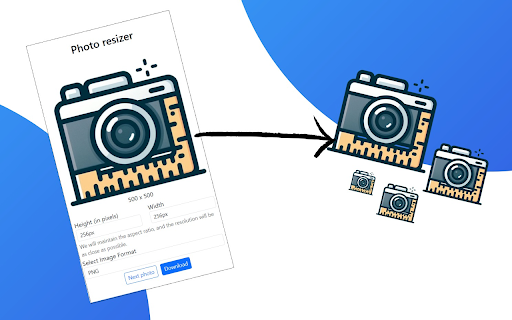
With Photo Resizer, transform your images in seconds! Our tool allows you to easily adjust the size and format of your photos, making them ready for any purpose. Whether you're a social media user, web designer, blogger, or photographer, you can achieve the perfect fit for any platform or project.

🎯 Endless Customization Options

From ready-made presets to custom dimensions, Photo Resizer has you covered. Select from popular sizes for social media platforms, print materials, or website images. Tired of resizing every single image? Save time with batch resizing and handle multiple images at once.

Why use Photo Resizer?

1️⃣Standard presets for popular social media and website dimensions
2️⃣Full control over image width, height, and resolution
3️⃣Instant size adjustments to fit any digital or print requirement

📉 High-Quality Compression Without Losing Quality

Worried about large file sizes? Photo Resizer compresses your images without losing sharpness, clarity, or color. This means faster website load times, less storage on your device, and crystal-clear images for every use. Compressing images makes sharing online and through email much easier, too!

💼 Batch Resizing and Image Editing for Professionals

Manage hundreds of images at once with the batch resizing feature! Perfect for photographers, designers, and marketers, Photo Resizer helps you edit multiple photos in just a few clicks. Save time and achieve consistent sizes across all images.

🌍 Browser-Based and Beginner-Friendly

No software downloads needed! Photo Resizer runs in your browser, giving you flexibility to use it anytime, anywhere. The clean, intuitive interface is designed for users of all experience levels. Whether you’re resizing a few photos or managing a large batch, the tool guides you effortlessly.

🔐 Privacy and Security at Its Core

We prioritize your privacy. All images are processed within your browser, ensuring that your photos stay secure and private. No images are stored or shared, giving you complete peace of mind.

🌟 Full Features List

1️⃣Simple and fast resizing options
2️⃣Social media and website presets for standard sizes
3️⃣High-quality compression to reduce file size
4️⃣Batch resizing to handle multiple images
5️⃣User-friendly, accessible, and no software downloads required
6️⃣Secure and private photo processing

With Photo Resizer: The Ultimate Tool to Transform Your Images, photo editing and resizing is easier than ever. Make your photos pop on any platform, share instantly, and get the exact look you want in seconds! Start transforming your images today and experience the power of fast, easy resizing.

FAQ - Photo Resizer: The Ultimate Tool to Transform Your Images!

1️⃣ What is Photo Resizer, and how does it work?
🔸Photo Resizer is an easy-to-use online tool that helps you resize, compress, and optimize images quickly. It’s browser-based, so there’s no need to download software. Simply upload your photo, choose your resizing options, and let the tool handle the rest.

2️⃣ Can I resize multiple photos at once?
🔸Yes! With Photo Resizer’s batch resizing feature, you can resize multiple photos in one go. Just upload all your images, choose your desired dimensions, and the tool will apply your settings to each photo automatically.

3️⃣ Will my images lose quality after resizing?
🔸No, Photo Resizer is designed to maintain the best quality possible while resizing and compressing your images. Our compression technology reduces file size without sacrificing clarity, sharpness, or color accuracy.

4️⃣ Is Photo Resizer secure to use?
🔸Absolutely. Your privacy is our priority. Photo Resizer processes your images directly in your browser, ensuring that your photos remain private and are not stored on our servers.

5️⃣ What file formats does Photo Resizer support?
🔸Photo Resizer supports popular image formats such as JPEG, PNG, and GIF. Just upload your file, and you’re ready to resize!

6️⃣ Do I need any technical skills to use Photo Resizer?
🔸Not at all! Photo Resizer is designed for all users, regardless of skill level. The tool has a simple, intuitive interface that guides you through each step, making resizing easy for beginners and professionals alike.

7️⃣ Can I use Photo Resizer on mobile devices?
🔸Yes, Photo Resizer is fully optimized for both desktop and mobile browsers. You can easily access and use the tool on any device, anytime, anywhere.

8️⃣ Does Photo Resizer have preset dimensions for social media?
🔸Yes! Photo Resizer includes preset sizes for common social media platforms like Instagram, Facebook, Twitter, and more. This makes it easy to select the perfect dimensions without manually adjusting each setting.

9️⃣ Is there a limit on the number of photos I can resize?
🔸No, there’s no limit on the number of photos you can resize. You can process as many images as you need, whether individually or in batches.

🔟 How can I get started with Photo Resizer?
🔸It’s simple! Just open the tool in your browser, upload a photo or batch of photos, choose your desired resize options, and click resize. Your optimized images will be ready in seconds!

With these FAQs, we hope all your questions are answered. Resize, optimize, and elevate your images effortlessly with Photo Resizer!
Technical
- Version
- 0.1
- Manifest
- V3
- Size
- 771KiB
- Min Chrome
- 88
- Languages
- 1
- Featured
- No
Metadata
- ID
- pogbaifhphmeeknfcifmhomcojffekec
- Developer ID
- u67fa732822ddbefb8f4ae43bf895e57e
- Developer Email
- [email protected]
- Created
- Oct 30, 2024
- Last Updated (Store)
- Nov 18, 2024
- Last Scraped
- May 21, 2026
- Website
- https://tatarapps.com/
- Support URL
- https://tatarapps.com/photo-resizer/
- Privacy Policy
- https://tatarapps.com/privacy-policy/
Similar extensions
Alternatives to Fast & Easy Photo Resizer, ranked by description similarity.

Image Resizer
🖼️ Resize images, crop images, and compress photos online using Image Resizer. Perfect for social media, web, and bulk resizing.
4.0K
★ 4.8

Fast Photo Cropper: No Servers, Just Privacy
Crop photos in any aspect ratio, privately.
44

Quick Image Tools
Edit images instantly, right from your browser.
—

Image Splitter
🪟 Split or change size of image, crop, resize & create photo grids effortlessly using Image Splitter! You perfect grid maker!
2.0K
★ 4.9

Image Downloader – Bulk Save, Filter by Size & Ratio
Download and save all images from any website in one click. Filter by size, type, or aspect ratio — fast, private, and ad-free.
86
★ 5.0

Photo resize compress and Zip
It's free tool to compress and zip all Images together in very impressive, simple and super fast speed!
1.0K
★ 3.5

PNG, GIF, JPEG Optimizer
Easy to use optimizer, resizer for image files. Your image files can be 10%-70% smaller. Supports PNG, Animation GIF, JPEG files.
2.0K
★ 4.7

Pixlr Express
Pixlr Express is a powerful photo editor that lets you crop, resize, and fine-tune any picture, in a completely ad-free experience.
100.0K
★ 4.4
Data sourced from the Chrome Web Store · last verified May 21, 2026.