AutoDraw for skribbl.io
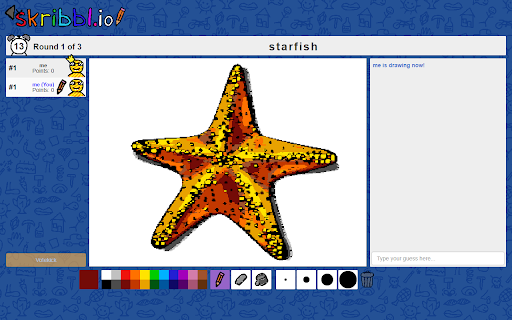
Auto draws images in pictionary game skribbl.io.
As of May 2026, AutoDraw for skribbl.io has 200,000 users and a 3.51/5 rating from 302 reviews in the fun category.
Usersno change0%
200.0K
200,000
Ratingdown 0.3 percent−0.3%
3.51
302 reviews
Reviewsup 2.0 percent+2.0%
302
Version
0.3.3
Manifest V3
History
2 snapshotsTracking since Apr 29, 2026.
View as table
| Date | Users | Rating | Reviews | Version |
|---|---|---|---|---|
| Apr 29, 2026 | 200.0K | 3.52 | 296 | 0.3.3 |
| May 26, 2026 | 200.0K | 3.50 | 298 | 0.3.3 |
| Now | 200.0K | 3.51 | 302 | 0.3.3 |
Permissions & access
- Permissions
- None declared
- Host access
- None declared
Screenshots


About
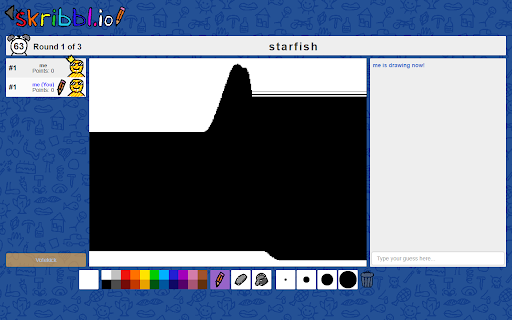
How to use (when it's your turn to draw):
 1. Search for an image using Google (https://images.google.com)
 2. Drag and drop it onto the canvas
 3. Sit back and relax

Tips:
 - Simple images, like clip art, draw fastest
 - Draws best when Chrome window is maximized

Is AutoDraw active?
Look for the starfish icon in Chrome's list of extensions. If it has color then the extension is active. Just drag and drop an image onto the canvas when it's your turn to draw.
Technical
- Version
- 0.3.3
- Manifest
- V3
- Size
- 12.39KiB
- Min Chrome
- 88
- Languages
- 1
- Featured
- Yes
Metadata
- ID
- bpnefockcbbpkbahgkkacjmebfheacjb
- Developer ID
- uf9968d6eb707d676fc33281e4bb1cdee
- Developer Email
- [email protected]
- Created
- Jun 25, 2019
- Last Updated (Store)
- Oct 14, 2024
- Last Scraped
- May 26, 2026
- Website
- —
- Privacy Policy
- —
Similar extensions
Alternatives to AutoDraw for skribbl.io, ranked by description similarity.

Doodle Pad
Doodle Pad - Draw in your browser!
110
★ 5.0

SpeeDoodle
Allows the user to doodle using the mouse on a new tab page and provides options to download and copy the doodle.
1.0K
★ 5.0

Paint Online - Drawing Tool
Sketch fun drawings directly on web pages using the paint tool. Capture your art with a quick screenshot.
50.0K
★ 4.5

Peardeck Drawing Bot
Drag and drop and image an onto the peardeck canvas, then left-click, and it will be drawn.
1.0K
★ 3.0

Canvas Creator
Create and edit drawings with brushes, shapes, colors. Save your artwork offline by AIO.com.ai
3

Web paint
Add text, draw shapes, paint lines, paint curves, make notes, draw arrows on pages in real time make a screenshot / share / print
50.0K
★ 4.9

Web Paint Tool - draw online
Draw rectangle, circle, lines and others shapes or add text on any web pages, then make screenshot the result.
100.0K
★ 4.5

TinySketch
Create and save quick drawings at the click of a button - by AIO.com.ai
—
Data sourced from the Chrome Web Store · last verified May 26, 2026.