
SpeeDoodle
Allows the user to doodle using the mouse on a new tab page and provides options to download and copy the doodle.
As of June 2026, SpeeDoodle has 1,000 users and a 5.00/5 rating from 3 reviews in the fun category.
Usersno change0%
1.0K
1,000
Ratingno change0%
5.00
3 reviews
Reviewsno change0%
3
Version
2.0.0
Manifest V3
History
1 snapshotsTracking since May 3, 2026.
View as table
| Date | Users | Rating | Reviews | Version |
|---|---|---|---|---|
| May 3, 2026 | 1.0K | 5.00 | 3 | 2.0.0 |
| Now | 1.0K | 5.00 | 3 | 2.0.0 |
Permissions & access
- Permissions
- clipboardWrite
- Host access
- None declared
Screenshots
About
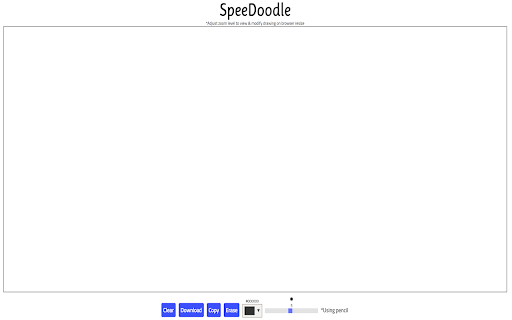
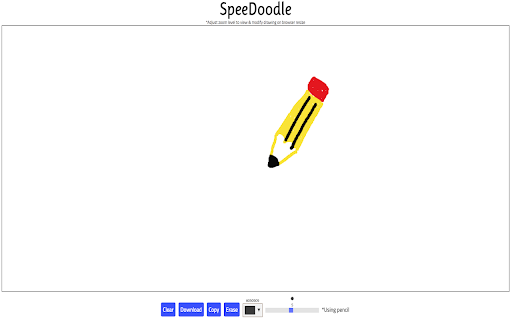
Simple chrome extension that replaces the New Tab page with a doodle space where users can easily draw a doodle using their mouse. Users can download their doodle as a PNG file or copy the doodle to Clipboard. User can also clear a drawing, erase parts of their drawing, change color of pencil, and change weight of pencil.
Technical
- Version
- 2.0.0
- Manifest
- V3
- Size
- 74.06KiB
- Min Chrome
- 88
- Languages
- 1
- Featured
- Yes
Metadata
- ID
- lalbcphldbcignmifdmgjdidkegjhecd
- Developer ID
- u594da4cbfdb0131108cf4bdfe2a135ba
- Developer Email
- [email protected]
- Created
- Jan 31, 2018
- Last Updated (Store)
- May 23, 2024
- Last Scraped
- Jun 2, 2026
- Website
- —
- Support URL
- —
- Privacy Policy
- —
Similar extensions
Alternatives to SpeeDoodle, ranked by description similarity.
Sketch Tab
Replace new tab page with a personal space where you can search and doodle however you desire.
172
★ 4.3

Doodle Pad
Doodle Pad - Draw in your browser!
110
★ 5.0

TinySketch
Create and save drawings at the click of a button.
100.0K
★ 4.1

TinySketch
Create and save quick drawings at the click of a button - by AIO.com.ai
—

the cutest chrome extension ever
add the cutest stuff to websites
13

ChroMarker
A marker that allows users to draw on webpages and annote anything they feel like
7
★ 5.0

Drawing Helper!
Replaces the new tab page with a fun drawing tool!
—

Web Paint Tool - draw online
Draw rectangle, circle, lines and others shapes or add text on any web pages, then make screenshot the result.
100.0K
★ 4.5
Data sourced from the Chrome Web Store · last verified Jun 2, 2026.