
EasyCopyLink
You can copy page link from right-click menu to clipboard in various formats: Title, URL, Title+URL, HTML, Markdown, RichText.
As of May 2026, EasyCopyLink has 1,000 users and a 5.00/5 rating from 3 reviews in the Productivity category.
Usersno change0%
1.0K
1,000
Ratingno change0%
5.00
3 reviews
Reviewsno change0%
3
Version
1.3
Manifest V3
Permissions & access
- Permissions
- activeTabcontextMenusclipboardWritescriptingstoragenotifications
- Host access
- None declared
Screenshots


About
The available formats that can be copied are as follows:

・Title
・URL
・Title + newline + URL
・HTML
・Markdown
・RichText

"RichText" is a text with link that can be clicked on to open in a browser, making it useful for pasting into chat rooms such as Slack.

You can turn the display on and off from the menu of this extension, so you can display only the formats you use most often in the right-click menu.

Note: This extension does not work on special pages as followings, due to the functional limitations of the Chrome extension API ( "chrome.scripting.executeScript" ).

- Settings page of Chrome ( chrome:// )
- Chrome Web Store ( https://chromewebstore.google.com )
Technical
- Version
- 1.3
- Manifest
- V3
- Size
- 671KiB
- Min Chrome
- 88
- Languages
- 2
- Featured
- No
Metadata
- ID
- bgilfgebpgfenjmenobinigndpommjke
- Developer ID
- u61b52058ebf9f00a6739068da61580ac
- Developer Email
- [email protected]
- Created
- Sep 13, 2023
- Last Updated (Store)
- Aug 19, 2024
- Last Scraped
- May 26, 2026
- Website
- —
- Privacy Policy
- —
Similar extensions
Alternatives to EasyCopyLink, ranked by description similarity.

Haruyoshi
Paste in format for site
2
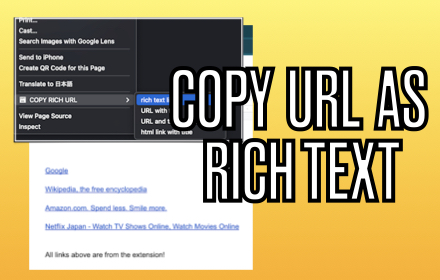
COPY RICH URL
Just clicking the icon and copying the link of the page as RICH TEXT. Markdown and other styles are available with right click menu.
737
★ 4.0

Addressy
This is a Chrome extension that allows you to quickly copy the current webpage's URL as Markdown, HTML, or plain text.
9

Copy Text as Link
Copy the selected text as a HTML link to the clipboard that can be pasted in in supported editors with the hyperlink intact.
1.0K
★ 3.5
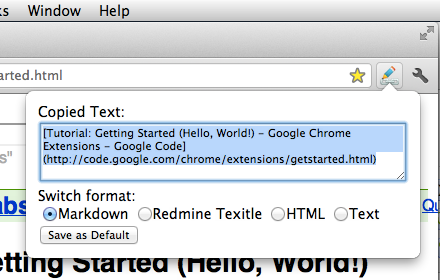
Format Link
Format a link and copy it to the clipboard.
1.0K
★ 4.5

URL Copy Helper
Copy current URL and Title. Rich Text is avalable!
168
★ 5.0

Rich Copy Link & Title
「Rich Copy Link &…
47
★ 1.0

Rich Text Copy
Copy selected text or the title of a tab to the clipboard as either a rich-text hyperlink or a markdown link.
775
Data sourced from the Chrome Web Store · last verified May 26, 2026.