
Copy Text as Link
Copy the selected text as a HTML link to the clipboard that can be pasted in in supported editors with the hyperlink intact.
As of June 2026, Copy Text as Link has 1,000 users and a 3.55/5 rating from 11 reviews in the Productivity category.
Usersup 36.1 percent+36.1%
1.0K
1,000
Ratingup 4.4 percent+4.4%
3.55
11 reviews
Reviewsup 10.0 percent+10.0%
11
Version
2.2
Manifest V3
History
5 snapshotsTracking since Apr 1, 2026.
View as table
| Date | Users | Rating | Reviews | Version |
|---|---|---|---|---|
| Apr 1, 2026 | 735 | 3.40 | 10 | 2.2 |
| Apr 18, 2026 | 761 | 3.40 | 10 | 2.2 |
| Apr 28, 2026 | 753 | 3.55 | 11 | 2.2 |
| May 10, 2026 | 748 | 3.55 | 11 | 2.2 |
| May 22, 2026 | 771 | 3.55 | 11 | 2.2 |
| Now | 1.0K | 3.55 | 11 | 2.2 |
Permissions & access
- Permissions
- contextMenusstorage
- Host access
- None declared
Screenshots


About
This extension streamlines the process of copying text as a link. Just highlight any text on a webpage, right-click, and select "Copy text as link". The text will be copied to your clipboard as a hyperlink using the active tab's URL—saving you from having to copy text and links separately.

The copied link can be pasted directly into supported editors (such as most email editors), retaining the hyperlink with the editor's styling.

The extension supports various link format combinations:

1. Page links: This is the default mode, and uses the current tabs URL to build a rich text link using the selected text and copying it to your clipboard.
2. Fragment links: Generating links to the exact highlighted portion of text on a webpage (via a Text Fragment). This feature can be enabled or disabled from the extension’s "Options" page.
3. Markdown links: Instead of a rich-text HTML based link, a Markdown style link will be copied to the clipboard. This can be enabled or disabled from the extension’s "Options" page.
Technical
- Version
- 2.2
- Manifest
- V3
- Size
- 162KiB
- Min Chrome
- 88
- Languages
- 1
- Featured
- No
Metadata
- ID
- jdhbnbfdhfndpjafikjmbdabogdecenp
- Developer ID
- u43110d01d45c1310bf0b485a4bbc098e
- Developer Email
- [email protected]
- Created
- Sep 13, 2021
- Last Updated (Store)
- Oct 27, 2025
- Last Scraped
- Jun 5, 2026
- Website
- —
Similar extensions
Alternatives to Copy Text as Link, ranked by description similarity.

Addressy
This is a Chrome extension that allows you to quickly copy the current webpage's URL as Markdown, HTML, or plain text.
9

Tabulink
Copy (subset) of open tabs to your clipboard in a hyperlink format.
24
★ 5.0

Copy as Hyperlink
Copy links or tabs as rich hyperlinks—select a link, text, or nothing to copy a clickable title and URL to your clipboard.
61
★ 5.0

Text Fragment Linker
Generate URLs with text fragments from selected text.
44

Copyany
Copy text links, hover links or page links quickly.
4

Copy as link
Copy the selected text as a link to the current page's URL
32
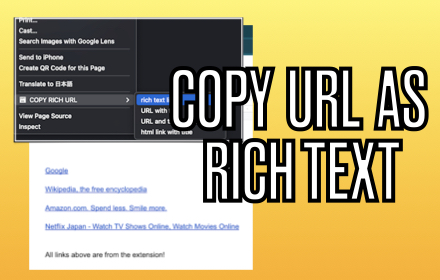
COPY RICH URL
Just clicking the icon and copying the link of the page as RICH TEXT. Markdown and other styles are available with right click menu.
737
★ 4.0

Copy Formatter
Format copy pasted text
50
Data sourced from the Chrome Web Store · last verified Jun 5, 2026.