
Pure Side Tabs
Safely view and manage your open tabs and tab groups in a sidebar. Fully open-source, with zero dependencies and no data collection.
As of June 2026, Pure Side Tabs has 6 users in the Functionality & UI category.
Usersdown 14.3 percent−14.3%
6
6
Ratingno change0%
—
— reviews
Reviewsno change0%
—
Version
1.2.0
Manifest V3
90-day change · In the last 90 days this extension 1 version update, changed permissions.
History
3 snapshotsTracking since Apr 16, 2026.
View as table
| Date | Users | Rating | Reviews | Version |
|---|---|---|---|---|
| Apr 16, 2026 | 7 | — | — | 1.1.0 |
| Apr 30, 2026 | 10 | — | — | 1.2.0 |
| May 17, 2026 | 7 | — | — | 1.2.0 |
| Now | 6 | — | — | 1.2.0 |
Changelog
- Apr 16, 2026permissions
tabs, tabGroups, sidePanel, storage
tabs, tabGroups, sidePanel, storage, sessions
- Apr 16, 2026description
🪩 Features

• Show tabs and tab groups in a sidebar
• No data harvesting, ever (source is available for verification)
• Pop-up menu with most-recently visited tabs
• Allows easily switching between most-recently used tabs with the keyboard
• Recent tab view allows for a Ctrl-Tab-like experience.
• Drag-and-drop tabs and tab groups for arrangement

⌨️  Usage

1. Install from the Chrome Web Store
2. Ctrl-B (Command-B on Mac) to show sidebar
3. Ctrl-E (Command-E on Mac) to show popup menu, arrow keys or j/k to navigate, enter to switch, esc to dismiss
4. Configure shortcuts to change keyboard mappings (Window > Extensions > Keyboard shortcuts)
5. Configure settings in extension options

📣 Tips

• You can pin the extension (from the sidebar's title, the Extensions toolbar, or from the extension's details) to make the recent tab popup show faster.
• You can use the popup menu to easily switch back and forth between two tabs (Ctrl-Tab replacement): show the popup menu (Ctrl/Command-E by default), then press Enter. This will switch back and forth between the two most recently-viewed tabs.
• Holding Ctrl/Command while collapsing or expanding tab groups will apply the command to all tab groups in the window.
🪩 Features

• Show tabs and tab groups in a sidebar
• No data harvesting, ever (source is available for verification)
• Pop-up menu with most-recently visited tabs
• Allows easily switching between most-recently used tabs with the keyboard
• Recent tab view allows for a Ctrl-Tab-like experience.
• Press / in the popup to search all open and recently closed tabs
• Drag-and-drop tabs and tab groups for arrangement

⌨️  Usage

1. Install from the Chrome Web Store
2. Ctrl-B (Command-B on Mac) to show sidebar
3. Ctrl-E (Command-E on Mac) to show popup menu, arrow keys or j/k to navigate, enter to switch, esc to dismiss
4. Configure shortcuts to change keyboard mappings (Window > Extensions > Keyboard shortcuts)
5. Configure settings in extension options

📣 Tips

• You can pin the extension (from the sidebar's title, the Extensions toolbar, or from the extension's details) to make the recent tab popup show faster.
• You can use the popup menu to easily switch back and forth between two tabs (Ctrl-Tab replacement): show the popup menu (Ctrl/Command-E by default), then press Enter. This will switch back and forth between the two most recently-viewed tabs.
• Holding Ctrl/Command while collapsing or expanding tab groups will apply the command to all tab groups in the window.
• Enable "Always keep tab groups at top" in settings to pin tab groups directly after pinned tabs, with automatic enforcement on new tabs and drag-and-drop.

📋 Changelog

• 1.2.0 - "tab groups always at top" setting, added search to MRU popup, audio icon sidebar, bug where tabs were removed from tab groups
• 1.1.0 - cmd+click to open/close all tab groups, scroll to newly opened tabs in list
• 1.0.0 - initial release
Permissions & access
- Permissions
- tabstabGroupssidePanelstoragesessions
- Host access
- None declared
Screenshots


About
🪩 Features

• Show tabs and tab groups in a sidebar
• No data harvesting, ever (source is available for verification)
• Pop-up menu with most-recently visited tabs
• Allows easily switching between most-recently used tabs with the keyboard
• Recent tab view allows for a Ctrl-Tab-like experience.
• Press / in the popup to search all open and recently closed tabs
• Drag-and-drop tabs and tab groups for arrangement

⌨️  Usage

1. Install from the Chrome Web Store
2. Ctrl-B (Command-B on Mac) to show sidebar
3. Ctrl-E (Command-E on Mac) to show popup menu, arrow keys or j/k to navigate, enter to switch, esc to dismiss
4. Configure shortcuts to change keyboard mappings (Window > Extensions > Keyboard shortcuts)
5. Configure settings in extension options

📣 Tips

• You can pin the extension (from the sidebar's title, the Extensions toolbar, or from the extension's details) to make the recent tab popup show faster.
• You can use the popup menu to easily switch back and forth between two tabs (Ctrl-Tab replacement): show the popup menu (Ctrl/Command-E by default), then press Enter. This will switch back and forth between the two most recently-viewed tabs.
• Holding Ctrl/Command while collapsing or expanding tab groups will apply the command to all tab groups in the window.
• Enable "Always keep tab groups at top" in settings to pin tab groups directly after pinned tabs, with automatic enforcement on new tabs and drag-and-drop.

📋 Changelog

• 1.2.0 - "tab groups always at top" setting, added search to MRU popup, audio icon sidebar, bug where tabs were removed from tab groups
• 1.1.0 - cmd+click to open/close all tab groups, scroll to newly opened tabs in list
• 1.0.0 - initial release
Technical
- Version
- 1.2.0
- Manifest
- V3
- Size
- 29.92KiB
- Min Chrome
- 88
- Languages
- 1
- Featured
- No
Metadata
- ID
- bekbfjbhffggdpghoepanbeamalokeck
- Developer ID
- u13e42dd167043be1427bb89d4e55730f
- Developer Email
- [email protected]
- Created
- Mar 17, 2026
- Last Updated (Store)
- Apr 14, 2026
- Last Scraped
- Jun 6, 2026
- Website
- —
- Support URL
- https://github.com/mdiiorio/PureSideTabs
- Privacy Policy
- —
Similar extensions
Alternatives to Pure Side Tabs, ranked by description similarity.

Tabs in Vertical
Displays all open tabs in a vertical sidebar for better readability
96
★ 5.0

Tab Manager in Side Panel
Compatible with built-in and adds more easy-to-use features, lives in side panel
1.0K
★ 4.5

PowerTabs - Tab Switcher
Quick tab switcher with keyboard shortcuts, search across tabs, recently closed tabs, history, and bookmarks
31
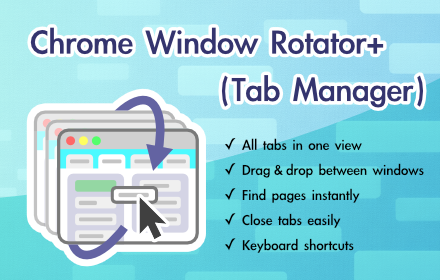
Chrome Window Rotator+ (Tab Manager)
View all tabs across windows. Find and access pages instantly. Organize with drag & drop.
108
★ 5.0

Side Bar for Arc Users
Arc Browser like Pinned Sites, Bookmarks and Active Tabs in Side Panel
189
★ 4.6

Vertical Tabs in Side Panel
Display and manage tabs vertically in the browser sidebar.
100.0K
★ 4.4

Thready - Vertical Tabs
Vertical tabs, bookmarks, history and readling list in side panel.
1.0K
★ 4.1
Tab Groups List
Lists all tab groups across all browser windows. On a click navigates to the selected group.
912
★ 3.8
Data sourced from the Chrome Web Store · last verified Jun 6, 2026.