
ChromeDash
Enter dashes, accents, Greek letters, and custom aliases—instantly!
As of June 2026, ChromeDash has 412 users and a 4.06/5 rating from 17 reviews in the Productivity category.
Usersdown 51.6 percent−51.6%
412
412
Ratingup 1.5 percent+1.5%
4.06
17 reviews
Reviewsup 6.3 percent+6.3%
17
Version
3.0.0
Manifest V3
History
7 snapshotsTracking since Apr 1, 2026.
View as table
| Date | Users | Rating | Reviews | Version |
|---|---|---|---|---|
| Apr 1, 2026 | 852 | 4.00 | 16 | 3.0.0 |
| Apr 19, 2026 | 865 | 4.00 | 16 | 3.0.0 |
| Apr 29, 2026 | 843 | 4.00 | 16 | 3.0.0 |
| May 8, 2026 | 841 | 4.00 | 16 | 3.0.0 |
| May 16, 2026 | 768 | 4.00 | 16 | 3.0.0 |
| May 25, 2026 | 736 | 4.00 | 16 | 3.0.0 |
| Jun 4, 2026 | 588 | 4.06 | 17 | 3.0.0 |
| Now | 412 | 4.06 | 17 | 3.0.0 |
Permissions & access
- Permissions
- storage
- Host access
- None declared
Screenshots

About
The ultimate text expander for Chrome—type less, say more!

ChromeDash instantly replaces shortcuts with special characters, phrases, or any text you define. It’s perfect for fast typing of dashes, Greek letters, math symbols, and custom snippets.

Key Features:

Instant Replacement: Type -- for an en–dash or --- for an em–dash. No extra clicks or keys needed!
Custom Aliases: Create your own shortcuts for emails, addresses, signatures, or frequently used phrases.
Built-in Symbol Packs: One-click install for Greek letters, Accents, Math symbols, Currency, and more.
Works Everywhere: Use it in Google, Instagram, Messenger, and almost any other text field on the web.
AI Defense: It is a known fact that AI language models love using em-dashes. By installing this extension, you carry proof that you are a true human connoisseur of punctuation—using em-dashes by choice, not by algorithm!

Doesn't work on a site you love? Report a bug or suggest a feature—we love feedback!

Note: This extension does not work in Google Docs—Google Docs uses its own plugin store.

Thanks so much for your support!
Technical
- Version
- 3.0.0
- Manifest
- V3
- Size
- 15.84MiB
- Min Chrome
- 88
- Languages
- 36
- Featured
- No
Metadata
- ID
- bbpiealmmbiefhppikadopbljoppcnoa
- Developer ID
- ua1067435205774bf49b96b9e696df69a
- Developer Email
- [email protected]
- Created
- Jan 30, 2016
- Last Updated (Store)
- Dec 9, 2025
- Last Scraped
- Jun 4, 2026
- Website
- theofekfoundation.org
- Support URL
- —
- Privacy Policy
- —
Similar extensions
Alternatives to ChromeDash, ranked by description similarity.

ChatGPT: no more em-dashes
ChatGPT Life Saver — Convert all em-dashes (—) to normal hyphens (-) on https://chatgpt.com pages
2

Em-Dash Replacer
Replace em dashes, en dashes, and other characters in selected text anywhere on the web
864
★ 5.0

No-EM-Dash for ChatGPT & Intellipaper.ai
Replaces the annoying em dashes with your preferred separator.
8
★ 5.0

Auto Text Expander: Text Shortcuts & Snippets
Create smart text expansions to get more done and streamline your work. Billions of keystrokes saved!
2.0K
★ 3.2

undash
Makes AI text feel more human by removing em-dashes (—) as you type, paste, or right-click. Toggle on/off with a click.
111
★ 3.7
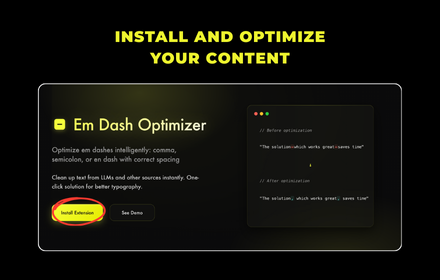
Em Dash Optimizer
Optimize em dashes intelligently: comma, semicolon, or en dash with correct spacing
6

OpenClip
A text expander that works across all text input contexts including Google Docs and Gmail
7

Codesips Text Expander – Smart Shortcuts
Create custom text expansion shortcuts to paste predefined text anywhere
4
Data sourced from the Chrome Web Store · last verified Jun 4, 2026.