
Em-Dash Replacer
Replace em dashes, en dashes, and other characters in selected text anywhere on the web
As of June 2026, Em-Dash Replacer has 864 users and a 5.00/5 rating from 3 reviews in the Productivity category.
Usersup 2.1 percent+2.1%
864
864
Ratingno change0%
5.00
3 reviews
Reviewsno change0%
3
Version
2.3
Manifest V3
History
6 snapshotsTracking since Apr 1, 2026.
View as table
| Date | Users | Rating | Reviews | Version |
|---|---|---|---|---|
| Apr 1, 2026 | 846 | 5.00 | 3 | 2.3 |
| Apr 19, 2026 | 844 | 5.00 | 3 | 2.3 |
| May 3, 2026 | 888 | 5.00 | 3 | 2.3 |
| May 12, 2026 | 875 | 5.00 | 3 | 2.3 |
| May 25, 2026 | 862 | 5.00 | 3 | 2.3 |
| Jun 6, 2026 | 866 | 5.00 | 3 | 2.3 |
| Now | 864 | 5.00 | 3 | 2.3 |
Permissions & access
- Permissions
- storagecontextMenusactiveTabscripting
- Host access
- https://api-eu.mixpanel.com/*, https://chatgpt.com/*, https://chat.openai.com/*, https://gemini.google.com/*, https://copilot.microsoft.com/*, https://copilot.cloud.microsoft/*, https://*.microsoft365.com/*, https://m365.cloud.microsoft/*, https://claude.ai/*
Screenshots


About
Make your AI-generated text look more natural and human-written by removing em dashes (—), En dash (–) and Hyphen (־) characters that AI chatbots commonly use.

🤖 WHY USE THIS?
AI chatbots like ChatGPT, Claude, Gemini, and Copilot frequently use dashes in their responses. These distinctive dashes can make it obvious that text was AI-generated. Em-Dash Replacer helps you make AI-written content look more natural by replacing these with regular dashes (-) or any character you prefer.

🎯 PERFECT FOR:
• Making AI chatbot responses look more natural
• Editing ChatGPT, Claude, Gemini, or Copilot output
• Professional writing and content creation
• Academic work where you need to polish AI-assisted text
• Copying text from PDFs or articles

⚡ KEY FEATURES:

✓ One-Click Replace
Select any text on any webpage and click the "Replace" button to replace dashes directly on the page.

✓ Smart Copy
Right-click selected text and choose "Copy without em dashes" to copy to clipboard with dashes replaced (without modifying the page).

✓ Keyboard Shortcut
Press Cmd+Shift+C (Mac) or Ctrl+Shift+C (Windows/Linux) to instantly copy selected text with dashes replaced.

✓ Auto Mode for AI Chatbots
Enable Auto Mode to automatically replace dashes as you type on:
• ChatGPT
• Google Gemini
• Microsoft Copilot
• Claude

✓ Fully Customizable
• Choose which dash types to replace (em dash, en dash, hyphen)
• Change the replacement character (default: regular hyphen)
• Works on ALL websites

✓ Preserve Formatting
All text formatting (bold, italic, links, etc.) is preserved when replacing.

🔒 PRIVACY & SECURITY:
• No data collection
• No tracking
• Works entirely on your device

📝 HOW TO USE:

1. REPLACE ON PAGE
   - Select text on any webpage
   - Click the extension icon
   - Click "Replace" to replace dashes directly on the page
   - After replacing, use the "Copy Replaced Text" button to copy

2. RIGHT-CLICK MENU (ChatGPT, Gemini, Claude, Copilot)
   - Select text
   - Right-click and choose "Copy without em dashes"
   - Text is copied with dashes replaced (page unchanged)

3. KEYBOARD SHORTCUT
   - Select text
   - Press Cmd+Shift+C (Mac) or Ctrl+Shift+C (Windows)
   - Text is copied with dashes replaced

4. AUTO MODE
   - Click the extension icon
   - Toggle "Auto Mode" ON
   - Dashes are automatically replaced as you type on AI chatbot sites

🎨 CHARACTERS REPLACED:
• Em dash (—) - the long dash
• En dash (–) - the medium dash
• Hyphen (־) - the high hyphen character

Perfect for anyone who regularly works with text from PDFs, articles, or international content!
Technical
- Version
- 2.3
- Manifest
- V3
- Size
- 28.65KiB
- Min Chrome
- 88
- Languages
- 1
- Featured
- No
Metadata
- ID
- ajpkkiddmmgadfphjdmdlnhlchiejkll
- Developer ID
- u18822d80d332ed5ce4a0afed2ad7771a
- Developer Email
- [email protected]
- Created
- Oct 13, 2025
- Last Updated (Store)
- Oct 16, 2025
- Last Scraped
- Jun 6, 2026
- Website
- —
- Support URL
- —
- Privacy Policy
- https://em-dash-replacer.com/privacy-policy
Similar extensions
Alternatives to Em-Dash Replacer, ranked by description similarity.

Fix Em‑Dashes in ChatGPT
Replaces em (—) and en (–) dashes with hyphens on every site.
6
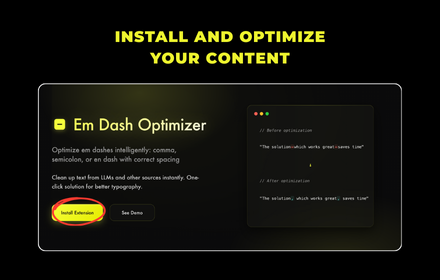
Em Dash Optimizer
Optimize em dashes intelligently: comma, semicolon, or en dash with correct spacing
6

Em Dash Fixer for ChatGPT
Replaces em dashes (—) with hyphens (-) in ChatGPT responses and adds a convenient button to copy the cleaned text.
7
★ 5.0

No-EM-Dash for ChatGPT & Intellipaper.ai
Replaces the annoying em dashes with your preferred separator.
8
★ 5.0

M-Dash Detector
Highlights em-dashes (—) commonly used by AI models to make you aware of AI-generated text
10

ChatGPT Text Cleaner
Customize ChatGPT responses with your preferred replacements for em dashes, quotes, symbols, or other text patterns.
17

undash
Makes AI text feel more human by removing em-dashes (—) as you type, paste, or right-click. Toggle on/off with a click.
111
★ 3.7

ChatGPT Watermark Remover
Removes hidden chars (U+202F, U+200B) & fixes dashes in copied text. Use ✨ on ChatGPT or popup icon.
175
★ 5.0
Data sourced from the Chrome Web Store · last verified Jun 6, 2026.