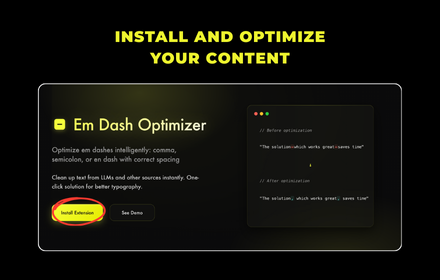
Em Dash Optimizer
Optimize em dashes intelligently: comma, semicolon, or en dash with correct spacing
As of May 2026, Em Dash Optimizer has 6 users in the Productivity category.
Usersup 100.0 percent+100.0%
6
6
Ratingno change0%
—
— reviews
Reviewsno change0%
—
Version
1.0.3
Manifest V3
History
5 snapshotsTracking since Apr 1, 2026.
View as table
| Date | Users | Rating | Reviews | Version |
|---|---|---|---|---|
| Apr 1, 2026 | 3 | — | — | 1.0.3 |
| Apr 20, 2026 | 2 | — | — | 1.0.3 |
| May 5, 2026 | 3 | — | — | 1.0.3 |
| May 16, 2026 | 3 | — | — | 1.0.3 |
| May 30, 2026 | 5 | — | — | 1.0.3 |
| Now | 6 | — | — | 1.0.3 |
Permissions & access
- Permissions
- clipboardReadclipboardWrite
- Host access
- None declared
Screenshots


About
Transform messy em dashes (—) into clean, readable punctuation with one click! Perfect for cleaning up text from ChatGPT, Claude, and other AI tools.

> em dash = (—)
> en dash = (–)
> hyphen = (-)

> Key Features:
• Smart Processing - Intelligently converts em dashes to commas, semicolons, or en dashes based on context
• Visual Preview - See changes before applying them with toggle preview
• One-Click Copy - Optimized text copied to clipboard instantly
• Auto-Paste - Automatically detects clipboard content with em dashes
• Keyboard Shortcuts - Streamlined workflow for power users

> Perfect For:
• Cleaning up AI-generated content (ChatGPT, Claude, etc.)
• Email and document editing
• Academic and professional writing
• Content creators and editors
• Anyone who values clean, readable text

> How It Works:
• Copy text containing em dashes from anywhere (text is automatically copied to clipboard)
• Click the Em Dash Optimizer extension icon
• Click "Optimize Text" to process
  (Optional): Use preview toggle to see changes (before/after)
• Paste your text anywhere (or it auto-pastes if detected)

> Example Transformations:
1. "The solution—which works great—saves time" → "The solution, which works great, saves time"
2. "We have options—red, blue, or green" → "We have options: red, blue, or green"
3. "The meeting was productive—we made decisions" → "The meeting was productive; we made decisions"

Privacy-focused and lightweight. No data collection, works entirely offline.
Technical
- Version
- 1.0.3
- Manifest
- V3
- Size
- 12.98KiB
- Min Chrome
- 88
- Languages
- 1
- Featured
- No
Metadata
- ID
- lhfkhndendkleknhofppofgeecjfblnf
- Developer ID
- uce6fb826dd8c093d95356248199d8583
- Developer Email
- [email protected]
- Created
- Aug 25, 2025
- Last Updated (Store)
- Sep 1, 2025
- Last Scraped
- May 30, 2026
- Website
- —
- Support URL
- —
- Privacy Policy
- https://em-dash-optimizer.vercel.app/privacy.html
Similar extensions
Alternatives to Em Dash Optimizer, ranked by description similarity.

Slash-Dash
Automatically processes copied text to replace em-dashes and en-dashes with contextually appropriate punctuation
2

UltraGpt
fix chatGpt and Removes all em dashes (—)
—

Em-Dash Replacer
Replace em dashes, en dashes, and other characters in selected text anywhere on the web
864
★ 5.0

No-EM-Dash for ChatGPT & Intellipaper.ai
Replaces the annoying em dashes with your preferred separator.
8
★ 5.0

Em Dash Fixer for ChatGPT
Replaces em dashes (—) with hyphens (-) in ChatGPT responses and adds a convenient button to copy the cleaned text.
7
★ 5.0

Fix Em‑Dashes in ChatGPT
Replaces em (—) and en (–) dashes with hyphens on every site.
6

ChatGPT: no more em-dashes
ChatGPT Life Saver — Convert all em-dashes (—) to normal hyphens (-) on https://chatgpt.com pages
2

ChatGPT Text Cleaner
Customize ChatGPT responses with your preferred replacements for em dashes, quotes, symbols, or other text patterns.
17
Data sourced from the Chrome Web Store · last verified May 30, 2026.